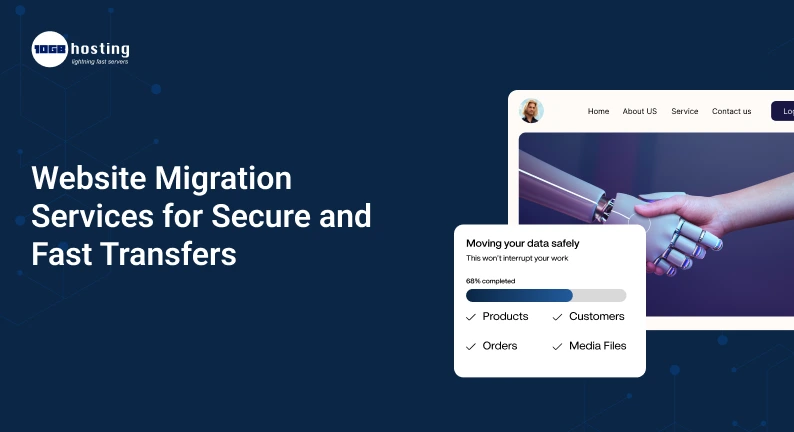
Switching your website to a new hosting provider, changing your domain or switching to a different content management system can be a smart business decision. A better hosting environment can boost website speed, improve security and give you more space to grow. But if not done properly, migration can also mean broken links, missing files, database errors, downtime and even a temporary dip in search engine rankings.
Thus, choosing reliable website migration services is important. Properly managed migration moves your website files, databases, emails and essential settings with minimal disruption.
Regardless of whether it’s your WordPress blog, e-commerce store or a business website, knowing the migration process can help you make the right choice. In this article we’ll cover the process of website migration, why it can be beneficial to enlist professional help, and how to choose a service that will allow for a safe and seamless transition.
Table of Contents
What are Website Migration Services?
Website migration services involve moving a website from one web hosting environment, domain, platform, or server configuration to another. This process includes transferring website data and testing the website to ensure it is working properly after the transfer.
A migration can include (depending on your needs):
- Transferring a website from one hosting provider to another.
- Moving a website to a new server or VPS.
- Moving a WordPress site to a different hosting plan.
- Changing the domain name or URL structure.
- Moving an online store to a new e-commerce platform.
- Migrate databases, email accounts & website files.
- Transitioning from a traditional hosting environment to a cloud infrastructure.
A site migration service can handle technical tasks such as backups, file transfers, database configuration, DNS updates, testing and troubleshooting.
What work it is, depends on the supplier. Before you buy a service, make sure to ask if they will migrate your email, set up SSL, change DNS, manage SEO redirects and provide support after the migration.
How Does Website Migration Work ?
A website is usually made up of many interconnected parts, that is files, databases, configuration settings, domain records, and security certificates. All required components must be properly transferred or configured for the website to work as intended.
For instance, a WordPress website contains themes, plugins, media files, user accounts, and database records. Just copying the website files is not enough , the database contains important content and settings.
Thus a successful migration requires planning, a complete move, testing and careful coordination when switching traffic to the new environment.
Why Do Companies Need Website Migration Services
Moving a website can be technically challenging, especially if a business relies on its website to generate leads, process orders, or communicate with customers. It can help reduce the workload, and help avoid avoidable problems.
1. Enhance Website Speed and Performance
If your current hosting plan is struggling with traffic or resource usage, then moving to a more suitable server may improve performance.
An online store that is growing might need more RAM, CPU resources, faster storage, or better server configuration, for example. Alternatively you could move to a suitable VPS or cloud environment for more flexibility.
But migration alone will not make the website faster. Application code, caching, image optimisation, database performance, and network latency can also make a difference to loading times.
2. Improve Website Security
Outdated software, weak controls over access, and poor backup practices can expose a website to unnecessary risk. “By moving to a better managed environment, you may be able to access better security features.”
Important security tasks during migration may include:
- Sending files through secure connections.
- Guard database credentials and configuration files.
- Obsolete parts and software upgrades.
- Setting up SSL certificates and HTTPS.
- Check file permissions and user access.
- Just make sure you have backups before trying major changes.
A secure migration protects sensitive information during the transfer, not just when the website is live.
3. Minimise Downtime
Downtime can mean lost sales, lost customer forms and lost credibility in your business. With a well-planned migration you can minimise the downtime of your website.
This allows professional migration teams to prepare the new server in advance, test the website before changing DNS records and pick the best time for the final switch when there’s less traffic.
Some migrations may be done with minimal visible downtime, but a 100% interruption-free transfer can not be guaranteed in all cases.
4. Protect SEO Rankings
If you change your website, search engines can find and index your pages differently. Changes to URLs, broken internal links and inaccessible pages could result in reduced organic traffic.
A good migration plan should consider SEO requirements, such as:
- Preserve existing URLs if possible.
- Building proper permanent redirects when URLs change.
- Fixing canonical tags and internal links updates.
- Reviewing XML sitemaps and robots.txt directives
- Test critical landing pages.
- Post-launch tracking of indexation, impressions, clicks and crawl errors.
These practices will help to mitigate migration-related SEO risks but rankings could still fluctuate as search engines digest the changes.
5. Simplify Future Growth
The hosting you currently have may work for you today but not scale well with your website. Migration can help you move to a platform with better resource options, deployment flexibility or management features.
As traffic grows, for instance, a business might move from shared hosting to VPS hosting. Another company may move to a cloud platform to support different applications or regional deployments.
The idea is to pick an environment that fits your current workload and future plans without paying for resources you don’t need.
Website Migration Service Types
Not all website migrations will have the same tasks. Knowing the different types can help you choose the right service.
Migrate Your Hosting
Hosting migration is simply the process of moving your website from one hosting provider to another. Your domain name might stay the same, but the server, hosting account or infrastructure changes.
This is a good choice if you want more performance, more resources, better support, or a different pricing model.
WordPress Migration Service
WordPress migration refers to transferring website files, database, themes, plugins and configuration settings. This might include changing the WordPress address, database credentials, cache and SSL settings, depending on your setup.
Make sure they offer WordPress troubleshooting and plugin compatibility checks before you choose a provider.
Domain Transfer
Domain migration could mean a change of the domain name of your website or changing the management of the domain to another registrar. If the website address changes, redirects and SEO auditing become even more important.
Domain registration transfer and website hosting migration are two different things, although they can occur simultaneously.
Migration of e-commerce
Online stores generally have product listings, customer records, order histories, payment settings and inventory information. Some things need to be handled carefully in a migration.
Please confirm how the provider will secure the following for an e-commerce website: Customer data Order records Test the checkout process Changes during final transfer
Cloud & VPS Migration
Cloud or VPS migration is the procedure of transferring a website or application to a virtual server or cloud infrastructure. You may need to change the operating system , server software , firewall , database setup , application environment .
This kind of migration is especially useful for businesses that need more control of server resources or want to change their infrastructure.
A Secure Step-By-Step Guide to Moving Your Site
Website migration can be easier to manage with a structured process. These are steps worth taking whether you are moving by yourself or with the assistance of professionals.
Step 1: Examine your current website
Before you move anything, find out what your website needs to run correctly.
Make a list of:
- Website files & media.
- Databases and database users
- Domain, DNS settings.
- Email accounts and mail logs.
- SSL certificates and setup of HTTPS.
- Plugins, themes and 3rd party integrations.
- Scheduled Tasks, Forms & Payment Systems
- Critical URLs & SEO Settings.
This inventory makes sure that no important components are forgotten.
Step 2: Take a Complete Backup
Always backup before you make migration changes Ideally, keep one copy in a different location, so the original and backup are not both affected by the same server problem.
Your backup should contain all the files, databases and configuration information you need. Consider recent orders and customer updates that may occur during the migration window for e-commerce sites.
Make sure that you can restore the backup before you proceed.
Step 3: Set up New Host
Prepare the destination server before you switch production traffic. Make sure it can support the software requirements of your website and has enough resources for the expected workload.
Set up required versions of PHP (or other runtimes), database services, web server configurations, SSL configurations, firewall rules and application permissions.
If you are using a professional website migration service, ask them if server preparation is included in the quoted price.
Step 4 – Transferring Website Files and Databases
Copy the files from the website and load the right databases into the new environment. Adjust configuration settings if needed, like database connection information and application paths.
Dynamic website – Make sure files and databases are consistent. If users can place orders, submit forms, or publish content during the migration, then you may want a planned final sync to make sure you do not lose recent changes.
Step 5: Test the Website Before You Launch
One of the most important steps in the procedure is testing. Do not move all customers to the new server until the critical features have been verified.
Try the following:
- Key landing pages and home page.
- Login & Registration.
- Contact forms and email alerts.
- Images, downloads and internal links.
- Pages and search functionality driven by a database.
- Shopping cart and checkout, where relevant.
- Mobile layouts and page load.
- HTTPS and SSL Certificate Validity
A staging environment or temporary preview lets you test the new setup before it goes public.
Step 6: Change DNS Settings
Once the destination website is ready, update the appropriate DNS records to direct visitors to the new environment.
It can take time for DNS changes to propagate everywhere as resolvers can cache previous records. The time depends on the TTL values of the records and other parameters.
Carefully plan the switch, keep access to the old environment during the transition, and don’t cancel the old hosting service too soon.
Step 7: Perform Post-Migration Checks
Once the website is up on the new server, check it out again from different devices and networks.
Monitor uptime, server logs, page response times, forms, email deliverability and critical customer journeys. Search Console should be reviewed for indexing issues and unexpected changes in organic performance.
Keep the old environment for a reasonable rollback period and take a fresh backup when the new website is confirmed to be working fine.
Choosing the best website migration service
Choosing the right provider can save you time and reduce technical risk. Evaluate potential services against these criteria.
Check for Experience and Tech Knowledge
Select a provider that has experience with your website platform and destination environment. A WordPress migration might require different expertise than a complex e-commerce or custom application migration, for example.
Ask the provider if it has worked with similar requirements and if it can handle databases, DNS, SSL and server configuration.
Know the Scope of Work
Before you buy, ask for a clear explanation of what the migration package covers.
Ask questions like:
- Does it include website files and databases ?
- Transfer email accounts and DNS records?
- The service includes redirects and SEO checks.
- Includes SSLsetup.
- Will the provider test the website prior to launch?
- Does the deal cover post-migration troubleshooting?
- Are there additional costs for large or complex websites?
A defined scope makes it easier to compare prices fairly.
Security and Data Handling Review
A migration provider may have access to your hosting account, database or website administration panel. Know how access will be secured and who may view your data.
Share credentials securely, give only necessary permissions and revoke temporary access after the work is done. Enquire about backup retention and how sensitive information is handled.
Compare Pricing & Support
The cheapest service will not be able to do all the work your website needs to do. Compare the total cost, expected timeline, support availability and the fall out if the migration goes awry.
If your website is critical to your everyday operations, look for a provider who provides straightforward communication and a defined troubleshooting method.
A Real World Example: Transitioning a Business Website with Little Disruption
Imagine a digital marketing agency that hosts its website on an entry-level plan. As the agency grows its content and attracts more visitors, page loading becomes inconsistent.
The team settles on a switch to a VPS with more suitable resources. Before migration it takes a backup of the website, checks server requirements and prepares a new environment. The team then moves the files and database, tests the contact forms and landing pages, checks HTTPS before updating DNS.
After launch it monitors availability, redirects and search performance of the site. The agency leaves the old hosting account live for a little while in case it needs to roll back.
This solution doesn’t stop all possible problems, but it does prevent unwarranted errors, and it gives the team a clear plan for recovery.
Common Mistakes to Avoid When Migrating Your Website
Even a planned migration can go wrong if you forget important details.
Avoid these mistakes:
- Backup Skipping: If the transfer fails, a backup is an option for recovery.
- Moving without testing: Test important features before redirecting all traffic to the new server.
- Mail settings gone awry: When migrating your website, changing DNS records incorrectly can impact mail delivery.
- Redirects: Redirects are important so users and search engines find updated URL’s.
- Delete the old hosting account too soon: Do not delete the old environment until the new environment is stable.
- Ignoring security: Secure credentials, databases and sensitive files while transferring.
- Not monitoring post-launch: Some problems only manifest when real users start using the website.
Questions most often asked
1. What are website migration services?
Website migration services involve backing up files and databases, migrating them, setting up the server, changing the DNS, setting up SSL, testing and troubleshooting. The amount you get depends on your host and how complex your site is.
2. How long does it take to move a site?
A small, simple website can be migrated in a matter of hours, whereas a large e-commerce site or custom application can take days or more. How long it takes depends on the size of the website , the amount of data being transferred , server configuration , testing needs and DNS propagation .
3. How will my website migration impact my SEO rankings?
The migration can impact rankings if URLs change, redirects are not in place, pages are not available, or indexing settings are not correct. Doing relevant redirects, and tracking search performance, will mitigate the risk. Retaining URLs where possible will help too.
4. Can I migrate my website with no downtime?
Some websites can be moved with minimal disruption if you prepare the new environment ahead of time and plan the final move carefully. But there are no guarantees of zero downtime for every website, as interruptions may be caused by application dependencies, data synchronisation and DNS behaviour.
5. Should I hire a professional site migration company?
If your website makes money, has complex databases, uses custom applications, or needs careful SEO preservation, it’s worth looking into professional help. If you have the technical knowledge and a tested backup, a simple website may be manageable on your own.
CONCLUSION: GO FOR WEBSITE MIGRATION SERVICES WITH CONFIDENCE
There is a lot more to moving a website than just copy-pasting files from one server to another. Migration success is contingent on preparation, secure handling of data, accurate configuration, testing and post-launch monitoring.
With reliable website migration services, businesses can migrate to better hosting, gain more flexibility, and reduce the risk of unnecessary downtime. Compare provider experience, scope of migration, security practices, support and pricing before you buy.
Ready to get your site on a better hosting environment? Investigate the limitations of your current hosting, figure out what you need for your migration, and then contact a migration provider who can give you a clear plan and quote. With proper planning and technical assistance, you can confidently migrate your website and lay a stronger foundation for future growth.