Is your business website slowing down with an increase in traffic? Are customers facing delays when browsing your products, submitting enquiries, or completing purchases? Your website is outgrowing your hosting plan. If your website is outgrowing your current hosting plan, it may be time to upgrade to a more powerful host.
Your website is an important way customers experience your business. Slow page loads, limited server resources and unexpected downtime can affect customer satisfaction and potentially cost you sales. Shared hosting is fine for a new website but as your business grows, you will need more control, performance and flexibility.
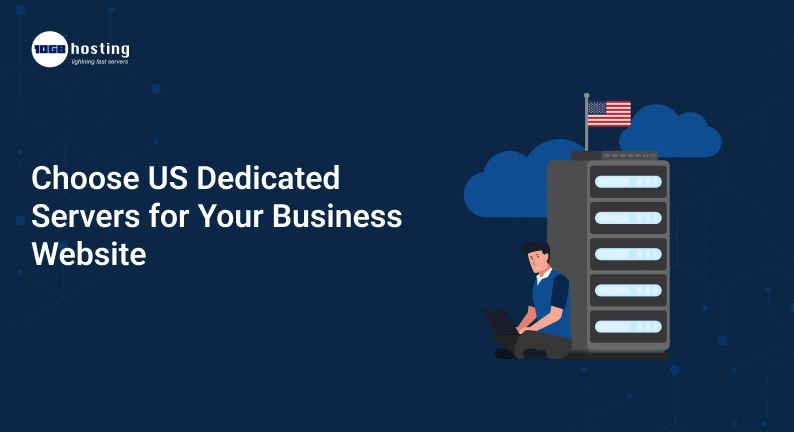
Here is where the US dedicated servers come in. When you have a dedicated server, your business gets the entire physical server and doesn’t have to share it with unrelated customers. If your primary audience is North America, it can be practical to host your website in the United States.
In this article, we will break down the mechanics of dedicated server hosting, its business benefits, compare it with other hosting options, and teach you how to choose the right server for your website and budget.
Table of Contents
What are Dedicated Servers in the US?
US dedicated servers are physical servers located in a US data center that are dedicated to a single customer. Shared hosting means that multiple customers share the same server, whereas a dedicated server provides your business with dedicated hardware resources.
Typically, these resources include:
- CPU: Handles requests for websites, applications and background tasks.
- RAM: Supports concurrent user activity and apps and databases.
- Storage: Stores website files, databases, backups, and other data.
- Network connectivity: Connects your server to the internet and your visitors.
- Operating system: Runs the software that manages your website or app.
Depending on the provider, you can select a Linux or Windows OS, install software that works with it, change security settings and customize server resources.
Dedicated hosting is especially useful if you need predictable resources, specialised software or more control over your hosting environment.
But specialised hardware doesn’t necessarily mean faster performance. Other factors that affect page load speed include your website’s code, database, network quality, server configuration and traffic patterns.
Why Dedicated Servers For Your Business Website?
The performance, reliability and long-term growth of your website can be affected by choosing the right server location and hosting type.
1. Dedicated Computing Resource
If your website is hosted on a server with many other accounts, the activity of other customers can sometimes affect the resources your website has available.
In a dedicated hosting environment, your business is able to utilise the server’s allotted CPU, memory and storage without having to share those physical resources with other unrelated hosting clients.
It can be helpful for:
- High traffic business websites
- Online stores with regular orders
- Resource-intensive application
- Big databases
- Business Portals & Customer Portals
For example, an online store running a major promotional campaign may need sufficient computing power to handle browsing, searches and checkout requests simultaneously. A dedicated server that is properly configured can offer a more predictable base for this workload.
2. U.S. Visitors Better
The location of the server can influence the rate at which data travels between your website and your visitors.
If most of your customers are based in the United States, hosting your website in a relevant US data center may help to reduce network latency compared to hosting far away, depending on where the visitor is and the network route.
For example, a company that sells software to customers in the U.S. may want to run its application close to its primary customers.
Just remember that a US server is not the default best option for every business. If your customer base is primarily located in India, Europe or Asia-Pacific, compare the latency and performance from these regions before making a decision.
3. Managing Increased Website Traffic
As your business grows and gets more customers, your website may need to handle more requests, larger databases and more applications.
Many entry-level hosting plans don’t give you much control over resource allocation and configuration, but dedicated servers do.
It can be useful for businesses that need to run multiple services, high traffic times, or want to optimize software for a specific workload.
Before you upgrade, take stock of what you are actually using. There is still enough capacity for many growing websites on a well configured VPS.
4. Take More Control Of Your Server
Shared hosting plans typically offer less configuration freedom than dedicated servers. Depending on your provider and management plan, you might be able to:
- Install supported applications and software packages
- Configure server settings
- Choose an operating system
- Control permissions and firewall rules
- Tune database and webserver configuration.
- Distribute resources between applications
This flexibility is useful to developers and companies that need specific software or a custom environment.
If you don’t have an experienced tech team, a managed dedicated server might be a better choice than an unmanaged plan.
5. Support business security needs
A dedicated server gives you more control of your environment and allows you to put in place security policies that match your business needs.
You are able to configure access rights, add compatible security software, monitor server activity and update the system.
However, dedicated hosting is not secure by default. The proper security measures to be applied are still your business. The exact responsibilities will depend on your hosting agreement.
A good security setup could include:
- Configuring a Firewall
- Multi-factor authentication (if available)
- Regular patches to operating system and software
- Malware Identification
- Remote access secure
- Backups off server
- Procedures for Monitoring and Responding to Incidents
Businesses that have customer information should also consider applicable privacy, contractual, and regulatory requirements when choosing a hosting location.
The US Dedicated Server Buyers Guide
You don’t need a special host for each site. It works best when the additional cost is justified by the benefits of dedicated hardware and greater control.
E-commerce sites need constant computing power for product catalogues, search, customer accounts, inventory management, checkout and so on.
A dedicated server can be an appropriate environment for a store with high traffic or special technical requirements.
Web Applications and SaaS Companies
Background processing jobs, application services, and databases for Software-as-a-Service vendors may require predictable resources.
Dedicated hardware can be helpful if you have a resource intensive workload or you want to customize your server configurations.
Resellers Agencies and Hosting
Web design agencies and hosting firms may want more control over the environments they run for customers.
You can host multiple websites or services on a single dedicated server if the hardware is up to the task and the configuration is correct.
Businesses with specific compliance or control requirements
Certain organisations have specific requirements for control of access, system configuration or documented hosting arrangements.
Dedicated servers can help meet these technical requirements, but it’s not just the type of server or the US location that ensures compliance. Review the requirements applicable and your provider’s contractual commitments.
US Dedicated Servers vs. VPS USA Hosting
Before purchasing a server, compare dedicated hosting with VPS hosting. Both can offer more control than basic shared hosting, but they differ in how their resources are allocated.
| Feature | US Dedicated Server | VPS USA Hosting |
| Hardware | Physical server allocated to one customer | Virtual server on shared physical infrastructure |
| Resource allocation | Dedicated physical hardware resources | Allocated virtual resources |
| Customization | Generally extensive | Depends on virtualization and provider restrictions |
| Cost | Usually higher | Usually more affordable |
| Management | Managed and unmanaged options | Managed and unmanaged options |
| Best suited for | Resource-intensive or specialized workloads | Small to medium workloads and growing businesses |
A VPS in the USA may be the right choice if your website needs more resources than shared hosting provides but does not require an entire physical server.
Dedicated hosting is worth considering when your application needs sustained computing capacity, specialized configurations, or control over the underlying hardware.
The best choice depends on workload requirements, budget, and technical expertise—not simply the size of your business.
How to Choose the Best US Dedicated Server
Choosing a server is a massive investment. Here are some steps that you can take to find a configuration that meets your current requirements without breaking the bank.
Step 1: Evaluate the Needs of Your Website
Start by finding out what your website is all about and how much demand it is creating.
Think about:
- Monthly average and peak traffic
- CPU and RAM consumption
- Database size and activity
- Conditions de stockage
- Background processes and applications
- Anticipated business growth
For example, a content-based business website will require considerably less resources than a large-sized online store that is processing thousands of transactions.
Select a server according to your current hosting analytics. If you’re moving from a VPS, check your resource usage at your high-traffic times.
Step 2: Choosing the Correct CPU and RAM
Your server’s processor and memory determine how much work it can efficiently do.
A server that hosts a simple website may not need as much CPU capacity as one that runs multiple applications or complex database queries.
Extra RAM can help with database caching and heavy memory usage. However, buying more RAM than you need can increase your costs without providing any additional benefit.
Discuss configuration recommendations with your provider based on your software and expected traffic.
Step 3: Choosing the Right Storage
Storage impacts capacity, reliability, and sometimes performance.
Typical options include:
- SSD storage: Good for most business websites and general-purpose applications.
- NVMe storage: Generally provides better storage performance and lower latency for supported workloads.
- Extra storage drives: These can be handy if you have large data sets or a specific storage configuration.
Validate current capacity, drive layout, backup capabilities, and replacement procedures.
RAID or disc redundancy is not a substitute for a backup. Back up important business data separately, preferably to a different system or location.
Step 4: Choose the Right US Data Center Location
The right place depends on where your customers are and what facilities your provider has.
Businesses serving customers across the US should compare network connectivity and latency from different regions. If your audience is East Coast based, you might want to consider a data center closer to your target audience. A site on the West Coast might be appropriate for another audience or application.
If your customers are scattered across continents, consider a content delivery network (CDN) to accompany your server. A CDN can cache suitable content nearer to the visitors, decreasing the distance data has to travel.
Step 5. Managed vs. Unmanaged Hosting – Which is Better?
This decision can have a major impact on your costs and daily responsibilities.
Managed dedicated hosting may include services such as server setup, monitoring, operating system maintenance, security updates and technical support as applicable to the plan.
With unmanaged dedicated hosting you are typically responsible for configuration, maintenance, troubleshooting and security.
If your team has no server administration experience, or if you want to focus on business operations, choose managed hosting. Unmanaged hosting can be good for seasoned sysadmins who want more control.
Check the precise scope of the management service before you buy, always.
Step 6: Compare USA Hosting Companies
Don’t select a provider based on price alone. Compare the features that affect the reliability of your website and the support you get.
Search for:
- Simple pricing & renewal terms
- Hardware Requirements
- Connectivity & Network Capacity
- Uptime commitments and service level agreements
- Availability of the Technical Support
- Backup and restore options
- Security Service
- Migration and upgrade support
- Hardware refresh and data center policy
Read the terms service carefully. An advertised uptime percentage is not a guarantee that your website will never go down, it’s a contractual or marketing promise.
Step 7. Plan your migration and recovery strategy.
Take a complete backup of your site and test your migration process before moving your website.
A practical migration plan should contain:
- Backups of database and website files.
- Setting up the new server environment.
- Testing website on new server.
- I check forms, payments, APIs, email functionality.
- Planning the DNS change to reduce disruption.
- Performance and error monitoring after launch.
for business critical sites have a recovery plan in place for how you will get the website back up if the migration or server configuration goes awry.
What is the cost of dedicated servers in the US?
Dedicated server pricing depends on the hardware, management services, network capacity, security options and provider.
In general, low-end configurations cost less than high-performance servers with lots of memory, powerful processors, and advanced storage.
Your total budget should be more than just the monthly hosting fee. Take a look:
- Rent a server
- Provided support as necessary
- Operating System and Software Licenses
- Backup storage
- Security services
- Extra bandwidth or network services
- Setup and migration costs
- Taxes and renewal fees
To compare providers fairly, determine the total expected cost over a year and compare it to the business value of the included resources and services .
If you don’t need the max specs for your workload, don’t pay for it. A well configured server that has room to grow is often a smarter investment than an overly expensive system.
Real World Example: Selecting a Server for a Growing Online Store
Think of an online store selling products to customers across the United States. The first company is using shared hosting but with the increase of its product catalogue and promotional campaigns attracting more visitors.
The owner is noticing slower page responses during busy periods and wants more control over the website’s environment.
Before a dedicated server is purchased, the business considers traffic reports, database activity and resource usage. It compares a higher-end VPS, and two configurations of dedicated servers.
The business looks at data center latency, support coverage, storage performance, security services and total annual costs. It then selects the configuration that meets its measured needs and allows for anticipated growth.
The team tests checkout, monitoring, backups and recovery procedures after the site migration.
This instance illustrates an important principle: the best server is not always the most powerful one. This is the one that deals with real business bottlenecks, but is still manageable and cost effective.
Frequently Asked Questions (FAQs)
1. Why choose us for your business website with Dedicated Servers?
US dedicated servers may offer dedicated physical resources, more control over the configurations and possibly lower latency for customers close to the selected US data center. They can be helpful for sites that get lots of traffic, online shops, and apps that have lots of work to do.
2. Is Dedicated Server Better Than VPS USA Hosting?
Not necessarily. Dedicated servers are dedicated to a single customer and a single physical server. VPS hosting is a virtual server on shared hardware. A VPS USA plan would be more economical for smaller workloads. Dedicated hosting will suffice for applications requiring additional physical resources or more specialised control.
3. Are Dedicated Servers Good for E-commerce Websites?
Yes. Dedicated servers can be useful for e-commerce websites that need predictable resources and custom configurations. But the server has to be properly configured, the website has to have secure payment integrations, backups, monitoring, and proper traffic management.
4. Managed vs Unmanaged Dedicated Hosting: Which is Better?
If you need the provider to manage certain server maintenance and administrative tasks, then go with managed hosting. Unmanaged hosting might be for you if you’ve got the technical skills to maintain the server yourself. Before signing up, compare the exact support responsibilities.
5. How to Find Reliable Hosting Companies in the USA ?
Compare hardware, network performance, support availability, uptime commitments, security options, backup services and total pricing. Before entering into a long-term commitment, review the provider’s service terms and confirm performance from the locations of your intended audience.
Conclusion: Invest in the Right Dedicated Server for Your Business in USA
Your hosting environment must support your website’s performance, customer experience and future growth. If you require dedicated computing resources, more freedom in configuration, or a hosting environment designed for demanding workloads, you might want to consider US dedicated servers.
First, assess your traffic, application requirements, budget, and customer locations. Look into dedicated hosting and VPS USA options, consider managed support services, and evaluate the provider’s network, security and recovery capabilities.
Buying the biggest server isn’t always the right decision. It’s about picking a right-sized, reliable solution that works for your business goals.
Ready to take your hosting to the next level? Choose a trusted hosting provider and compare their dedicated server packages. Check the hardware and support options and request a configuration of the server that will suit your website’s needs. Select a server that fits your business needs today and has a realistic path to grow tomorrow.