Table of Contents
Introduction
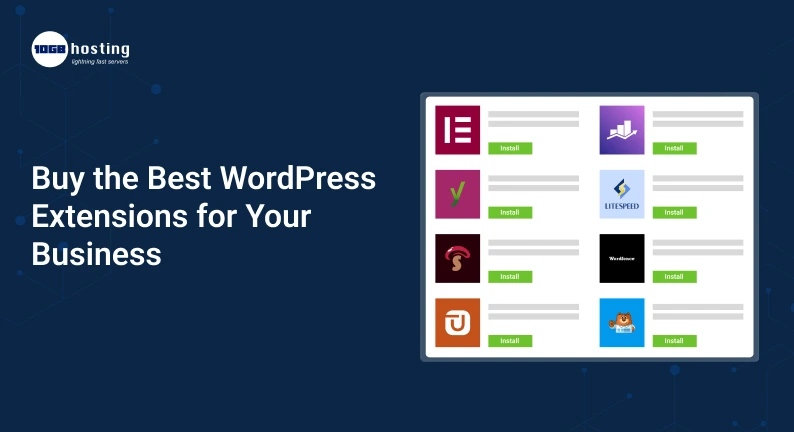
It’s more than just picking a good design and putting content out there to have a business website. You also require the right tools to attract visitors, enhance website performance, generate leads, manage customers, and increase sales. However, with hundreds of WordPress extensions available online, it can be a challenge to choose the right tools.
Too many extensions will make your website slower, increase maintenance work and pose security risks. In contrast, choosing the right extensions can help you automate daily tasks, improve the customer experience, and grow your business without having to build every feature from scratch.
If you want to find the best WordPress extensions for your business, it’s good to understand what features you need, how different extensions work, and whether a paid version is worth the investment.
In this guide, we’ll cover what WordPress extensions are, which ones are worth investing in, how to select reliable options, and where to buy them. Whether you are running an online store, a service-based business, a blog or a corporate website, this article will help you make a wiser buying decision.
What are WordPress Plugins?
WordPress plugins are tools that can add new features or extend the existing ones on a WordPress site. In the WordPress world, these tools are commonly referred to as plugins.
So, a simple WordPress website might let you publish pages and blog posts. You might, however, need to add features to accept payments, create contact forms, improve search engine optimisation (SEO), protect your website or track visitors.
WordPress plugins allow you to add these features without having to build it all yourself.
Some common examples here:
- SEO extensions: Help optimize website pages, titles, meta description and other search related components.
- Security extensions – tools for malware scanning, login protection and security monitoring
- Performance extensions : Help improve load time with caching and other optimisations.
- E-commerce Extensions: Sell products, process orders, and take payments.
- Contact form extensions: Enable visitors to ask questions and request information.
- Backup extensions: helps to create backups of websites, to be used in case of a failure.
Some extensions are free, but others have paid plans that provide advanced features, technical support, integrations, and more customisation options.
Which is best will depend on your business goals, website requirements and budget.
Why You Should Use WordPress Extensions for Your Business?
Free plugins can be useful especially when you are starting a website. But, as your business grows, you may find paid WordPress extensions have more features.
There are some important advantages to weigh.
1. Unlock Advanced Features
Premium extensions usually offer features that are not available in their free versions. They can include advanced reporting, automation, payment integrations, marketing tools and extensive customisation options.
For example, a small online shop can start with a simple contact form. As the business grows it may need automated email notifications, customer segmentation and integrations with a customer relationship management (CRM) system.
A good paid extension could help meet these requirements.
2. Save Time with Automation
Manual labour can take up a large part of your working day. By installing the right extensions you can automate repetitive tasks such as sending notifications, scheduling backups, processing form submissions and processing orders.
This allows business owners more time for marketing, customer service, product development and sales.
3. Increase Website Performance
Slow websites can frustrate visitors and make it harder for them to complete purchases or contact your business.
Performance extensions can help with caching, image delivery and other aspects of website speed. But the results you get will vary from your hosting environment, website setup, and the tools you use.
Don’t assume that installing a plugin will make your website faster, always measure performance improvements.
4. Improve website security
Business websites may contain customer information, order details, contact submissions and other such important data.
Security extensions can help secure your website with features like login security, malware scanning and suspicious activity monitoring.
Paid security tools can offer enhanced monitoring or support but should be used in conjunction with regular updates, strong passwords, secure hosting and reliable backups.
5. Sustain Business Growth
As your business grows, so can your website requirements.
You can begin with a basic company website and add on features such as an online store, appointment booking, membership access, or customer support.
By picking extensions that will back up your future plans you can limit the need to replace your website tools often.
Best Paid WordPress Plugins to Purchase
There is no single extension that works best for all businesses. Rather, concentrate on the tools that address your most important problems.
Here are a few common categories and WordPress plugins to consider.
1. eCommerce with WooCommerce
WooCommerce is a good option to explore if you want to sell products or services through your website.
It provides basic e-commerce functionality including product listings, shopping carts, checkout and order management. Other extensions can add subscription payments, advanced shipping options and more store features.
Best for: Retail businesses, online shops, and businesses that sell products using WordPress.
Why to consider it: Get started with the core plugin and add paid extensions as your store needs grow.
Website: https://woocommerce.com/
2. Yoast SEO for Search Engine Optimisation
Businesses that want to attract visitors through organic search need to be visible in the search engines.
Yoast SEO allows users to control essential on-page SEO factors such as SEO titles, meta descriptions, content analysis, and other optimisation features.
Based on the current plan, its premium offering adds extra tools.
Best for: business websites, bloggers, publishers and content marketing teams.
Why you should care: It can help make your day-to-day on-page SEO tasks easier.
Official site: https://yoast.com/
3. SEO on Site with Rank Math
Another popular SEO plugin for WordPress is Rank Math. It has tools to manage metadata, structured data, XML sitemaps and other search optimization tasks.
Some advanced features are only available to paid plans.
Best for: Businesses that want SEO tools and more control over their site optimisation.
Why consider it: It offers features and plan options that may be suitable for websites with different SEO needs.
Official Website : https://rankmath.com/
You don’t need to install several SEO plugins that do the same things usually. Compare the features and choose the one that best suits your workflow.
4. WP Rocket for Website Speed
Website speed affects user experience and performance optimization is very important for websites with big pages, images or more traffic.
WP Rocket is a premium caching and performance plugin that takes care of several website optimisations for you.
Depending on your setup, its features can help with things like caching, file optimisation, and other performance improvements.
Best for: Business websites, content-heavy websites, online stores that require performance optimization.
Why consider it: It has a number of speed optimisation tools available through a fairly accessible interface.
Website: https://wp-rocket.me/
Before you purchase, make sure to check whether your hosting provider already has caching or optimisation features that will meet your needs.
5. Wordfence Website Security
Wordfence offers security tools for WordPress, including firewall protection, malware scanning and security monitoring. Depending on the version you select, some features and service levels vary.
Best for: Business websites, blogs, and online stores that desire extra security controls.
Why you should consider it: It can help website owners to keep track of possible threats and tighten their security setup.
Official site: https://www.wordfence.com/
Remember, a security plugin does not replace software updates, secure hosting, control of access, and regular backups.
6. WPForms – Contact Forms and Lead Generation
A contact form is an essential feature for businesses wanting visitors to request quotes, ask questions, or book consultations.
You can create forms for anything from contact requests to surveys and lead generation with WPForms. Capabilities are improved and depend on plan.
Best for: service providers, agencies, consultants and small businesses.
Why think about it: You can build forms without having to build the entire form system from scratch.
Official website: https://wpforms.com/
7. UpdraftPlus Website Backups
Website problems can be caused by failed updates, accidental changes, hosting problems or security incidents.
UpdraftPlus has a backup and restore feature that helps website owners to protect important website data.
Best for: Businesses that update their sites often, or rely on WordPress for day-to-day operations.
Why it matters: A good backup routine can help reduce the risk of losing critical website content.
Website: https://updraftplus.com/
Always test and verify that your backups can be restored. A backup is only good if you can restore your website when you need to.
How to Choose the Right WordPress Plugins for Your Business
Before you buy a premium plugin, follow these steps to prevent yourself from overspending.
Step 1: Understand Your Business Needs
First, write down the problems you want to solve.
Ask yourself,
- More web site leads needed?
- Do I want to sell products or take online payments?
- Is your website loading too slowly?
- Is your SEO management due for an update?
- More security? Then you want automatic backup.
- Do I want to automate repetitive things?
Your answers will help you find the right plugin categories
For example, a consulting company will make the best use of contact forms, appointment booking and SEO tools. An online store may require extensions for payment, shipping, inventory, and performance.
Step 2: Trial and Premium Version Comparison
Don’t assume that a paid plugin is automatically better than a free one.
First, try the free version to see what it can and can not do. Next, compare the premium plan to your actual needs.
Check to see if the paid version includes:
- Features that are directly in line with your business goals
- Integrations with the tools you’re already using
- Dependable customer service
- Frequent updates and improvements in compatibility
- Helpful reporting or automation features
- Reasonable licensing and renewal cost
If the free version already meets your needs, you might not have to purchase a premium plan.
Step 3: Check the Reviews and Developer Reputation
Before you buy, do some research on the plugin developer and the experience of other users.
Find:
- Latest reviews and feedback
- Frequency of update
- Compatibility with your WordPress version
- Good documentation
- A dependable support process
- Details on known issues and limitations
Don’t just base your decision on the star rating of a plugin. Read recent reviews to find out whether users are having issues that could impact your website.
Step 4: Check Pricing and Renewal Terms
The original purchase price is not always the total cost of ownership.
Some premium WordPress extensions have yearly subscriptions and some have different licenses.
Check before you buy:
- Whether it is charged monthly or yearly
- How much will renewal cost
- Number of websites the licence is valid for
- Updates included
- Technical support included/excluded
- When the licence expires what happens
- Whether a refund policy is applicable
For example, a plugin that is cheaper from the start might be more expensive to renew. Compare total cost for the period you expect to use it
Step 5: Test the Extension on a Staging Site Before Going Live on Your Main Site
Always test a new plugin on a staging test site first if possible before installing it on your live site.
A staging environment is a way to test if the extension works with your theme, hosting setup and existing plugins.
Test important functions after installation like:
- Website loading speed
- Contact forms and email alerts
- Checkout & payment processing
- Mobile Friendly
- Account features and sign in
- Compatibility with other extensions
Make a backup of your live website before making any major changes.
Step 6: Track Performance After Installation
Buying and installing an extension is not where the work stops.
Check your website to see if the plugin is providing the benefits you expected.
Test page speed, error logs, conversion rates, form submissions, and any other metrics relevant to your original goal.
If the extension causes conflict, slows down the important pages or does not provide that much value, check its configuration or look for a suitable alternative.
Real Life Example: Choosing Extensions for a Small Business
Say, you have a small business selling handmade products through your WordPress website.
In the beginning, the owner used the website mostly for displaying products and enquiring. The customers start to come in and the business begins to have some problems.
Customers want to order products online, product pages load slowly and the owner spends too much time manually managing enquiries.
The owner makes a pragmatic plan, instead of buying all the premium plugins out there.
- E-Commerce: Manage WooCommerce products, carts, and orders.
- SEO: Select an SEO plugin to handle page metadata and other optimisation tasks.
- Performance: Consider using a caching plugin or the optimisation tools already provided by your hosting company.
- Wholesale enquiries: Install a relevant form plugin to generate leads.
- Security and backups – Configure security monitoring and routine backups.
Then the business measures order completion, website speed and inquiry volume to see if each tool is helping.
This example is a good demonstration of why the best WordPress extensions are not necessarily the ones with the most features. They’re the ones who solve real problems and deliver measurable value.
Common errors to avoid when buying WordPress extensions
Even a useful plugin can become a bad investment if you proceed to buy it without checking the details.
Avoid these common pitfalls:
Overloading with plugins
Having multiple extensions installed for similar uses can cause extra maintenance and compatibility issues.
Choose tools wisely, avoid duplication of function if possible.
Buying on Price Alone
The cheapest option may not include the critical features, support or compatibility upgrades. But the most costly version might include features you’ll never need.
Compare the value proposition of the plugin against the total cost.
Ignoring Updates and Compatibility Issues
An extension that is no longer maintained may have security or compatibility issues.
Check the update history, who developed it and the compatibility information before buying.
Downloading premium plugins from non-scrupulous websites
Do not use paid extensions that are unauthorised or altered. They could contain malicious code, or expose your website to security risks.
Buy from the developer or trusted marketplace and make sure the license and download source are genuine.
Not Renewing
Annual subscriptions can add up to a recurring expense. Mark your renewal dates and re-evaluate the need for each premium extension.
Where to Buy WordPress Extensions?
The best way to go when you are ready to buy WordPress extensions is trusted sources.
Official plugin sites
When you buy directly from a plugin developer, it’s easier to check the pricing, licensing, support, documentation and refund terms.
The official websites for WooCommerce, Yoast SEO, WP Rocket, WPForms, and UpdraftPlus are some examples.
WordPress Plugin Repository
The WordPress Plugin Directory (official) is a good place to research free plugins and find developers.
Download: https://wordpress.org/plugins/
Some plugins offer paid upgrades on their own websites.
Trusted Plugin Stores
Existing marketplaces may offer extensions to meet different business needs. Check the seller reputation, product update history, licensing terms, support arrangements and refund policy before buying.
Always make sure that you are buying the real product and not an unauthorised copy.
How much should you spend on WordPress plugins?
Your budget should be based on the size of your website, features you need and the business value those features provide.
A new business website may be able to get away with free plugins and a few paid tools. A mature online store could require a larger budget for advanced e-commerce features, performance optimisation, security, and integrations.
Here’s how to manage your spending:
- Write down your must-have website features.
- Identify free resources that meet those needs.
- Compare premium offerings for attributes you can’t find elsewhere.
- Work out the start-up and running costs.
- Buy only the extensions that give you something you can actually see.
- Check your subscriptions from time to time.
If a paid extension can save you from doing manual work or help you increase sales, then it is worth the cost. If it provides features your team will not use, a cheaper option may be more practical.
The goal is not to pay extra for add-ons. It’s to invest in tools that’ll make your site more effective.
Frequently Asked Questions (FAQ)
1. Which are the best WordPress plugins for a business website?
The best extensions are tied to your business goals. WooCommerce (for selling online), Yoast SEO and Rank Math (SEO tools), WP Rocket (optimising performance), WPForms (building forms), UpdraftPlus (backups).
Install only those extensions which you really need and not all the popular plugins.
2. Are paid WordPress extensions worth it?
If the paid extensions have good features, reliable support, necessary integrations, or time-saving automation, they are worth buying. But free plugins might be sufficient for many websites.
Before you buy, evaluate features, licensing terms, and total cost.
3. Where is the best place to purchase WordPress extensions?
The best places to start are the WordPress Plugin Directory for free plugins, the official website of the plugin developer, and well-known marketplaces that have clear licensing and support terms.
Avoid downloading premium extensions from untrusted sites. They are not authorised copies and could pose security risks.
4. How many WordPress extensions should I add?
The number of extensions used by each website varies from site to site. A site with a few useful plugins and in good shape will perform better than one with less, badly set up tools.
Rather than aiming for a specific number of plugins, focus on quality, compatibility, security and performance.
5. Do WordPress plugins slow down your website?
Yes, depending on the features and the configuration, some extensions can increase the loading time or server resource usage. Some others will cache or optimize to make things faster.
If your website becomes slower, try testing it before and after installation, remove unnecessary plugins and check for conflicts.
Conclusion: Invest in the Right WordPress Extensions for Long-Term Growth
With the right WordPress extensions, your business will be able to enhance website performance, boost security, create leads, manage customers, and provide better user experience.
But, buying premium plugins should be a planned investment rather than a random decision. Begin by identifying your business needs, compare free and paid options, research developers, enquire about licensing costs, and test each extension before deploying it on your live website.
The right set of extensions can help your website support your business goals, whether you need e-commerce functionality, SEO tools, security features, backups, or lead generation.
Want to upgrade your WordPress website? Find trustworthy plugin developers and reputable marketplaces, compare their features and prices, and select extensions that suit your requirements. Invest in reliable tools today to build a more secure, efficient and business-ready website for tomorrow.