Google traffic sounds easy. Write a blog, add some keywords, and wait for the visitors. But in reality, even a well-written WordPress website can struggle to rank if important SEO settings are missing or pages aren’t optimised well.
This is where the best plugin for seo in wordpress can really help.
A good SEO plugin will help you optimize your titles, meta descriptions, headings, XML sitemaps, URLs, images, internal links, and other important SEO elements without needing to know a lot of technical stuff. You don’t have to perform every optimization task manually. You can take care of many of them right from your WordPress dashboard.
In this guide, you’ll learn what a WordPress SEO plugin is, what features you should look for, how to choose the right one, how to use it effectively, and what mistakes you should avoid when optimising your website for higher organic traffic.
Table of Contents
What Is a WordPress SEO Plugin?
A WordPress SEO plugin is a WordPress extension that helps website owners to improve their website visibility in search engines like Google and Bing.
WordPress is a great platform for SEO, but it won’t do all the optimization work for you automatically. SEO plugins add features that help you control important elements of your website more easily.
An SEO plugin can help you for example:
- Create SEO-friendly page titles and meta descriptions
- Generate and Manage XML Sitemaps
- Optimise individual pages and blog posts
- Search engine indexing management
- Add canonical URLs
- Shorten social media snippets
- On-page SEO Analysis
- Managing redirects
- Optimise structured data
- Find basic SEO problems
For a beginner it can save a lot of time. You don’t need to edit website code each time you want to change an SEO setting.
Why Should You Use WordPress SEO Plugins?
Quality content is just a piece of the SEO puzzle.
Say you’ve written a useful article about “best WordPress hosting” but the page has a weak title, no meta description, poor heading structure and a wrong indexing setting.
Google can still find the page but you are making it harder for search engines to understand and rank your content.
WordPress SEO plugins address this issue by providing important optimisation tools in one place.
Primary reasons to use an SEO plugin
- Greater control over on-page SEO
- Keyword Optimisation Made Easier
- Better website crawling
- Improved index management
- Sitemap generation automatic
- Metadata easier to handle
- Structured data support
- Improved social sharing previews
- Simpler handling of redirects
- Help Your SEO: Recommendations
It’s not about installing a plugin and magically ranking overnight. The real value comes from using the plugin as part of a broader SEO strategy.
What is the best plugin for SEO in WordPress?
There are lots of SEO plugins out there but not all of them are suited for every website.
Which one is the best? It is dependent on your website type, SEO experience, budget and features you require.
Before you buy or install an SEO plugin, here are some factors to consider.
1. Simple to Use SEO Settings
An SEO plugin should make optimisation easier, not more confusing.
Clean dashboard lets you edit quickly:
- SEO title
- Description Meta
- URL slug
- Keyword focus
- Robots instructions
- Canon URL
- Sharing information in social
If you’re a beginner, pick a plugin that has clear explanations, not complicated technical settings.
2. On-Page SEO Features
One of the most important SEO areas is on-page optimization.
A good plugin will also help you optimize single pages and posts.
For instance, if you are writing a blog on WordPress hosting, you might use:
WordPress Hosting
Related keywords:
- Best WordPress Web Hosting
- WordPress website hosting
- Affordable WordPress hosting
- Hosting WordPress
The plugin can assist you in determining whether important SEO elements have been optimised naturally.
But don’t stuff keywords into each paragraph. Search engines know more about topics and context than they did years ago.
3. XML Site Map Support
XML sitemap helps search engines discover important URLs on your website.
A good WordPress SEO plugin will automatically create and update your sitemap whenever you publish or delete content.
For example when you post:
yourwebsite.com/blog/new-article/
The sitemap can include the new URL for easier discovery by search engines.
A sitemap is not a guarantee of rankings but can help with efficient crawling and indexing.
4. Meta Title & Description Optimisation
The title and meta description you use for SEO can influence whether someone clicks on your page in search results.
For instance:
Weak title:
WordPress Hosting
More convincing title:
Best WordPress Web Hosting for Fast and Secure Sites
The second option communicates more and gives the user a better reason to click.
Your SEO plugin should offer an easy way to customize these for each important page.
5. Structured Data & Schema Markup
Schema markup helps search engines understand the content of your site better.
Structured data can help Depending on your website,
- Articles
- Products
- Frequently Asked Questions
- Groups
- Community business
- Customer Reviews
- Events
- Crumb’s
For example, a FAQ page can implement FAQ structured data where appropriate.
The important thing is that the schema should properly represent the content that your page displays. Adding irrelevant or misleading structured data will not benefit long term SEO.
6. Technical SEO Controls
A good SEO plugin should offer useful technical controls without forcing you to manually edit code.
Look for features like:
- Managing robots.txt
- Regular URLs
- Noindex controls
- Management of redirects
- Breadcrumbs Support
- Sitemap settings
- 404s tracking
- Search appearance options
These features become even more valuable as your website expands.
WordPress SEO Plugins to Consider
There isn’t a single plugin that’s automatically the best for every WordPress website.
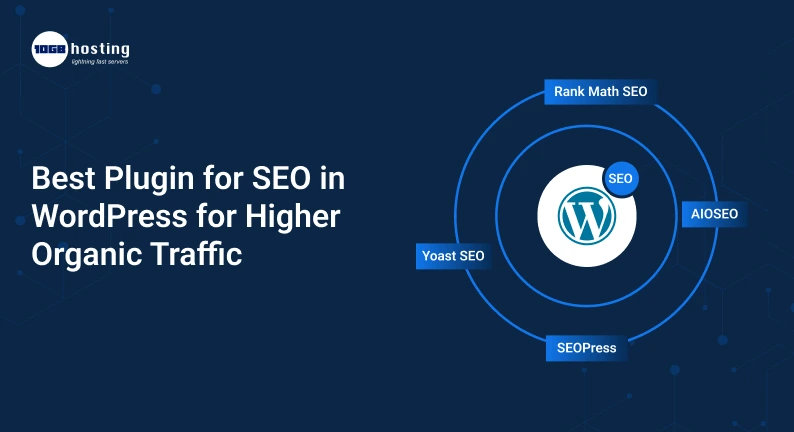
Some common options include:
Yoast SEO
Yoast SEO is one of the most established WordPress SEO plugins available. It provides support for content optimisation, XML sitemaps, metadata, schema, breadcrumbs, and technical SEO.
It can be a good option for businesses and bloggers who want a familiar SEO workflow.
Rank Math
Rank Math has a wide variety of SEO features and gives you extensive control over your SEO right from your WordPress dashboard.
It’s a popular choice for users who need a few SEO features in one plugin.
All in One SEO Pack
All in One SEO (AIOSEO) comes with tools for on-page optimisation, XML sitemaps, schema, WooCommerce SEO, local SEO, and more.
It’s built to make SEO easy for beginners, but also give you advanced options.
SEO Press
Another WordPress SEO solution is SEOPress. It provides SEO and technical optimisation tools with a fairly clean interface.
Which one do you choose?
Rather than choosing a plugin based on the number of features it offers, compare
- Usability
- SEO capabilities needed
- Site size
- compatibility with Theme
- Compatibility with other plugins
- Cost
- Backers
- Impact on performance
- Prerequisite for upgrade
For many websites a more simplified SEO plugin that you actually understand and use properly can be worth more than an overloaded plugin with features you never touch.
How to Use a Plugin for SEO in WordPress: Step by Step
Installing an SEO plugin is just the start. Here’s how to make the most of it.
Step 1: Install Your SEO Plugin of Choice
Sign in to your WordPress dashboard.
For more information, see:
Plugins → Add New
Locate the SEO plugin you want to use.
Install and switch it on.
The most popular SEO plugins come with a first-time setup wizard.
Step 2: Set Up Your Website Information
Add the basic information of your web site.
This can include:
- Site Name
- Web Site Description
- Individual / Organization
- Logo
- Social media profiles
- Search Appearance (default)
Make sure the information is accurate.
Step 3: Build an SEO-Friendly Homepage
Your homepage is often one of the most important pages on your web site.
SEO Title Create a clear and explicit title that describes your business.
For instance:
Best WordPress Hosting for Fast Business Sites
Not instead of:
Home | Company Name
Write compelling meta descriptions that highlight your website’s value and entice relevant visitors to click.
Step 4: Optimise Every Major Blog Post
Check the key SEO elements before publishing an article.
SEO checklist
- Use the main keyword naturally.
- Create an SEO-Friendly Title
- Make a helpful meta description
- Keep your URL short and descriptive
- Use correct H2 and H3 headings
- Add relevant internal links.
- Image optimisation
- Add descriptive image alt tags
- Mobile Readability Test
- Cut out the unnecessary stuff
- Add relevant external references as needed.
Don’t make the SEO score of the plugin the end goal.
A green score does not mean that your article will automatically come in number one.
Step 5: Enhance Internal Linking
Internal links are links that connect one page on your website to another.
For example, a blog about WordPress SEO could naturally link to another page about:
- WordPress-Hosting
- Speed of site
- SEO technical
- Website security
- WordPress Support
Internal linking helps users find related information and helps search engines understand how pages relate to each other.
Building topic clusters is a great tactic.
For instance:
Main topic: WordPress SEO!
Related articles:
- The Best SEO Plugin for WordPress
- How to Speed Up Your WordPress Site
- Technical SEO Checklist For WordPress
- How To Write SEO Friendly Blog Posts
- Best SEO WordPress Hosting
These pages can be naturally linked to each other.
Step 6: Image Optimisation
Large unoptimised images can affect page performance.
Prior to uploading images:
- Resize them properly
- Zip up large files
- Write clear, descriptive file names
- Add helpful alt text
- Don’t use needless images
For instance, do not:
IMG12345.jpg
utilise:
wordpress-seo-plugin-dashboard-1.jpg
The filename won’t help your rankings, but descriptive image information can help keep your website organised and provide useful context.
Step 7: Verify Indexing Settings
A tiny environment can lead to big SEO trouble.
Verify that important pages are indexable.
Your SEO plugin may let you set pages as:
- Index
- Noindex
- Follow Us
- NoFollow (Nofollow)
Remember to mark important pages as noindex!
At the same time, you don’t want every URL on your site to be indexed by Google.
Check your index settings very carefully.
Benefits of Using the Best WordPress SEO Plugin
There are many useful benefits that a good SEO plugin can offer.
Time-efficient
No longer do you have to manually edit technical SEO settings. You can do quite a few things from your WordPress dashboard.
Helps the Beginner
You don’t have to be a developer to edit titles, descriptions, sitemaps or indexing settings.
Enhances content optimisation
Helpful Checks When Creating Content SEO Plugins
SEO Friendly Technical
Canonical URLs, robot controls, redirects, and XML sitemaps will help you manage your website better.
Assists you in keeping SEO as your site grows
SEO for 10 pages is very different from SEO for 1000 pages.
An SEO plugin can help with the more repetitive parts of optimisation as your website grows.
Top SEO Plugin Mistakes to Watch Out For
Bad SEO practices can’t be fixed with a good plugin.
1. Install Multiple SEO Plugins
Don’t install multiple plugins that do the same SEO thing.
This often results in conflicts and duplicate settings.
Pick one main SEO plugin and configure it properly.
2. Keyword Stuffing
Don’t repeat your keyword in an unnatural way just to increase keyword density.
Write for people first.
3. Chasing the Ideal SEO Score
The score of the plugin is a guideline, not the formula Google uses to rank.
Even the perfect plugin score won’t rank a post if it doesn’t align with search intent.
4. Not paying attention to site speed
SEO plugins are not a substitute for performance optimization.
You should also work on:
- Quick hosting
- Image optimisation
- Cache
- The Core Web Vitals
- Lightweight themes.
- Code Hygiene
5. Ignoring Search Intent
Before you create content, know what the searcher is looking for.
Someone searching for the best plugin for SEO in WordPress may be comparing tools and looking for something to install.
Your content should directly address that intent.
How to Pick the Right SEO Plugin for Your Website
Before you make your decision, use this simple checklist:
Beginner’s Guide
See:
- Easy to set up
- Straightforward SEO suggestions
- Title & meta controls
- Generate sitemap
- Simple schema
- Simple documentation
- For the companies
For instance
consider:
Help with local SEO
Redirects Redirects
Schema
WooCommerce support as required
Enhanced metadata
Multiple workflows for users
For e-commerce websites
Look for :
- Product schematic
- WooCommerce SEO
- Product details
- Breadcrumbs
- Support for sitemap
- Categories optimisation
For big websites
Prioritize:
- Technical SEO for advanced
- Managing redirects
- Controls of indexing
- Results
- Robotics
- Workflows that scale
Will an SEO Plugin Ensure a Better Google Ranking?
N0.
This is one of the most important things to know.
An SEO plugin offers tools to make optimisation easier, but rankings rely on many factors.
These could be:
- Quality of content
- Search purpose
- Significance
- Website authority
- Back Links
- On-site SEO
- User experience
- Page speed
- Rivalry
- Internal links
- Search engine algorithm
An SEO plugin is like a toolbox, not a promise of ranking.
You still need to have a good SEO strategy and valuable content.
Closing Thoughts
If you don’t want to do technical SEO manually, then choosing the right plugin for SEO in WordPress can ease website optimization a lot.
Whatever solution you choose, whether it’s Yoast SEO, Rank Math, All in One SEO, SEOPress or something else, focus on the features your website actually needs.
Use your WordPress SEO plugins to take care of title, description, sitemaps, schema, indexing, redirects, and other important settings. At the same time, spend on valuable content, internal linking, website speed, keyword research and a good user experience.
The biggest mistake is believing a plugin alone will bring you organic traffic. SEO is most effective when the right tools and the right content strategy work hand in hand.
Ready to Boost Your WordPress SEO?
Select an SEO plugin that is suitable for your site, set up the necessary settings and begin with optimising your most important pages. Regularly monitor your organic performance closely and enhance your content based on the real search behaviour of your audience.
Begin optimising your WordPress website today and make your SEO efforts a long-term source of organic traffic.
FAQ’s – Frequently Asked Questions
1. Which is the best SEO plugin for WordPress?
There is no one-size-fits-all option for all websites. The popular choices are Yoast SEO, Rank Math, All in One SEO, and SEOPress. The right plugin will depend on your SEO needs, experience, size of website AND budget.
2. Do WordPress SEO plugins really help with Google rankings?
SEO plugins won’t automatically give you better rankings. They help you optimize key SEO factors and technical setup that when combined with an effective SEO strategy can help enable better crawling, indexing and content optimisation.
3. Can I Use Two WordPress SEO Plugins Simultaneously?
Generally, one SEO plugin is used. Using multiple plugins with similar features can cause settings to clash, duplicate metadata, or other technical issues.
4. Are free WordPress SEO plugins sufficient?
Free SEO plugins have enough features for basic optimisation for many blogs and small business sites. The premium versions can be useful if you require advanced features such as local SEO, WooCommerce optimisation, advanced schema or more automation.
5. You’re using a WordPress SEO plugin — where do you start optimising?
Begin with your most important pages. SEO title, meta description, URL, headings, content, internal links, images, indexing settings and structured data where applicable. Then monitor your organic traffic and keep improving your content.