Making good decisions with every expense is what small business ownership is all about. You want a website that loads quickly, remains accessible, and grows with your business without putting undue pressure on your budget. But when shared hosting begins to feel restrictive, upgrading to a more robust hosting solution can feel complex or costly.
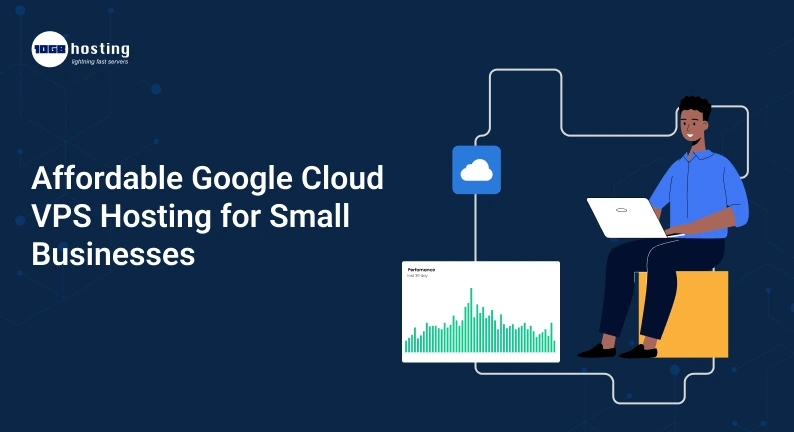
This is where Google Cloud VPS hosting is worth looking into. Businesses are able to use virtual machines on Google’s cloud infrastructure, giving them the ability to configure compute resources to suit the needs of their website or application.
Choosing the right virtual server can help you increase flexibility and manage your hosting environment more effectively, whether you’re running a small online store, managing a WordPress website or have a growing business application.
However, cheap hosting is more than simply the cheapest advertised price. You will also need to understand billing, server management, security, and what your business actually needs.
In this article, we’ll explore how Google Cloud VPS hosting works, its benefits for small businesses, and provide practical steps to help you choose a cost-effective hosting solution.
Table of Contents
What is VPS Hosting on Google Cloud?
Google Cloud VPS hosting generally refers to using a virtual machine on Google Cloud to host a website, application or other online service.
Google Cloud provides this feature through Compute Engine, a service allowing users to create and manage virtual machines on Google’s infrastructure. These servers are commonly referred to as Google Cloud VPS instances, but Compute Engine is the official name of the service. https://docs.cloud.google.com/compute/docs/instances.
A virtual machine is a self-contained computer that resides in a data center. It can be configured for processing power, memory, storage, operating system, and network settings.
For example, a small business could deploy a WordPress website on a Linux virtual machine. As the website attracts more visitors, the business can monitor its resource usage and modify its server setup when necessary.
What Is VPS Hosting?
Most traditional VPS hosting providers offer pre-built plans at a fixed monthly price. Google Cloud provides configurable virtual machines and the cost you’ll pay will depend on the resources and services you use.
When you create a virtual machine, you can pick from such options as:
- CPU & Memory: Select computing resources appropriate for your application.
- Operating System: Choose a supported Linux distribution or Windows Server image.
- Storage: Set up a boot disc and any additional storage as needed.
- Location: Choose an available region and zone for your workload.
- Networking: Set up network access and connections.
- Security: Implement access restrictions and define firewall rules.
These options are flexible, but also mean you need to understand the configuration and associated charges before launching a production server. Creating and Starting an Instance | Compute Engine Documentation | Google Cloud
Why Do Small Businesses Prefer Google Cloud VPS?
Running a stable website for a small business doesn’t require a costly dedicated server. A well configured virtual machine may give enough resources for many business websites and applications.
Here are some reasons why you should consider Google Cloud VPS hosting.
1. Elastic server resources
As your business grows, your hosting needs may grow too. Website traffic can rise because of a new marketing campaign, a seasonal promotion or an expanding customer base.
Google Cloud lets you choose the right virtual machine configuration and scale your infrastructure to your evolving needs. This enables you to avoid the commitment of a large server before your business actually requires it.
Remember that changing the machine type or adding resources could affect your bill and may require scheduling to avoid any downtime.
2. Business Application Infrastructure
Google Cloud VPS can handle many kinds of workloads like:
- Business websites & landing pages
- WordPress Blogs & Sites.
- E-commerce applications.
- Customer portals & internal systems.
- Development and testing environments.
- Web applications and APIs
- Some business and automation software platforms.
What makes sense depends on your software’s compatibility, memory use, processing needs, and anticipated traffic.
3. More Power Than Basic Shared Hosting
Shared hosting is good for beginners, but may limit server customisation.
A virtual machine gives you more control of the Operating system, software installation, server configuration and application environment. This is useful if you have a business that requires a specific software stack, or custom application.
More control, more responsibility. If you do not create managed support, you might have to provide operating system updates, security settings, monitoring, and backups.
4. Space to Scale
As a business grows, it may eventually need more computing power or a more complex infrastructure.
Google Cloud gives you infrastructure and services that can help you scale to more complex deployments as your needs grow. But scaling is not always guaranteed. You must provision the appropriate resources and services for your application.
5. Pay as you go billing
The billing for some Google Cloud services is based on usage. You pay for what you consume, not for an entire physical server in advance.
This can be useful for businesses that want to start out small. The final bill might however be including the usage of virtual machines, storage, network traffic, ip addresses, backups and other services. Review the full pricing model to determine if it fits your budget.
How much is Google Cloud VPS Hosting?
The price of Google Cloud VPS hosting is determined by the machine type, region, operating system, storage, networking, and usage you select.
Google Cloud also offers free usage of eligible services and introductory credits for qualifying new customers. There are some conditions on eligibility and usage with these offers, so check for current terms before relying on them for a business website. https://cloud.google.com/products/compute
Factors That Affect Your Hosting Bill
| Cost factor | What to consider |
| Virtual machine | CPU, memory, machine family, and running time |
| Storage | Disk size, disk type, and additional volumes |
| Network traffic | Outbound data transfer and applicable network charges |
| IP addresses | Whether the selected address configuration incurs charges |
| Backups | Snapshot storage and backup services |
| Operating system | Potential licensing fees, especially for some Windows configurations |
| Support and management | Optional support plans or third-party administration |
How to Keep Your Costs in Check
First, you need the resources you require. Don’t choose a big machine just because it looks more powerful. Determine the expected CPU and memory needs of your application before you select a configuration.
Set budgets and billing notifications. Monitoring allows you to catch unexpected spending before it becomes a huge problem. Alerts inform you about spending conditions but they are not a guaranteed automatic spending cap.
Delete Unused Resources. Unused network resources , snapshots , unattached discs , and old virtual machines can still be charged for based on their configuration .
Pick your storage carefully. Some workloads might need a bigger or faster disc, but the extra capacity might be wasted and cost you.
Check your statement often. See which services are costing you money and compare your usage to the estimate you made at the beginning.
For companies who prefer a set monthly fee and fewer configuration choices, a traditional VPS provider might be easier. Check them both out before you buy.
Google Cloud VPS vs. Traditional VPS Hosting
Both options can host business websites, but they offer different experiences.
| Feature | Google Cloud VPS | Traditional VPS hosting |
| Setup | Requires cloud configuration | Often offers ready-made plans |
| Pricing | Depends on resources and usage | Frequently sold as fixed monthly packages |
| Flexibility | Extensive configuration options | Depends on the provider and plan |
| Management | Often requires technical administration | Managed options may be available |
| Scaling | Flexible, but requires configuration | Usually through plan upgrades |
| Best suited for | Developers and businesses needing cloud flexibility | Users who prefer straightforward hosting |
Nor is one better for every business automatically.
Google Cloud is a good choice for companies that want customisable infrastructure and are happy managing cloud resources. Business owners might find traditional VPS hosting appealing if they’re looking for a simpler buying process, set packages and server management included.
Compare Google Cloud with other providers? Look beyond the headline price. Think about the total monthly cost, technical support, backups, and the time to keep the server up and running.
How to Set Up Google Cloud VPS Hosting – Step by Step
If you want to host a website on Google Cloud, here’s the general process. The exact configuration will depend on your application and security needs.
Step 1: Set up a Google Cloud Project
Go to Google Cloud Console and create or select a project. A project is a container for resources, permissions, and billing.
Ensure billing is correctly set up and check any free-trial conditions before launching services.
Step 2: Open up Compute Engine
Optional: When prompted, go to Compute Engine in the Google Cloud console and enable the required API.
Compute Engine Create and manage virtual machines using the console, command-line tools, or APIs. The graphical console may be easier for beginners to use at first. https://cloud.google.com/compute/docs/instances/create-start-instance
Step 3: Select the Machine Configuration
Select a machine type that matches your workload. Think about how much CPU and memory your website needs and how much traffic it is expected to get.
A modest setup could be enough for a small test website. A production e-commerce site or a resource intensive application may require more memory and processing power.
Don’t assume one configuration will work equally well for every site.
Step 4: Choose the Operating System and Storage
Pick an operating system that is compatible with your software. Linux is often used for WordPress, PHP applications and many open-source tools. Windows -specific technologies may need Windows Server for applications built around them.
Next, create the boot disc and other storage. Be sure to check the cost and performance characteristics of the disc before creating the instance.
Step 5: Set up Networking and Security
Check firewall rules, network access and administrator rights.
Apply strong authentication, limit excessive access and do not expose database ports or administrative services to the public internet. SSH access should be secured with a strong configuration, not weak passwords.
Access public HTTP or HTTPS only when your application requires it, and enable HTTPS prior to gathering sensitive customer data.
Step 6: Set up and test your website
Log on to the virtual machine and install any needed Web server, runtime, database components, or application software.
Get your website up and running and test the server’s response to normal requests and its functionality. If you’re using WordPress, check that your PHP version, database configuration, file permissions and caching setup are all correct.
Step 7: Set Up Backups and Monitoring
Before you begin using the server for mission-critical business data, set up a backup process.
Monitor CPU, memory, disc utilisation, application errors and website uptime. Test your recovery process so you know how to get the website back up if something goes wrong.
Finally, once deployed, check your bill and make sure that your configuration is running inside the budget you were expecting.
Example from real life: a small online store
Imagine a small business that sells hand-made products on its website. Initially, the site owner will be using the basics of shared hosting, as there is not much traffic and the site itself is simple.
The store gets more visitors after running promotions online. The owner also wants to add custom software for tracking and reporting inventory.
You would have more control over the software environment and be able to choose the right computing resources with a Google Cloud virtual machine. The business could begin small, monitor its performance and adapt as usage actually happened.
But, the owner also needs to budget for server administration, backups, security, and possibly traffic charges.
If the business does not have a technical staff, then a managed VPS plan might be a more practical choice. The lesson is simple: you choose hosting for the real needs of the business rather than just for the reputation of the technology.
Selecting the Right VPS Provider for Your Business
One option is Google Cloud, but you might want to compare it with other hosting providers before you buy.
Evaluate your options with this checklist:
- Determine the total cost. Add compute, storage, traffic, backups and management.
- Check the location of the data center Select a region that makes sense for your customers and application.
- Check technical support. See if you can get help with server configuration and emergencies.
- Check backup options. Know how often backups are made, and how restoration works.
- Check security features. Review controls for access, firewalls, updates, and monitoring.
- Check scalability. Ensure you can scale your resources or move if your needs change.
- Think about your technical skills. Determine if you can manage the server by yourself or if you need to hire a professional.
If you want to use Google Cloud but need help with deployment, migration, security or ongoing administration, you might want to consider a qualified cloud hosting specialist. Look at the service scope and total price before you agree.
Common Mistakes to Avoid
Beware of these common mistakes before you buy Google Cloud VPS hosting:
- Only choose based on introductory credits. Your ongoing hosting costs could be different after promotional credits expire.
- Ignoring network charges Outbound traffic can impact the overall bill.
- Skip server maintenance Virtual machines need proper security updates and monitoring.
- Assuming backups are automatic: Check which backup features are active and the cost of each.
- Licensing costs: Some operating systems and applications have additional licensing costs.
- Oversized Server: Unnecessary resources can waste money.
- Neglecting support needs: Low infrastructure costs may not be worth it if your business needs support you don’t have the ability to provide in-house.
A little planning before deploying saves unnecessary costs and technical problems down the road.
Questions and Answers
1. Is Google cloud VPS hosting cheap for small businesses?
If you choose the right resources and monitor your usage and turn off unnecessary services it can be cheap. However, the total cost will depend on your configuration, storage, network traffic and management requirements. Compare the estimated monthly bill with the fixed-price VPS plans before you decide.
2. Is Google Cloud somewhat similar to a traditional VPS provider?
Not quite. Google Cloud offers virtual machines via Compute Engine and a broader range of cloud services. Many traditional VPS providers package the resources of virtual servers into more basic hosting plans, with a fixed monthly price.
3. Yes, you can host a wordpress website on Google Cloud VPS.
Yes. You can run WordPress on a Virtual Machine ( VM) that is compatible. You will need to manage or arrange support for the web server, PHP, database, security, backups and updates.
4. Is Google Cloud VPS good for beginners?
Creating virtual machines using Google Cloud console is easy for beginners, but you might need technical knowledge to set up and maintain a production server. For a more simple experience, think about managed hosting or professional setup help.
5. How can I lower my Google Cloud VPS hosting costs?
Choose a virtual machine of right size, monitor its usage, analyse the charges related to storage and network, delete resources, which are not in use and set alerts for budget. Regularly audit your bill and reconfigure when your workload changes.
Conclusion: Opt For Affordable Google Cloud VPS Hosting With Confidence
Small businesses can find flexible infrastructure, greater control over their servers, and room to grow with affordable Google Cloud VPS hosting. It can be a good choice for websites, online stores and applications that need more customisation than basic shared hosting offers.
The trick is knowing what the full cost is before you launch your website: Compare machine resources, storage, traffic charges, security, backup options and management requirements. If you have the technical knowledge to run a cloud server then Google Cloud might be the flexibility you are after. If you like predictable billing and hands-on support, managed VPS providers are also worth a look.
Time to upgrade your business hosting?
Before you buy, evaluate what your website needs, estimate your monthly expenses, and compare various VPS options. Begin with the configuration that suits your current needs, track performance and grow as your business is ready.