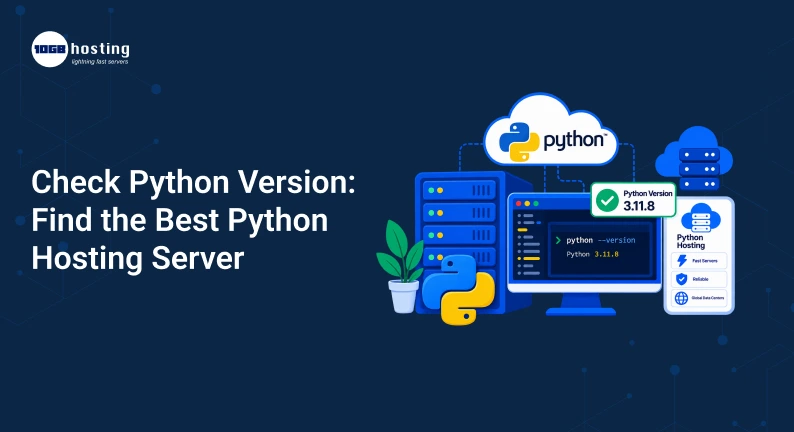
Running a Python application in the wrong hosting environment can result in slow performance, compatibility errors, deployment failures, and frustrating dependency problems. Whether you are building a Django website, Flask application, FastAPI project, automation tool, or data-driven web application, the first thing you should check is your installed Python version.
You can quickly verify that your server is running the Python release your application needs with a simple check Python version command. But that is only the start of checking the version. You should also be aware of the server environment, Python compatibility, resources, security, scalability, and management options before choosing a hosting server.
In this guide, you will learn how to find the python version, why python versions matter and choose a suitable python hosting server for your application.
Table of Contents
What does “check python version” mean?
Checking the Python version is checking the currently installed Python release on your computer or hosting server.
For example, if you run:
python -V
you could see:
Python 3.12.4
This means you have Python 3.12.4 installed and ready to run using the python command.
Another you can use is:
python3 -V
This is the preferred command on some Linux servers, since python3 specifically points to Python 3.
It is important to know which version of Python you have because different applications and libraries may require different releases of Python.
For example:
- A modern Django project might require a newer Python version.
- Older applications may depend on older python versions.
- Some packages may not support a specific Python release yet.
- Your host server may have multiple versions of Python available.
- Dev and prod environments should be running compatible versions of Python.
That is why a fast Python version check should be part of your application deployment process.
How to Check Your Python Version
Depending on your operating system and server configuration, there are a few different ways to find out what version of Python you are running.
1. How to check python version in linux
Python hosting on Linux is popular because it’s flexible, can be accessed via the command line and has great support for development tools.
Open your terminal or SSH into your VPS and run the following:
python3 -V
You might get an output like:
Python 3.11.9
You might also try:
$ python –version
If Python is installed and correctly configured, the command must show the version of Python.
2. How to Check Python Version on Windows
For Windows users, open Command Prompt or PowerShell and type:
python -V
Another choice is:
import sys print(sys.version)
The Python Launcher can also help you locate multiple versions of Python if you have more than one installed.
For instance,
py -0
This can show python versions installed on the system.
3. Check Python Version From Within Python
Also you can get the version straight from the Python interpreter.
Run:
import sys
print (sys.version)
This will give you more detailed information about your Python installation.
But for many basic tasks python –version or python3 –version will suffice.
Why Check Python Version Before Choosing Hosting?
For example, you have finished a Django application on your local computer. Everything works perfectly. You buy the hosting, upload your app and suddenly the site throws dependency errors.
One reason could be a python version mismatch.
You have Python 3.12 on your dev machine, but the server only has Python 3.9. Some of your application packages may not work properly in that environment.
That is why you need to check the Python version before moving an application to production.
A compatible hosting environment can save you from:
- Dependency conflicts
- Startup application failures
- Problems installing packages
- Framework compatibility problems
- Post-deployment unexpected errors
- Hard migration labour
A good Python host should allow you enough control to choose or configure the Python environment your application needs.
Python Versions and how it affects Hosting Performance
It’s more than just compatibility when choosing a Python version. The version you use can also impact application performance, security and long-term maintenance.
Typically, improvements and security fixes are backported to newer supported Python releases. They can also improve the language of runtime and the developer experience.
But if your app depends on old packages, upgrading without testing can break things.
before changing versions Check:
- The Python requirement of your app.
- Framework compatibility.
- Third party packages support.
- Database driver compatibility
- Configuration of Server.
- Dependencies of production.
- Test Results.
Don’t upgrade a production application just because there’s a new version out. Make sure you test the application thoroughly so that all the critical parts are working correctly.
What Is Python Hosting?
Python hosting is a hosting environment configured to run applications created with Python.
In your application, there may be a need for support for technologies such as:
- Django
- Bottle Flask
- FastAPI
- Pyramids
- Gunicorn
- uWSGI
- PostgreSQL
- My SQL
- Redis (retrieved 10/2023)
- Nginx (Engine X)
- Git.
- FANTASISED UNIVERSES
- Background workers
A simple shared hosting package might be fine for a small Python website, but if you expect higher traffic, have custom dependencies, APIs, background processes, or more advanced server requirements, then you might want to consider a VPS or a dedicated server.
How to Select the Best Python Hosting Server
You can’t simply go for the cheapest hosting plan when you’re looking for the right server. Base your decisions on the application’s workload and technical requirements.
1. Supported Python versions
Step one is easy: Check Python version support.
Before you buy the hosting server, check that the hosting server provider supports the Python version your application needs.
For example, if your project depends on Python 3.11, check that the hosting environment will let you install and run Python 3.11.
This is especially critical in applications with strict dependency requirements.
2. Explore VPS Hosting for More Control
Similarly, VPS can be a great option for Python applications that need more control than shared hosting.
Usually with a VPS you can control:
- Versions of Python
- Bags.
- Virtual environments
- Web servers
- Application Process
- Rules for the firewall
- Server setups
- Resource distribution
A Linux VPS is a versatile production environment for developers and businesses running Django, Flask, or FastAPI applications.
3. Check CPU and RAM
Application performance is directly affected by server resources.
A small Python app may run fine with a modest amount of resources, while a busy API or e-commerce application or data processing platform may require substantially more CPU and RAM.
Consider the following:
- Visitor count
- API calls
- Asynchronous Tasks
- Database workload
- Processed applications number
- Future growth projections
Scaling up is a lot easier when your application grows if you start with a scalable VPS.
4. Select Quick & Dependable Storage
Storage isn’t just about how many files you can put on it.
Modern SSD or NVMe storage can improve file access and responsiveness of applications, compared to older storage technologies.
This can be important when your application reads databases, logs, configuration files or other data frequently.
5. Linux Distribution Options to Check
Linux is a popular choice for Python hosting because of its flexibility and large developer support.
Check the available operating systems before ordering a VPS. Depending on your use case, you might want to choose distributions such as Ubuntu, Debian, AlmaLinux, or other supported Linux distributions.
Pick an OS that will work well with your application stack and one that your development team is comfortable working with.
6. Search for Root or Administrative Access
Administrative access can be very useful if you need to install Python versions, packages, system libraries, web servers or custom services.
A VPS gives experienced users more control over the server environment with root access.
This simplifies the execution of tasks like:
python3 -V
install packages, configure services, create virtual environments and manage application processes.
7. Security Features Check
Your server and python application should be secured against common security vulnerabilities.
Find hosting features such as:
- Firewall setup
- SSH security options
- Routine backups
- SSL/TLS support.
- Security updates
- DDoS mitigation
- Tracking
- Access control
Security should be thought about upfront instead of after an application has a problem.
Why are Python Virtual Environments Important?
A very useful practice for hosting Python applications is to use a virtual environment.
A virtual environment keeps your project’s Python packages separate from the system environment.
For example:
python3 -m venv myenv
Turn it on in Linux:
source myenv/bin/activate
This allows you to install the dependencies of your application without messing up your global Python installation for no reason.
This is useful when you have multiple applications that need different versions of packages.
For instance:
- Application A uses a version of a library.
- Application B needs another version.
- Each application runs independently in different environments.
So VPS based Python hosting is really handy if you are a developer who has multiple projects.
Real World Example Django App
Think of a small, online business that has a website powered by Django.
During development, the team checks the Python version and discovers that the project is running on Python 3.12.
When they go to look for hosting they will compare shops with a few providers.
Provider A has only an old Python environment.
Provider B supports the needed Python version but has little control over the server.
Another solution is to use a Linux VPS from provider C. The team can configure the Python environment, install dependencies, use a virtual environment, configure Nginx, and run the application with an appropriate application server.
The VPS is probably the more practical choice for this kind of project since the business has more control over the production environment.
The lesson is simple: First look for python version requirements, then pick hosting that supports those requirements.
Python Hosting Mistakes to Avoid
Choosing a Web Hosting Service Based on Price
The cheapest server might not have the Python version, resources, control or support that your app needs.
Disregarding Dependency Requirements
Checking only the Python version will not do. Also, ensure that your framework and installed packages are compatible.
Having separate production and development versions
If you develop with Python 3.12 and deploy with an incompatible version, you’re going to have problems.
Keep your environments consistent where you can.
Skipping back ups
Data may be lost due to server failure, configuration error, or application problem. Regular backups are an added layer of protection.
Installing Everything Globally (contd.)
Global install of packages can lead to conflicts between apps. Virtual environments are typically the cleaner way to go.
Advantages of Choosing the Correct Python Hosting Server
Choosing a hosting environment that suits your Python application has several advantages.
Improved Compatibility
The right python version and package environment minimises compatibility issues.
Better performance
With enough CPU, RAM, and storage, your application can better manage its load.
More Control
With VPS hosting, developers get to control the Python, packages, services and server configuration.
Simpler Scaling
A scalable hosting plan can help you scale your resources when your traffic and application needs grow.
Improved Reliability
With the right server, monitoring and backups, you can have a more reliable production environment.
Easier to deploy
When your development and production environments are in sync, it’s easier to manage application deployment.
A Quick Python Hosting Checklist
Before You Buy a Python Hosting Server, Ask These Questions:
- Does the server have the version of python I need?
- Can I install/select alternate Python versions?
- Does it have Django, Flask or FastAPI support if needed?
- Does SSH access work?
- Am I root or admin?
- Do you have SSD or NVMe storage options?
- Do I have enough CPU and RAM for my application?
- Can I make python virtual environments?
- Backup? Are there backups?
- What security features are provided
- May I upgrade resources later?
- Do you provide technical support for server issues?
If you answered yes to most of these questions, then the hosting environment is probably a better fit for your Python project.
FAQs
1. How do I check my Python version?
If you want to know your version of Python from a terminal or command prompt you can do:
python -V
Also, on many Linux systems you can use
python3 –version
2. How to check the python version on Linux VPS?
SSH into your VPS and run the command below:
python3 -version
This command will show the installed version of Python 3.
3. Does the Python version matter when selecting hosting?
Yes. Your hosting environment must support the version of Python your application and its dependencies need. A mismatch may cause installation or runtime errors.
4. Is VPS hosting good for Python applications?
If your Python application needs more control, dedicated resources, custom packages, virtual environments, or server-level configuration, a VPS can be a good option.
5. What is the best hosting server for Python?
There is no one best server for every application. The best one for you depends on your Python version, framework, traffic, CPU and RAM needs, storage needs, scalability, security and how much control you need over the server.
Final Thoughts
A simple check of the python version can save you a lot of hosting and deployment headaches. Before you deploy your Python app to the server, make sure to check the required Python release, framework compatibility, dependencies, and server resources.
For small projects, a simple python host may do. A Linux VPS hosting server provides you with the control and flexibility needed for business websites, APIs, Django applications, Flask projects, FastAPI services and custom configured applications.
Do not select a hosting plan just because it is cheap. Choose an environment that can reliably run your application today and support its growth tomorrow.
Prepared to run your Python app? Find a reliable VPS host with scalable resources, powerful server control, and an environment for modern Python applications. Review the VPS plans, compare specifications and select the server that meets your application’s requirements.