Have you ever thought about what is control panel and how users can alter system settings, manage devices, install programs, or set up their computers without having to deal with sophisticated code? The answer is a built-in tool called the Control Panel that is very powerful.
Managing a computer system might be hard for a lot of people who are just starting out. People often ask things like “Where do I change system settings?” “How do I manage hardware or uninstall programs?” or “How do I make my computer my own?” This is where the Control Panel really comes in handy.
The Control Panel is the main place where you may manage and set up your computer system. It lets people manage hardware, software, security settings, and personalisation options all in one spot.
This article will tell you what a control panel is, what it performs, its main functions, types, benefits, and how to use it well. This guide will help you learn the basics of the Control Panel, whether you’re a newbie or just want to know more about how to change your computer’s settings.
Table of Contents
What is the Control Panel?
A Control Panel is a part of an operating system that lets users easily see and adjust system settings.
The control panel is like a management dashboard for your computer. You can change settings for hardware, software, security, and system performance all in one place.
You can do things like the following with the Control Panel:
- Add or remove software
- Change the settings for the display
- Take care of user accounts
- Set up network settings
- Change the settings for the firewall and security
- Add or take away hardware devices
Most people think of the Control Panel as part of the Windows operating system, where it has been a key tool for managing system settings for a long time.
What is the computer’s control panel?
The Control Panel is a central place on a computer system where users may change settings for different parts of the operating system without having to know technical commands.
Users don’t have to edit system files by hand anymore. They can just access the control panel and change settings using a simple graphical interface.
As an example:
- Changing the theme of the desktop
- Changing the brightness or resolution of the screen
- Handling internet connections
- Getting printers or other devices ready
This means that the control panel is an important tool for both new and experienced users.
What kinds of control panels are there?
Depending on the operating system or technology environment, control panels can seem different. Here are the most prevalent varieties.
1. Control Panel for Windows
The Windows Control Panel is the most well-known version. It lets people set up and control system settings on Windows.
Some common sections are:
- System and Safety
- Internet and Network
- Sound and Hardware
- Software
- Accounts for Users
- Look and Personalisation
The Settings app is steadily taking over in newer versions of Windows, but the old control panel is still used a lot.
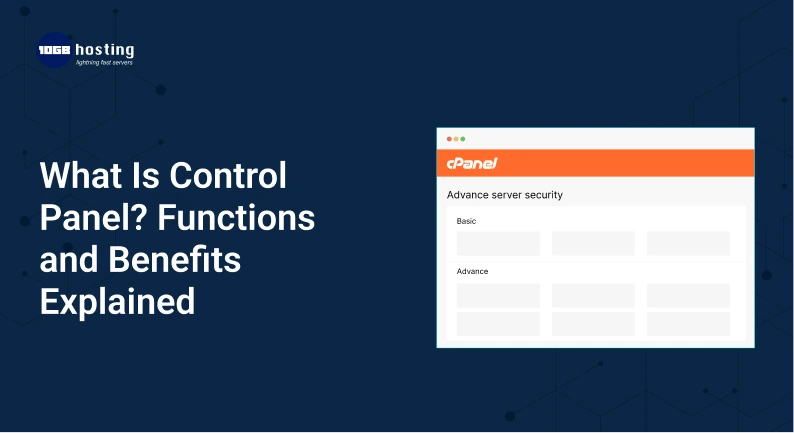
2. Control Panel for Web Hosting
A control panel is a tool that helps you manage websites, domains, hosting files, and server settings in the world of web hosting.
Some examples are:
- cPanel
- Plesk
- DirectAdmin
Users can do the following with a hosting control panel:
- Upload files for your website
- Take care of databases
- Make email accounts
- Set up apps like WordPress
- Keep an eye on server resources
You don’t need to know anything about servers to use these control panels to manage your website.
3. Control Panel for Hardware
Control panels are also used in some physical systems, like electrical systems, industrial machinery, and network devices.
These panels let technicians do:
- Keep an eye on how the system works
- Change the settings on the system
- Manage how machines work
You can usually find them at factories, data centers, and places where engineers work.
What a Control Panel Does
The control panel has a lot of tools that help people utilize their computers more effectively. Here are some of the most crucial things to do.
1. Setting up the system
One of the key jobs of the control panel is to let users change the settings on their systems.
People can:
- Look at system info
- Take care of how well the system works
- Update your drivers
- Change the security settings on your machine
This helps keep your computer system stable and running at its best.
2. Managing hardware
Users can operate linked hardware devices from the control panel.
For example:
- Printers
- Mouse and keyboard
- Devices that play sound
- Storage outside
- Devices that use Bluetooth
From the control panel, users can install, uninstall, or fix hardware devices.
3. Managing software
Another important job is keeping track of installed apps.
Users can do the following in the Programs and Features section:
- Install software
- Remove applications you don’t want
- Update apps
- Control the features of the system
This helps keep your computer clean and running well.
4. Setting up the network
Users can change network settings using the control panel.
People can:
- Get on Wi-Fi networks
- Change the settings for Ethernet
- Set up IP addresses
- Make VPN connections
This is necessary for connecting to the internet and fixing network problems.
5. Managing User Accounts
Administrators can manage users on a system through control panels.
People can:
- Make new accounts
- Make passwords
- Give out permissions
- Turn on parental controls
This is quite helpful for computers or systems that are used by more than one person.
6. Settings for Personalisation
People can change how their computer appears and works.
This includes:
- Changing the themes on your desktop
- Changing the resolution of the screen
- Changing the settings for the taskbar
- Changing the typefaces and how things look
These settings can make your computer experience more pleasant and unique.
How to Get to the Control Panel in Windows
These are the simple ways to open the control panel on a Windows machine.
Method 1: Using the Start Menu
- Click on the Start Menu
- Type the Control Panel
- Click on the Control Panel app
Method 2: Using the Command Prompt
- Press Windows and R at the same time.
- Type control
- Press the Enter key
The Control Panel will open right away.
Method 3: By Searching
- Click on the search bar
- Type “Control Panel”
- Choose the result
A Control Panel in the Real World
Let’s say you buy a new printer and want to hook it up to your computer.
Without a control panel, you would have to use complex system instructions to set up the device.
But you can easily do the following with the control panel:
- Open the Control Panel
- Click on Printers and Devices
- Choose Add a Printer
- Follow the instructions for setting up
Your printer will be ready to use in a few minutes.
This example explains how the control panel makes hard system chores easier.
Advantages of Using a Control Panel
The control panel has a lot of benefits for both new and seasoned users.
1. Simple to manage the system
Control panels are a convenient place to change all of the system’s settings.
People don’t need to know a lot about computers to set them up.
2. Easy-to-Use Interface
Most control panels are straightforward to use since they have basic menus and icons.
Even people who are new to computers can rapidly change their system settings.
3. Better performance of the system
Users may make their computers run better by controlling programs, hardware, and system settings.
Getting rid of programs that aren’t needed and controlling what starts up can speed up computers.
4. Better control over security
Users can change essential security settings like:
- The Firewall in Windows
- User rights
- Updates to the system
- Setting up security
This helps keep dangers away from the system.
5. Personalisation and Customisation
Users can change how their computers work with control panels.
Users can change their system to fit their needs, from desktop themes to display settings.
Control Panel vs. the Settings App
Windows now comes with a Settings program that has some of the same functionality as the control panel.
The control panel still has extensive system management tools that aren’t entirely available in the new settings interface, though.
A lot of IT professionals and sophisticated users still utilise the control panel to do thorough configuration work.
Questions that are often asked (FAQs)
1. What is a computer’s control panel?
A control panel is a system tool on a computer that lets users see and change settings for the operating system, such as hardware, software, network, and security settings.
2. What kinds of control panels are there?
There are a few primary types of control panels:
- Control Panel for Windows
- Control Panel for Web Hosting
- Control Panel for Hardware
Each one has a particular job to do based on the system conditions.
3. What are the most important jobs of a control panel?
The key jobs are:
- Setting up the system
- Managing hardware
- Installing and uninstalling software
- Managing network settings
- Control of user accounts
- Choices for personalisation
4. How can I go to the control panel in Windows?
To open it, you can:
- Looking for Control Panel on the Start menu
- Press Windows + R and type “control”
- Finding it in the search bar
5. Why is the control panel so important?
The control panel is crucial because it lets users change system settings without needing to know a lot about computers. This helps keep performance, security, and customisation up to date.
Final Thoughts
The Control Panel is very important for setting up and running computer systems. It gives customers a central place to handle hardware, manage software, set up networks, and change the settings on their systems.
Users may fully operate their computers without having to know a lot about computers if they know what a control panel is, what it does, and how it can help them.
The control panel is an easy and effective method to manage your system, whether you want to install programs, set up devices, boost performance, or change security settings.
Last Thoughts
You may greatly increase your ability to manage and keep your computer running well by learning how to utilise the Control Panel properly.
Check out our other helpful resources or sign up for the latest news if you want to read more technology guides, hosting tutorials, and IT tips.