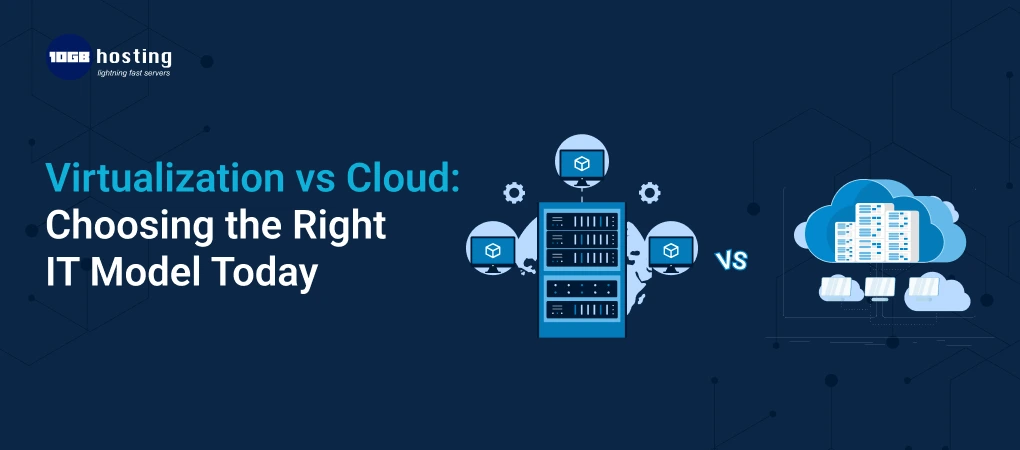
Virtualization vs cloud is a common comparison when building modern IT infrastructure, but choosing the right approach can be challenging. IT infrastructure is very important to modern businesses, and people often use the terms virtualization and cloud computing as if they mean the same thing, even though they are different. Because of this misunderstanding, many companies invest in technology that doesn’t fully meet their actual business needs.
This tutorial will help you make a smart, confident choice if you’re trying to choose between virtualisation and the cloud. We’ll break down both ideas in simple terms, look at their pros and cons, give you examples of how they may be used in real life, and help you pick the best IT strategy for now and the future.
Table of Contents
Why choosing between virtualisation and the cloud is so important
The choices you make about technology have a direct effect on:
- Costs of running the business
- Business flexibility
- Uptime and performance
- Safety and following the rules
If you pick the wrong IT model, you could waste money, have systems that can’t grow, or have systems that can’t grow in the future. Knowing the difference between virtualisation and cloud services makes sure that your infrastructure helps your business, not the other way around.
What is virtualisation? (An easy-to-understand explanation)
Virtualisation is a technology that lets a single physical server run many different operating systems and apps. A hypervisor is a type of software that splits up hardware resources into distinct virtual environments.
Every virtual machine (VM):
- Has its own operating system
- Works on its own
- Shares real hardware
A Simple Example
A physical server is like a big kitchen. Virtualisation lets several virtual machines (chefs) use the same appliances to make various meals at the same time.
How People Use
- Running old programs
- Combining servers
- Making private IT spaces
- Making hardware work better
What is cloud computing?
Cloud computing sends IT resources including servers, storage, databases, and apps via the internet. Businesses rent resources from cloud providers instead of owning and managing physical hardware.
Cloud platforms do a lot of things automatically, like:
- Scaling up resources
- Backups and recovery
- Updates to the infrastructure
An Easy Example
Cloud computing is like ordering food from a professional service whenever you need it, with no setup or cleaning. Virtualisation is like owning the kitchen.
The main differences between virtualisation and cloud services
Let’s look at how these two models are different in real life.
1. Control of infrastructure
Virtualisation
- Full ownership of the hardware
- Full control over settings
- Needs management from within IT
Cloud
- The provider owns the infrastructure
- Little control over hardware level
- Little upkeep inside
Virtualisation for control and cloud for ease of use are the best options.
2. Ability to grow and change
- Scaling needs new hardware.
- Planning and time are needed for growth.
Cloud
- Resources grow right away
- Great for workloads that are hard to forecast
The best choice is cloud computing for fast growth.
3. Structure of Costs
Virtualisation
- A lot of money up front
- Costs that are lower in the long run for stable workloads
Sky
- Pay-per-use pricing
- Costs can go up if you use it a lot.
The best choice is cloud for new businesses and virtualisation for workloads that don’t change.
4. Comparing performance
The workload is important when comparing the performance of virtualisation and cloud.
Virtualisation
- Performance that can be counted on
- Less lag
- Best for databases and business apps
Cloud
- High performance, although resources are shared
- Performance may be different in public places.
Best choice:
virtualisation for apps that need to run quickly.
5. Safety and following the rules
Virtualisation
- Data stays on-site
- Easier to follow rigorous rules for compliance
Cloud
- Features that make it very secure
- Compliance varies on the supplier and the area.
The best choice
virtualisation for industries that are regulated.
Real-Life Examples
Case 1: A Tech Startup
A startup needs to be able to deploy quickly and grow without having to buy new hardware.
Cloud computing is a good fit.
Why: It’s fast, flexible, and cheap to get into.
Case 2: A healthcare organisation
Sensitive patient information must stay on systems that are controlled.
The right fit is virtualisation.
Why? Because it protects data privacy, meets compliance standards, and improves performance.
Case 3: An Online Store
Traffic goes up during discounts and promotions.
The right fit is a hybrid model.
Why: Virtualised core systems and cloud scaling during busy times.
How to Choose the Right Model: A Step-by-Step Guide
Step 1: Know what your apps do
- Old apps → Virtualisation
- Cloud-native apps → The Cloud
Step 2: Look at how your business is growing
- Quick growth → Cloud
- Virtualisation leads to stable operations.
Step 3: Think about what you need to do to be compliant
- Strict rules mean virtualisation or a private cloud.
- Policies that are flexible lead to the public cloud.
Step 4: Look over your IT resources
- A strong IT team leads to virtualisation.
- Not enough IT workers → Cloud
Step 5: Make plans for the future
- Long-term flexibility leads to a hybrid cloud approach.
Why Virtualisation vs. Cloud Is More Important Than Ever
Picking the correct infrastructure helps companies:
- Make IT less complicated
- Make uptime and dependability better
- Make the most of your money
- Change with the times
As digital transformation speeds up, being able to scale and protect systems is no longer a choice; it’s a must.
Can virtualisation and the cloud work together?
Yes, and a lot of companies already do this.
A hybrid IT model is made up of:
- Virtualisation for important systems
- Cloud services for growth and new ideas
This method gives you balance, adaptability, and readiness for the future.
Common Misunderstandings
“Cloud makes virtualisation unnecessary.”
That’s not true. Virtualisation is a big part of cloud systems.
“Cloud is always less expensive.”
Cloud charges can be higher than on-premise setups if you don’t keep an eye on them.
“Virtualization is no longer useful.”
It is still very important for workloads that are driven by business and compliance.
Questions and Answers (FAQs)
1. What is the most important thing that sets virtualisation and cloud apart?
Virtualisation uses hardware that you own, while the cloud provides resources as a service.
2. Is cloud computing quicker than virtual machines?
Not all the time. Virtualisation can make some workloads run more smoothly.
3. Which is safer: virtualisation or the cloud?
When set up correctly, both are safe, but virtualisation gives you more control.
4. Is it possible for enterprises to go from virtualisation to the cloud?
Yes, a lot of businesses are slowly moving to hybrid cloud solutions.
5. Which choice is better for small businesses?
Cloud services are typically more useful because they cost less up front.
The final decision: virtualisation or cloud
There is no one answer that works for everyone.
- Choose virtualisation if you want to keep control, follow rules, and get consistent performance.
- Pick cloud computing for its ability to grow, speed, and ease of use.
- If you want versatility without giving up anything, choose hybrid.
What you choose relies on your long-term goals, the type of work you do, and your business goals.