Table of Contents
Introduction: Why Your Choice of Storage Matters More Than You Think
If your laptop is taking forever to boot, your games are lagging during loading screens, or enormous files are crawling when transferring, you aren’t alone. Many consumers think that boosting RAM or buying a new processor would solve the problem. But more often than not, it’s your storage disc that’s the actual bottleneck.
That’s where the discussion begins: NVMe SSD versus SATA SSD. Both provide quicker speeds than standard hard drives, but how do they really compare? And most importantly, what’s right for you?
In this post, we’ll clearly and practically explain the difference between NVMe and SATA SSDs. You’ll discover how they function, where each excels, and how to pick the best option in terms of performance, affordability, and your real-world demands.
What is an SSD? (Beginner’s guide)
Before we go into the comparisons, let’s lay some short groundwork.
An SSD (Solid State Drive) is a storage device that employs flash memory instead of spinning discs like regular HDDs. This means that SSDs
- More quickly
- More robust and stronger
- Energy efficiency
- Quiet
There are two basic types of SSDs:
1. SATA SSD (Serial ATA)
- Uses outdated SATA interface
- Same type of connector as HDDs
- Limited by SATA speed (550 MB/s or such)
2. NVMe SSD (Non-Volatile Memory Express)
- Uses PCIe (Peripheral Component Interconnect Express)
- Specifically designed for high-speed data transmission
- Can attain rates of 3,000-7,000+ MB/sec
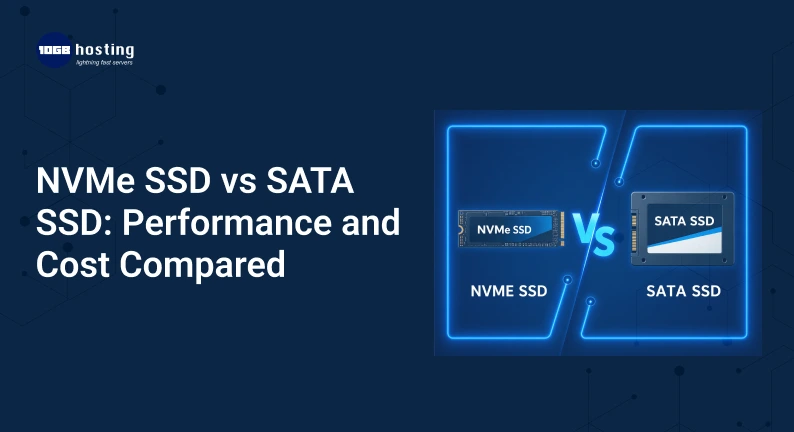
NVMe SSD vs SATA SSD: Key Differences
Let’s break down the core differences in a simple way:
| Feature | SATA SSD | NVMe SSD |
| Interface | SATA | PCIe |
| Speed | Up to ~550 MB/s | 3,000–7,000+ MB/s |
| Form Factor | 2.5-inch, M.2 | Mostly M.2 |
| Latency | Higher | Very Low |
| Price | More affordable | Slightly expensive |
| Use Case | Everyday computing | Gaming, editing, heavy workloads |
Performance comparison: How fast is NVMe?
1. Start Up Speed
- SATA SSD: 10-20 sec
- NVMe SSD: 5-10 seconds
Difference? Yes, but not dramatic for the casual user.
2. Speed of File Transfer
Say you want to transfer a 20GB file:
- SATA SSD: ~40-60 seconds
- NVMe SSD: 10-15 sec.
This is where NVMe wins hands down.
3. Performance in Gaming
- NVMe has quicker game load speeds, but not hugely different.
- NVMe is more useful for open-world games (like GTA V or Cyberpunk).
Insight from the real world:
If you’re a casual player, SATA is the way to go. However, NVMe offers a smoother experience for competitive or AAA games.
4. Large Workloads & Multitasking
NVMe excels when dealing with:
- Video editing (4K/8K)
- Software development
- Virtual machines
- Large data sets
SATA might have a hard time with these loads.
Price Comparison: Is NVMe Worth the Extra Cost?
Price Breakdown (Estimated)
- SATA SSD (1TB): A good value
- NVMe SSD (1TB): 20-40% more costly
However, prices have fallen sharply in recent years.
Cost/Value
Choose SATA if you:
- You’re on a shoestring budget
- You use your PC for web surfing, business work or light gaming
Select NVMe when:
- You want future proof performance
- You work with enormous files or heavy apps
Key insight:
The price difference is closing and for many customers NVMe is a wiser long-term buy.
How to Choose Between NVMe and SATA SSDs (Step-by-Step Guide)
Step 1: Check Compatibility
- Motherboard support for NVMe (M.2 slot)?
- Older computers might only support SATA
Step 2: Understanding Your Use
Ask yourself the following:
- Simple tasks (browsing, Word, YouTube)? ← SATA suffices
- Gaming vs Content Creation? ← Recommended NVMe
Step 3: Determine Your Budget
- Limited budget => Go SATA & upgrade later »
- Flexible budget → Invest in SSD
Step 4 Storage Needs
- 500GB-1TB -> Good for most people
- 2TB+ – Great for gamers and producers
Step 5: Think Long Term
NVMe is becoming mainstream. If you’re going to retain your system for years,
NVMe is the way to go.
Practical Example Use Cases
Scenario 1: Student’s Laptop
Rahul’s laptop use includes:
- Virtual Classes
- Classwork/Homework
- Netflix
Best pick: SATA SSD
Reason: Inexpensive and adequate.
Scenario 2: Amit the Gamer plays:
- Warzone
- GTA V
- Elden Ring
Best choice: NVMe SSD
Reason: Faster loading times and smoother game play.
Scenario 3: The video editor
Priya edits:
- Videos in 4K
- Large project files
The best choice is NVMe SSD
Reason : It is important to handle files at high speed.
Advantages of Choosing the Right SSD
Why it matters
NVMe SSD versus SATA SSD: It’s Not Just About Speed, It’s About Your Whole Experience
Major Benefits:
- Boost System Performance
- Shorter waiting time
- Enhanced Gaming Experience
- Increased productivity
- Making your system future-proof
Things to watch out for
- Don’t buy NVMe without motherboard support
- Don’t spend too much when SATA will do
- Disregard storage capacity
- Thinking NVMe drastically increases FPS (it largely increases load times)
NVMe versus SATA SSD FAQ
1. NVMe SSD vs SATA SSD- Which is better?
Yes, NVMe SSDs are substantially quicker than SATA SSDs, particularly when it comes to file transfers and intensive workloads.
2. Can I replace the SATA SSD with NVMe?
Only if your motherboard supports NVMe (M.2 slot with PCIe support)
3. Is NVMe Gaming Worth It?
Yes, although not so much for FPS, rather for faster loading times.
4. Why is NVMe quicker than SATA?
NVMe employs PCIe lanes which provide substantially better bandwidth than the SATA interface.
5. Which SSD is more durable?
NVMe and SATA SSDs have comparable longevity, depending on use and construction quality.
NVMe versus SATA Which One to Choose? Final Verdict
Here’s the straight-up truth:
- Buy a SATA SSD if you’re looking for a cheap upgrade that seems quick.
- Select NVMe SSD if you want maximum performance and future-proof your system.
NVMe is becoming the norm for most current usage yet SATA is still going strong for everyday use.
Call to Action (CTA)
So, ready to power up your machine and enjoy lightning quick performance?
First, verify your device compatibility and select the SSD that best suits your needs. Still on the fence? Browse more tech tips or ask for personalised advice since the correct storage boost may really change your digital life.