
You never get a second chance to make a first impression. Your customers will likely leave your website if the pages take too long to load or if the site contains many errors. On top of that, if you’re having trouble with your file, database or email account management, that makes life even harder. All of this combines to create a negative experience for potential customers and can stifle the growth of your online business.
Along with an attractive website design, you also need a reliable hosting environment to effectively manage your website and ensure it is available to the public.
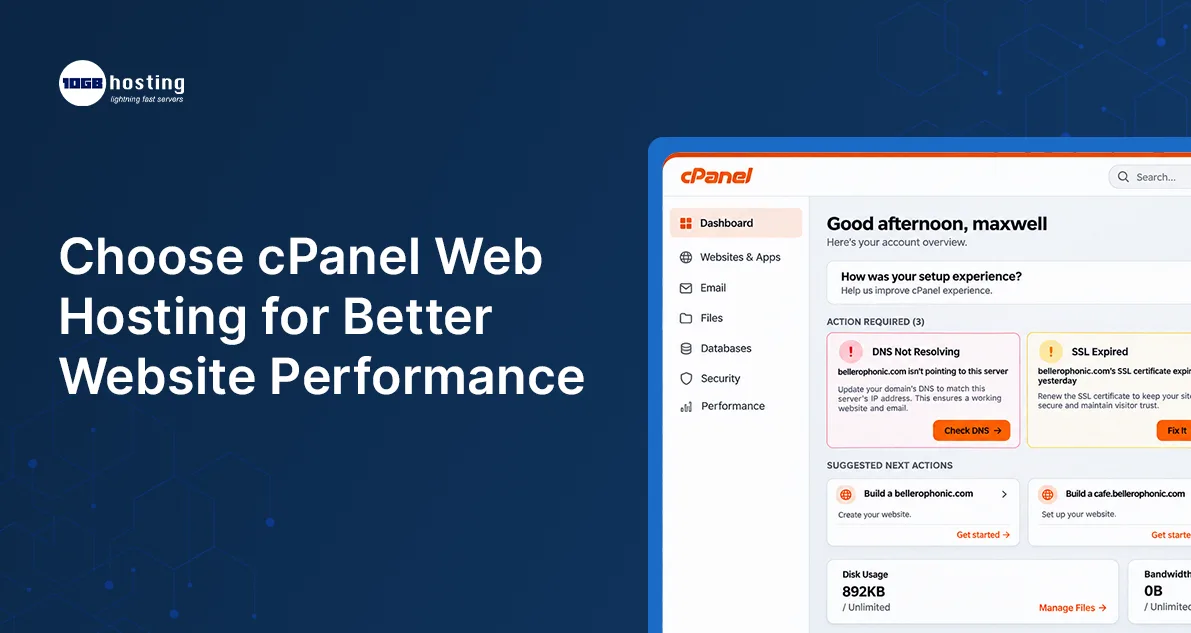
That’s where cPanel web hosting comes into play. Using cPanel, you can easily manage different parts of your website including your domains, databases, email accounts and files. Even if you don’t have any technical skills or experience, you can easily carry out different management tasks for your website using cPanel.
Whether it’s setting up your first website for your business or managing many different websites, having the right cPanel hosting account will make website management much easier for you.
In this article, we will explain how cPanel web hosting works, give examples of some of the features you should look for in a cPanel hosting account, and help you select the best cPanel hosting account for your website.
Table of Contents
What is cPanel Web Hosting?
cPanel web hosting is a web hosting service that lets users manage their web hosting accounts using the cPanel control panel.
With cPanel you can:
- Add and remove files from your website.
- Create and modify email accounts.
- Add and modify domains and subdomains.
- Create and modify MySQL databases.
- Install web applications.
- Manage SSL certificates.
- Create backups of your website.
- Monitor resource usage of your website.
- Create and manage FTP accounts.
For example, imagine you own a small digital marketing agency with a business website and a blog. Instead of contacting your hosting provider whenever you need to create an email account or upload a new file, you can complete these tasks directly through your cPanel dashboard.
This convenience is one of the main reasons why cPanel hosting remains a popular choice for website owners.
1. Easy Website Management
One of the biggest advantages of cPanel is its beginner-friendly interface. You can manage multiple hosting features without needing extensive server administration knowledge.
For example, if you want to upload a new landing page, you can use the File Manager instead of connecting through an FTP application.
Similarly, you can create email accounts, manage databases, and configure domains through the dashboard.
This makes everyday website management easier and saves time for business owners who want to focus on their customers.
2. Better Website Performance Management
Website performance depends on several factors, including hosting resources, server configuration, website code, and optimization.
A good cPanel hosting environment gives you access to tools that help you manage some of these performance-related requirements.
Depending on the hosting provider and package, you may receive access to:
- PHP version selection.
- Database management tools.
- Website resource monitoring.
- Compression settings.
- Caching configuration.
- Error logs and performance information.
For example, if your WordPress website is running an outdated PHP version, you may be able to select a newer compatible version through cPanel.
However, cPanel itself does not automatically make a website faster. Your hosting server, available resources, website design, and optimization practices also play important roles.
3. Simplified Email Account Management
Emails with a business domain name help build trust and credibility with clients.
- cPanel allows users to create email accounts using their business domain name like [email protected] or
- [email protected].
- cPanel also allows the modification of storage limit and quota, and
- Email forwarding and auto response features.
Some hosting packages provide features that allow a business to create several email accounts for different functions like sales and support.
Having several email accounts for different functions of a business can help improve the organization of communications within the business.
4. Improved Website Performance Management
Website performance is influenced by several factors such as the website code, hosting server, and optimization.
Using a good hosting control panel, like cPanel, can allow the user to modify certain features to improve website performance.
Depending on the hosting package, users may also be able to modify:
- PHP version
- Manage and modify databases
- Monitory resource usage on the website
- Configure error logging and performance logs
- Compress and cache files and Web pages
cPanel, however, doesn’t optimize a website. Improvements on website design and optimization are also contributing factors to improved performance.
5. Enhanced Email Account Management
A business can build credibility and reputation by using emails with a domain name related to the business like [email protected] or [email protected]. Using cPanel also allows a user to modify the features of an email account to include changing storage limit and quota, email forwarding and auto response, and webmail.
Some business email management packages allow users to configure several email accounts for different functions within the business. cPanel also has a directory encryption feature that can also help improve website security. cPanel web hosting packages also provide tools that allow users to manage website backups, configure two step verification, and password protect website directories.
Security tools like Imunify360 are provided by your hosting company.
SSL certificates are used to provide security for information exchange between a website and its visitors and enable HTTPS. Websites that collect user information should have SSL certificates installed.
Note that there are tools to help secure cPanel; however these should be used in conjunction with other server level and maintenance tools to help secure your website.
6. One Click WordPress Install
WordPress is an extremely popular website platform that can be used to create websites of all kinds from personal blogs to large e-commerce websites.
Many cPanel hosting plans include an application installer such as Softaculous to assist with website and WordPress installation.
Installation can occur without the need to manually configure a database.
This is useful for first time website creators.
After the installation process is complete, users can log into their WordPress account to customize their site.
Things to Look For When Choosing a Hosting Provider
When considering a web hosting company it’s important to review the features, performance and resource limitations of each. Here are a few key features to review prior to making a purchase.
1. NVMe or SSD Storage
Look for a web hosting company that utilizes NVMe or SSD storage to further increase the speed at which your website’s content and databases are retrieved.
Different websites will have varying storage needs. A website with lots of large files or images may require more storage than a simple text website.
2. Adequate Server Resources
With your website’s workload in mind, you should evaluate the resources provided by your hosting plan.
Make sure your hosting plan provides adequate:
- CPU and RAM resources.
- Storage space.
- Traffic and bandwidth limits.
- The number of processes allowed.
- Limitations on the number and
- Size of the databases.
E-commerce websites with numerous product pages need more powerful hosting than a simple portfolio website.
Don’t choose a plan because it offers unlimited bandwidth and storage. Limits on resources will still exist.
3. Free SSL Certificate
Website security has increased in importance and providing an SSL certificate to secure website traffic should be the responsibility of your hosting provider.
When considering cPanel hosting, confirm that the provider includes a free SSL certificate and that the certificate is automatically renewed.
4. Regular Backup Options
There are numerous ways in which website data can be lost, including accidental deletion, security incidents, and plugin errors.
Restoring a recent backup can restore your website to its previous state.
Look for a web host that provides regular backups of your website and provides:
- Easy options to restore your website to a previous backup.
- Multiple previous backup copies.
- Clearly defined backup retention policies.
- Offsite backup copies of your website data.
5. Reliable Technical Support
Even with an easy control panel, users may experience problems.
Look for a web host with reliable customer support available via phone and chat.
A reliable host should provide support for issues including configuration of domain names.
- Problems with email delivery.
- Problems installing SSL certificates.
- Issues with the database.
- Migrating a website.
- Problems with cPanel.
Good technical support can save a lot of time when your website is vital to your business.
How to Choose the Right cPanel Web Hosting?
Knowing your needs makes choosing a hosting plan easier.
To help you decide on the right hosting plan follow these steps.
Step 1: Define your Website Needs
Before you purchase a hosting plan, it’s important to know what kind of website you want to create.
Are you creating a blog, a personal website, an online store, a portfolio, a client site, or some combination?
- A news website will require more resources than a personal blog.
- A company website may need a hosting plan that provides email and database integration.
- An online store may need more processing power and memory than a personal blog.
- A web development agency may need a plan with the ability to host and manage multiple websites and domains.
If you have a clear understanding of your needs you can avoid purchasing an inadequate hosting plan.
Step 2: Assess cPanel Hosting Plans
Don’t choose a hosting plan solely based on price.
Look at what each plan includes compared to the others.
Consider the following when comparing plans:
- Do they include cPanel?
- What type of storage do they offer? SSD or NVMe is better.
- Is there enough CPU and RAM to run your website?
- Do they offer email hosting?
- Are backups performed regularly?
- Is WordPress pre-installed?
- What security features are provided?
- Do they include and support SSL?
- Do they offer 24/7 customer support?
- What is the renewal price?
A slightly higher priced plan may provide better value if it includes features that you would need to purchase separately.
Step 3: Evaluate Server Performance and Uptime
Customers should be able to access your website 24/7. Look for hosting providers that publicize their uptime rates and explain their infrastructure. Check the location of the servers. Customers closer to the servers experience less latency. Relying on a CDN and website optimization also reduces latency. If the majority of your customers are in India, consider using a hosting provider with a data center in India.
Step 4: Assess Renewal and Pricing
Providers sometimes offer very low introductory prices on their services.
Make sure you understand the following before you purchase.
- Initial price of the service
- Regular price of the service
- Billing period Additional costs associated with the service
- Domain name registration
- Migration costs Backup costs
- Email and storage limitations
Once you have this information you can better budget for unexpected costs later.
Step 5: Purchase Hosting and Configure Account
After reviewing everything you should be ready to purchase your hosting account and configure it.
Hosting providers usually have the following process.
- Select the package you want.
- If you don’t already own a domain name you can purchase one through the provider.
- Decide on the length of the billing cycle and complete payment.
- Log into the providers control panel to configure your website, email and database.
Step 6: Optimize Your Website Performance
Purchasing hosting is only the beginning. You should also optimize your website to get better results.
Consider these practices:
- Compress images before uploading them.
- Remove unnecessary WordPress plugins.
- Use a lightweight website theme.
- Enable suitable caching.
- Keep PHP and website software updated.
- Optimize your database regularly.
- Use a CDN if your audience is geographically distributed.
You can test your website using Google PageSpeed Insights to identify performance problems and improvement opportunities.
Real World Example: cPanel Hosting for a Small Business
Let’s suppose there’s an entrepreneur who wants to create an online clothing store.
Initially, they promote and manage the business through social media. When the business starts to gain more customers, they create a website to provide more information about the business, products and services, and post a professional email address.
A user-friendly cPanel hosting plan allows the entrepreneur to:
- Create a professional email address using their business domain.
- Create and manage databases.
- Create and manage website files.
- Install and configure SSL certificate.
- Create, manage, and back up website files.
Upgrade the hosting plan to gain additional resources as the business grows.
A cPanel account gives users the ability to manage their website, email, databases and domains from one location. This removes the need for a business owner to manage website functions through complicated command line prompts.
Who should use cPanel hosting?
A variety of users can benefit from using cPanel hosting.
Business Owners
Through cPanel, business owners can manage their websites and create professional emails with little to no technical knowledge.
Bloggers and Content Creators
Through cPanel, bloggers and content creators can manage their websites and configure email services.
Freelancers and Developers
Freelancers can use cPanel to carry out client hosting tasks such as managing client websites and domains, and uploading files to a hosting account.
WordPress Website Designers and Developers
cPanel based hosting would let you manage your client website files, databases, emails and domains.
Startups and New Businesses
Shared hosting plans are cost effective and a good starting point for new businesses. They can always be upgraded based on the increasing resource requirements of the business.
Common Mistakes When Selecting cPanel Hosting
Try to avoid these mistakes when selecting a cPanel based hosting.
1. Selecting a plan purely based on its price
It may have very few features and resources.
2. Not considering the renewal price
Check what the price would be after the first term to get an idea of the long term costs.
3. Not verifying the backup policies
Confirm if the hosting provider provides backups and if they restore those backups for free.
4. Selecting the wrong server resources
The plan may not be able to support the expected traffic and resource usage by the website in the long term.
5. Ignoring technical support
Good technical support becomes critical in the case of website outage, email and database related issues.
Questions About cPanel Web Hosting
1. What is cPanel web hosting?
cPanel based hosting gives users the ability to manage various elements of a hosting account through a control panel.
2. Is cPanel hosting good for beginners?
Yes, cPanel has an easy to use dashboard that allows beginners to perform many hosting tasks without command line knowledge.
3. Does cPanel hosting increase website speed?
cPanel does not increase website speed, but provides various tools and options to configure and manage PHP versions, databases, caching and other performance related features. True website and hosting performance is a combination of the infrastructure and website optimization.
4. Is cPanel hosting good for WordPress sites?
cPanel is good for WordPress sites because many hosting plans that include cPanel provide options for managing WordPress sites including installing, configuring and managing PHP, MySQL, and other related tasks and features.
5. How much does cPanel web hosting cost?
The costs vary between providers and also depends on the level of resources provided, storage, and features. The subscription period also affects the cost. Compare prices of the first year’s renewal to the initial price.
Conclusion: Improve Your Website with cPanel Hosting
A key component to establishing an online presence is selecting the correct hosting environment. cPanel hosting gives users a simple dashboard to manage various aspects of their site including emails, databases and security.
The least expensive cPanel hosting option is not always the best. Look at the overall performance of the server, available resources, backup processes, security and tech support before making your decision.
A good cPanel hosting provider can help launch a business or personal website and offer a good platform to grow from.
You can compare different cPanel hosting plans and features to find one that best fits your needs. Having the right hosting environment from the start can save you time and energy as you grow your online presence. Hosting solutions have flexible pricing and packages to help businesses meet their goals.