Table of Contents
Introduction
Are you looking for a hosting solution that will give you high performance, total control and reliable resources for your business? Shared hosting and virtual private servers (VPS) are great for many websites, but they won’t provide you with the level of control or dedicated computing power you need for demanding workloads. When you’re running resource intensive applications, large databases, enterprise software or high-traffic websites the right server infrastructure can make a huge difference.
Bare metal servers are a powerful option for businesses that want dedicated hardware and do not want to share processing power with other customers. With full root access you are able to configure your operating system , install custom software , manage security settings , and tune the server to your needs .
But buying a server is more than simply comparing prices. You need to think about processor performance, RAM, storage, network capacity, security, technical support and future scalability.
In this article, we will cover what bare metal servers are, why full root access is important, what features to look for before purchasing and how to choose the right bare metal hosting solution for your business.
What is a Bare Metal Server?
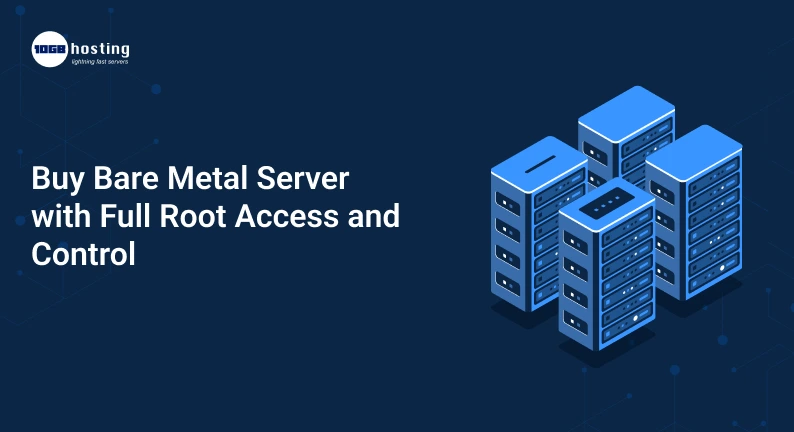
A bare metal server is a physical server dedicated for a single customer. It does not share its hardware resources at the server level with other customers, as it does with shared hosting or many virtualised environments.
You have exclusive access to the machine’s CPU, RAM, storage, and other hardware resources. This makes a bare metal dedicated server suitable for workloads that require consistent performance, predictable resource availability and more control over the hosting environment.
An e-commerce business that sees high traffic during seasonal sales may require additional processing capacity to handle customer requests, product searches, and database transactions. Dedicated resources from bare metal servers can support these workloads.
What is Full Root Access
Root access is simply administrative access to a Linux based server. This allows authorised users to change the system settings and manage the server as per their requirement.
Full root access allows you to:
- Install and uninstall software packages.
- Configure operating system preferences.
- User administration, permissions and security policies.
- Build web servers, databases, application environments.
- Set up firewalls and network rules.
- Monitor system resources and tune performance.
- Use scripts and command-line tools to automate maintenance tasks.
On Windows servers , administrator privileges usually give you the same level of administrative control.
Full root access, especially for developers, system administrators, IT teams and businesses that need customized hosting environments. But it also means that you are responsible for making changes carefully and maintaining appropriate security controls.
Bare Metal Server vs VPS – Why Buy Bare Metal Server?
A VPS is a virtual machine running on a physical host. Resources are allocated to each VPS, but the underlying hardware can be shared by several virtual machines. A bare metal server, in contrast, provides a dedicated physical machine.
Both have their place, but the best choice depends on your workload and budget.
Key Differences Between Bare Metal Hosting and VPS
| Feature | Bare Metal Server | VPS Hosting |
| Hardware | Dedicated physical server | Virtual machine on a host |
| Resource allocation | Dedicated physical resources | Allocated virtual resources |
| Customization | Extensive hardware and system-level control | Depends on the provider and virtualization platform |
| Performance | No competing customer workloads on the same server hardware | Can be affected by shared underlying resources |
| Management | Self-managed or provider-managed, depending on the plan | Self-managed or managed, depending on the plan |
| Typical cost | Generally higher | Often more affordable |
| Best for | Demanding workloads and specialized configurations | Small to medium workloads and flexible deployments |
For smaller websites, development environments, and applications with moderate resource needs, a VPS is a great place to begin. If you need dedicated hardware, consistent performance or more custom configurations, a bare metal dedicated server is worth considering.
Benefits of Buying Bare Metal Server with Full Root Access
Knowing the real-world advantages of dedicated hardware and administrative control can aid you in choosing a hosting plan.
1. Allocated Resources for Reliable Performance
A bare metal server gives you dedicated CPU cores, memory and storage. The physical machine is dedicated to you, so the workloads of other customers do not compete for its server level CPU and RAM resources.
This may be helpful for:
- High-traffic sites.
- Large relational databases
- Core business applications.
- resource intensive APIs.
- Data analysis and processing.
- Latency sensitive gaming servers and workloads.
Real performance still depends on hardware specs, storage configuration, network quality and software optimisation.
2. Total control over your hosting environment
Your technical team has the ability to configure the server for specific applications with full root access.
Choose from compatible software versions, install custom libraries, tune system parameters, and build deployment workflows that fit your business processes. This is especially handy when your applications have unique dependencies or settings that aren’t accommodated by standard hosting environments.
For example, a developer can create distinct application services, database elements, monitoring utilities, and security protocols on its bare metal server.
3. More security customisation
Different industries and applications have different security needs. More flexibility to implement controls that fit your infrastructure – dedicated server
You can configure according to your needs:
- Firewall settings. Custom
- SSH based authentication.
- Limited administrative access.
- Tools for monitoring and detecting intrusions
- Regular software and operating system updates.
- Encrypted storage and secure backup procedures
Dedicated hardware doesn’t make a server secure by default. Your security posture depends on configuration, patching, access management, monitoring, and the physical and network security measures of the provider.
4. Flexibility of custom applications
Some applications might require specific server settings, operating systems or software stacks. You have full administrative access, allowing you to install and manage compatible tools without needing to use a restrictive hosting interface.
Bare metal servers are suitable for hosting workloads like ERP, custom web applications, database platforms, container environments, and specialised development tools.
Check to make sure the provider supports your operating system, installation method, and hardware requirements before you buy.
5. Predictable Resources Availability
If your business has a requirement for consistent processing power, dedicated resources can simplify capacity planning.
You can project available resources to your applications and monitor their usage over time. This is useful for businesses that have consistent traffic, run large background jobs, or do database transactions often.
Who Should Consider Purchasing a Bare Metal Dedicated Server?
Not every website requires a bare metal server. But it can be a good choice for companies with specific technical and performance needs.
Online stores need a solid infrastructure for product catalogues, customer accounts, payment integrations and order processing. A bare metal server can offer dedicated resources to these services when traffic and database activity increase.
Software Development Firms
Development teams often need customized environments for testing, staging, deployment and production. They can install dependencies, configure runtime environments, and automate server administration. Root access lets them do this.
Business Applications for Enterprises
Dedicated hardware and greater control over the configuration of the system can be an advantage for companies running ERP, CRM, reporting and other internal applications.
Companies Managing Large Databases
Database workloads can be very demanding on memory, storage throughput and CPU. A server with the proper processors and enough RAM and fast storage can meet these needs.
Agencies and Hosting Providers
Web design agencies and hosting businesses can use dedicated servers to host multiple client applications or services. They should plan resource allocation, isolation, backups and customer security carefully.
Choosing the Right Bare Metal Server
Know your workload
Before choosing the right server. Rather than choosing a plan based on price alone, compare the hardware and service features that will affect your day-to-day operations.
Step 1: Workload Evaluation
First, decide what you want to host.
Ask yourself:
- Is the server running a business website, application or database?
- What kind of traffic are you after?
- Are you going to run multiple apps at once?
- Is the workload storage performance sensitive?
- Do you need a certain operating system or software?
What are your current needs and anticipated growth? This will prevent you from buying a server that is undersized, or too expensive for no reason.
Step 2: Pick the Correct Processor
The processor’s speed dictates how quickly a server can respond to application requests, perform calculations and run concurrent tasks.
Consider the number of cores, clock speed, processor generation and workload requirements. Additional cores can help with applications that do many things in parallel but some workloads are more dependent on per-core performance.
Verify the specific CPU model included in the plan, not just the broad processor class.
Step 3: Select Sufficient RAM
RAM determines how much data and how many processes your server is able to keep in memory and can access easily.
A small application may run fine with a modest amount of memory, but a large database or multiple application services may require considerably more.
If you are migrating an existing application, look at existing use of resources. Consider growth, operating system requirements, caching and peak loads.
Step 4: Compare Storage Options
Storage impacts application response time, database operations, and file access.
The most popular options are:
- SSD storage: Good for a lot of general-purpose server workloads.
- NVMe storage: Generally offers better throughput and lower latency than traditional SSD interfaces, but is dependent on hardware.
- HDD storage: Suitable for particular high-capacity or budget-conscious storage requirements.
Also check on things like storage capacity, drive redundancy options, replacement policies and whether backups are included RAID can help keep you up and running after some drive failures, but it is not a replacement for independent backups.
Step 5: Confirm Complete Root Access
Check exactly what the provider offers if you need full control over the server.
Attempt to:
- Log into the server using SSH or another form of administrative access.
- Install your favourite supported operating system.
- Configure firewalls and system services
- Manage users, packages and permissions.
- Reinstall the operating system as needed.
- Get a rescue environment or a remote console.
Some providers limit certain network, hardware, or security operations. Please read the plan details before you buy.
Step 6: Confirm Network Capacity and Data Transfer
Even a strong server needs a good network connection.
Compare the speed of the port provided, the monthly data transfer limit, the bandwidth policies, the quality of routing and any extra charges for traffic. If your customers are located in several countries, take into account the server location and the provider’s network reach.
If your application is sensitive to latency, test connectivity to the regions where most of your users are located, if possible.
Step 7: Security, Backups and Support Check
Know what the provider is responsible for and what you are responsible for before you sign up for a plan.
Look for clear information on:
- Hardware replacement and service level agreements.
- DDoS Protection Options
- Backup services and recovery procedures.
- Remote administration tools.
- Set expectations for support availability and response.
- Network redundancy and datacenter security.
If your business doesn’t have the resources to do all server duties in-house, a managed bare metal service may be a better fit than a fully self-managed plan.
Step 8: Look at the Total Cost – Not Just the Monthly Price
The price you see advertised for a server is only part of the total cost.
Look for any additional charges for operating system licenses, control panels, backups, extra IP addresses, bandwidth, remote hands, migration and managed support.
Select a plan that fits your needs without paying for extra resources you don’t need. If it has the support or features your team needs, a more expensive server may be a better deal overall.
How to Buy a Bare Metal Server: A Step-by-Step Guide
Once you have identified your needs, follow these steps to simplify the buying process.
- Identify your needs: List the application type, expected traffic, operating system, storage needs, and security needs.
- Shortlist hosting providers: Compare server configurations, data center locations, network features, support, and service commitments available.
- Pick the Right Setup Pick CPU, RAM, storage, bandwidth and management level that fits your workload.
- Confirm root access: Check administrative privileges, operating system choices, and remote recovery options.
- Review the service terms: check billing, renewal pricing, hardware replacement policies, backup options, and cancellation policies.
- Place your order Review configuration before completing your purchase by following the provider’s checkout process.
- Secure the server: Update the OS, set up SSH keys or adequate administrative authentication, disable unnecessary services, and create firewall rules.
Deploy and test your application Install required software, set up monitoring, test performance and make sure that backups can be restored.
This process will help you make a more informed purchase and minimise the risk of buying a server that isn’t right for your business.
Practical Example: Migrating a Growing Online Store to Bare Metal Hosting
A good example is an online store that began on a shared hosting plan but upgraded to a VPS as the number of customers increased. As time passed, the store began to process more orders, maintain more product databases, and run more reporting tools.
The team noticed that their existing setup lacked the capacity and control over database and application settings during busy sales periods.
The company is looking at a bare metal dedicated server with a decent multi-core processor, enough RAM, NVMe storage, and full admin access. Then its technical team can set up the application environment and monitor database performance, tuning the system to actual traffic patterns.
The improvement would depend on the server configuration , the application code , the database design and the quality of the migration . Dedicated hardware doesn’t necessarily mean better performance, but it can provide a better base when the previous environment has reached its limits.
Top 10 Mistakes When Buying a Bare Metal Server
Don’t make these common buying mistakes:
- Choosing the cheapest plan without reviewing specs: Low prices are a moot point if the hardware can’t take your workload.
- Don’t ignore what’s coming: Plan for realistic traffic, data, and application complexity growth.
- Underappreciated security responsibilities: Root access is great, but you’ll also be doing updates, credentials, firewall rules, monitoring.
- RAID as Backup: Keep separate backups and periodically test the recovery.
- Ignoring tech support: Find out if the company’s tech support is only for hardware problems or if it also covers operating system and application management.
- Skip migration testing: Confirm your application, data integrity, integrations and rollback strategy before sending production traffic.
Frequently Asked Questions
1. What is a bare metal server with full root access?
A bare metal server is a single customer physical machine. This gives full root access to authorised administrators, allowing them to have wide – ranging control over the operating system, software, services, permissions, and system configuration.
2. Is Bare Metal better than VPS hosting?
Depends on what you need. Bare metal hosting is a great match for workloads that require dedicated physical resources, specialised configurations, or consistent high performance. VPS hosting is usually a more affordable and flexible option for smaller workloads. Compare both options with your real needs in terms of resources and management.
3. Can I put my own OS on a bare metal server?
Many providers allow you to select the operating system or perform a custom install. But there are different operating systems and ways to install them . Check with the provider for compatibility and installation permissions before purchase.
4. Are dedicated bare metal servers good for business websites?
Yes. It is ideal for high traffic websites, e-commerce, enterprise applications and websites with demanding database or processing requirements. If you don’t need dedicated hardware, shared hosting or a VPS might be better for smaller websites.
5. Things to consider when buying bare metal servers?
Compare processor, ram, storage, network capacity, data transfer limits, root access, operating system support, security options, backups, technical support, and total cost. Ensure that the server can do the work you’re doing now and will be doing in the future.
Conclusion: Buy the Right Bare Metal Server for Your Business
Choosing a bare metal server with full root access gives your business dedicated physical resources and more flexibility in creating a hosting environment around its specific needs. With the right setup you can have a solid base for demanding workloads from high traffic websites and e-commerce applications to databases and enterprise applications.
Test out the processor, RAM, storage, network performance, administrative access, security features and support options before you buy. Look at the total cost of ownership. And make sure the provider has the management capabilities your team needs.
Ready to move to better hosting infrastructure?
Browse bare metal server plans from a trusted hosting provider, compare the configurations available, and select the one that best suits your requirements for performance, security, and price. If you are unsure what configuration to select please contact the sales or technical team at the provider to get guidance before ordering.