When a business website starts getting a significant number of visitors, sharing customer data and hosting the website itself can become a challenge with basic shared hosting. It can also impact website performance and reliability.
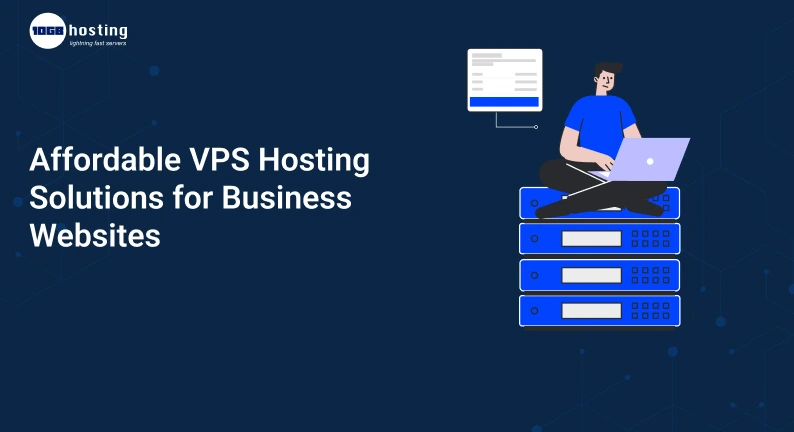
For more control and flexibility than traditional shared hosting, you can opt for VPS hosting. With VPS hosting, your website gets allocated virtual server resources on a physical server.
There are affordable VPS hosting solutions that you can opt for, based on the requirements of your business. The plans vary based on the combination of processing power, memory, storage, security, and management.
A small to medium business website, online store or service based business and other growing digital platforms can really benefit from VPS hosting by establishing a stable online presence.
This article will help you understand what VPS hosting is, why it’s used by businesses, how to find affordable options and what aspects to evaluate when choosing a VPS hosting solution.
Table of Contents
What Is VPS Hosting?
VPS is short for Virtual Private Server. A physical server is divided into multiple virtual servers using a technology called Virtualization. Each virtual server gets its own set of resources and can function independently.
Let’s say your company website is on a server with other websites. Your server may be limited, and increased usage could impact performance.
VPS hosting allocates a portion of a server to be used by only your website. This helps with website performance and provides a more stable environment.
Depending on the host, VPS offers:
- A dedicated portion of the CPU.
- RAM and storage that can be adjusted.
- Root/administrator access.
- Various operating systems.
- Firewall configuration.
- Security configuration.
- Backup and recovery.
- Scalable resources.
- Managed and unmanaged services.
VPS is a good option if you need more than basic shared hosting but don’t need a physical server.
What are some reasons to choose affordable VPS hosting?
Affordable VPS hosting can provide a good improvement to your website hosting environment for a low cost as compared to buying your own server.
Faster website loading times and consistent performance are a few benefits of switching to VPS from basic shared hosting. This can lead to improved customer experience.
1. Better Website Performance
As an online store with many visitors during a sale, you may need more resources to help with the increased load. A good VPS plan can help handle this.
However, other factors such as image optimization, caching, database and application performance, code, and the condition of the network can also impact website speed.
2. More Control Over the Server
One of the major benefits of VPS hosting is more control over the server.
With a VPS, you can adjust the server to fit your business requirements. You can also select the applications and versions of the software you want to run, and adjust the server settings.
With root access of a VPS, you can make a lot of changes to the hosting environment.
3. Improved Resource Allocation
Resources in shared hosting environments are divided among several users. With VPS hosting, resources are dedicated to your server.
This can be helpful in planning your resources because you would already know the limits of your CPU, memory, and storage.
For example, a website that runs a customer management application needs more resources than a basic website. A suitable VPS configuration lets you choose resources according to your actual needs.
4. Easier Scalability
As your business grows, your hosting needs also change. Initially, your business may need a small server for the company website. Down the road, your business may need more memory, storage, and processing power.
Most VPS providers let users increase their resources without the need for an immediate change to a different hosting solution.
Before buying a VPS, find out if your provider makes it easy to change server resources and expand the server. Check if your provider allows easy control over the server and if there is a limit to the resources you can change. Also find out if there is downtime during an upgrade.
5. Better Application Compatibility
Businesses typically rely on different applications to manage their business operations, and a VPS can create an ideal environment for applications such as;
Web Applications:
- WordPress
- CRM
- ERP
- Development and
- Testing Applications,
- Business Applications.
- Web Services
- APIs, Databases.
Although most hosting services can work well with common business applications, the main advantage of a VPS is the ability to tailor the Operating System and Software to specific business needs.
VPS Hosting Types for Business Websites
It’s important to understand the different VPS options available before making a purchase.
1. Linux VPS Hosting
Linux VPS hosting is a common option for businesses that use PHP applications, WordPress websites, and other Open Source applications.
It supports different Linux Distributions like Ubuntu, Debian, AlmaLinux and Rocky Linux, based on the provider.
It can work well for:
- PHP applications.
- MySQL and MariaDB databases.
- Development environments.
- Web applications and APIs.
Linux VPS hosting can work well with technologies that generally support Linux servers.
2. Windows VPS Hosting
A Windows VPS hosting option is a virtual server that runs Windows Server.
It can work well for businesses that use other Microsoft technologies, Windows-based applications and/or software that requires a Windows environment.
It can work well for:
- ASP.NET applications.
- Microsoft SQL Server applications.
- Windows-based business applications.
- Remote Desktop services.
- Applications that require Windows Server.
3. Managed VPS Hosting
Many small businesses can’t justify having a dedicated system administrator, but still need more server control than what a shared hosting environment provides. This is where managed VPS hosting is useful.
A managed VPS typically provides services such as:
- Initial server setup.
- Server hardening.
- Server performance and uptime optimization.
- Server resource monitoring.
- Security and application updates.
- Server recovery from hard-drive crashes.
- Backups and restores.
- Troubleshooting.
4. Unmanaged VPS Hosting
For users that prefer to administer their own server, there is unmanaged VPS hosting. This can be a more cost effective option for small businesses and developers.
The customer generally controls the operating system configuration and software, security, and troubleshooting aspects of the server.
Important Features to Check Before Buying VPS Hosting
Not all VPS plans are created equally. Keep these in mind before purchasing a plan.
CPU and RAM Resources
A hosting plan with inadequate resources can stall server performance and impact your business.
Consider how your server resources will support your anticipated business growth.
Storage Technology
There are tradeoffs for storage technology. Traditional SSDs provide an improvement over traditional hard drives, but if you require high IOPS for your server, NVMe may provide better support for your application.
Bandwidth and Network Connectivity
A server’s network capacity has to do with the amount of incoming traffic, file transfer requests, or application requests that the server can handle.
Check the following:
- How much bandwidth does the server have?
- What is the speed of the server’s connection and the capacity of the port?
- What are the server’s data transfer policies?
- Will there be charges for traffic overage?
- What server locations are available?
For your business, if your clients are predominantly in India, it might make sense to have the server in a nearby location to reduce latency.
Security and Backups
Security is of utmost importance and should never be compromised when going for a cheap VPS hosting.
Make sure the following are available:
- Firewall
- DDoS protection
- Regular OS updates
- Control of SSH or RDP
- Backup and snapshots
- Monitoring and alerting
Check if Backup and recovery is included in the price
There have to be backups for recovery, however, having backups does not mean recovery is guaranteed. Check the retention periods, location of backups, and how recovery is done.
Technical Support
When your business website experiences technical problems, it is of great importance to have reliable support to get things back in order as quickly as possible.
Check the following before buying a VPS plan:
- Is support available 24/7?
- What support channels are available?
- Is server troubleshooting available?
- Is the provider offering managed services?
- How do they handle emergency situations?
If your website is generating leads or sales, it is of great importance that technical support is received in a timely manner.
How to Choose Affordable VPS Hosting for Your Business
Finding an affordable VPS plan is more than just choosing the lowest available plan. Follow the steps below for a better purchase decision.
Step 1: Know what your website requires.
Consider the following:
- Traffic: How much traffic does your website get?
- Applications: Which applications do you want to run on the server?
- Storage: How much storage do you need?
- OS: Do you need Linux or Windows?
- Root Access: Will you need root or admin access?
- Skill: Do you have the skills to manage the server?
For example, a simple company website may require fewer resources than an ecommerce site that has multiple plugins, customers accounts, and database operations.
Step 2: Establish a Hosting Budget
Decide how much you want to spend on a monthly or yearly basis.
When analyzing VPS prices, check what the costs are beyond the advertised starting costs.
Some costs to consider are:
- Server license costs for the OS.
- Charges for backups and storage.
- Additional IP addresses.
- Managed support.
- Security services.
Step 3: Analyze VPS Providers
Check different hosting provider’s infrastructures and resources and compare their service policies.
Use the following checklist:
- Adequate RAM.
- Appropriate server location.
- SSD or NVMe storage.
- Linux or Windows.
- Root or Admin access.
- Backups and recoveries.
- Security.
- Clear pricing for renewals.
- Reliable support.
Check independent customer reviews to get a sense of common experiences with the host, support, and server performance.
Step 4: Choose an OS
Select an OS that supports your website and applications.
For WordPress and PHP with other PHP applications, consider Linux.
Windows is a good option if your business software uses ASP.NET, SQL Server, or other Microsoft technologies.
Using the right OS from the start can help eliminate migrating and reconfiguring work later.
Step 5: Configure Your VPS Server
You need to configure your server based on your needs. The configuration options vary based on your OS.
Some of the typical configuration tasks include:
- Update your OS.
- Adjust the firewall rules.
- Create a secure administrator user account.
- Install a web server.
- Configure the database server.
- Install your application.
- Configure SSL certificates.
- Configure backups and server monitoring.
You can have your hosting provider manage the OS for you. Managed OS means that the hosting provider takes care of certain configurations and updates for you.
Step 6: Monitor and Optimize Performance
After the website is live, you need to monitor the server resource usage and performance. Constantly watch the CPU, memory, and I/O usage. If you find that resources are regularly constrained, find out why before increasing your plan.
Real World Example of VPS Hosting for Businesses
VPS hosting can help businesses grow by overcoming the limitations of a shared server. Here are a few common examples.
Example 1: Growing Ecommerce Business
An online clothing store starts on a shared server. After a while the store starts performing poorly as new products are added and more visitors are driven by promotional campaigns.
VPS hosting can provide better control and more predictable resources. The online store can also monitor their resources and upgrade as needed.
Example 2: Digital Marketing Agency
A digital marketing agency manages the websites of multiple clients. Each website may use different plugins, themes and applications.
The hosting provider may also manage the OS of your VPS. That means that your hosting provider takes care of certain configurations and updates.
A VPS can be an excellent choice for agencies looking to consolidate their web hosting.
This can help simplify their server management.
Example 3: Small Business Using Windows Applications
An agency uses business software that requires a Windows environment. Employees need to access the application from various locations.
A Windows VPS can provide a centralized and virtualized server environment for the application software, given that licensing and remote access are allowed.
These examples illustrate how various businesses can use VPS hosting. The real benefits depend on proper configuration and planning of the resources used.
Some common mistakes when buying a cheap VPS hosting plan
Before purchasing an inexpensive VPS hosting plan, watch out for these mistakes:
Selecting the least expensive plan: Make sure you check the resources available on the plan. A very inexpensive plan may not have enough CPU, RAM and disk space to run your applications.
Not checking renewal pricing: A low introductory price may not reflect the price for the remaining months or years of your contract.
Not using the right OS: Make sure you pick a VPS that has the right OS for your applications.
Neglecting server security: Poor server security can leave your data exposed.
Not planning for backups: Always plan for server backups and test restores.
Paying for resources you don’t need: Just because a plan is expensive does not mean it is a better plan. Increase your resources only when they are necessary.
FAQ
What is the best cheap VPS hosting for business websites?
There are many factors to consider when evaluating the right VPS hosting plan, including website traffic, application requirements, operating system, and budget. When comparing VPS hosting plans, you should look at CPU and RAM, storage and bandwidth, security and backups, and customer support.
Is it possible to use cheap VPS hosting for my business website?
Yes, affordable VPS hosting can work for small and growing businesses, as long as the server resources are adequate to support the business website and applications. When evaluating a VPS hosting plan, consider the features and performance, and not just the price.
What is the difference between a Linux VPS and a Windows VPS?
A Linux VPS uses a Linux operating system and is therefore compatible with WordPress, PHP, and other open-source applications. A Windows VPS uses Windows Server and is, therefore, compatible with Microsoft and .NET technologies and applications.
How much RAM should I have for VPS hosting?
The RAM required depends on your website, application, database, and the expected number of users. If you have a small website, you may not require a lot of memory; however, an e-commerce website or other website with a lot of transactional applications may require more RAM.
Can I upgrade my VPS hosting plan later?
Many VPS providers allow you to easily upgrade the resources (CPU and RAM) provided by your virtual private server. Check the policies of your provider to see if there are any constraints on scaling resources.
Conclusion: Find Affordable VPS Hosting That Supports Business Growth
As a business grows, the hosting environment also needs to grow. VPS Hosting is a great option because it offers a good balance between the four main areas of
(1) cost
(2) performance and load balancing
(3) control and flexibility
(4) support
Whether you need VPS hosting to run your WordPress site, your business apps, or just want to have a hosted environment with less maintenance, there are options available for you.
Make sure you pick a VPS plan that is large enough to support the growth of your website. Check what type of security and backups the provider has in place.
VPS hosting gives a lot of control to the end user so make sure you pick a provider that meets your performance needs. Great, affordable options are available for VPS hosting, both for Windows and Linux.