[email protected] is not a bad email address, but an address like [email protected] creates a stronger, more professional impression. As your business grows, your method of communicating with your customers becomes an important element of your brand.
Email domain hosting services help you create professional email addresses, oversee your employees’ email accounts, protect your business communication, and organize your emails. These services are helpful for individuals, such as freelancers and entrepreneurs, and for large businesses.
Of course, the best email domain hosting service for business growth is not always the service that charges the highest rate. You have to look at the features offered and the service’s security, storage capacity, and spam protection, as well as the collaboration and integration tools offered, pricing, and the total number of email accounts your team requires.
In this guide, we will show you the best email domain hosting services for business growth, compare the most popular email domain hosting services, and show you how to set up a professional email address domain without overpaying.
Table of Contents
What Is Email Domain Hosting?
Email domain hosting is a service that gives you the ability to create and control email addresses under your domain name. Using the email domain hosting service for your company’s domain name, brightwave.com, you can create email addresses like:
- [email protected] for general inquiries.
- [email protected] for sales communication.
- [email protected] for customer assistance.
- [email protected] for billing and invoices.
- [email protected] for individual employees.
An email hosting provider provides a service that stores and manages mailboxes, sends and receives emails, and provides different ways to access emails (i.e. browser, desktop, mobile, etc.).
Two main things are required to create an email hosting account: a domain name and a plan. Some providers let you buy a domain name and email hosting plan together. Others allow you to connect a domain name that you already own.
Creating a branded email address helps establish your brand identity. But having a professional email address does not guarantee that your emails will reach your client’s inbox or that your business will grow. You still need to practice good email etiquette and communicate effectively.
The best email domain hosting services for business growth are:
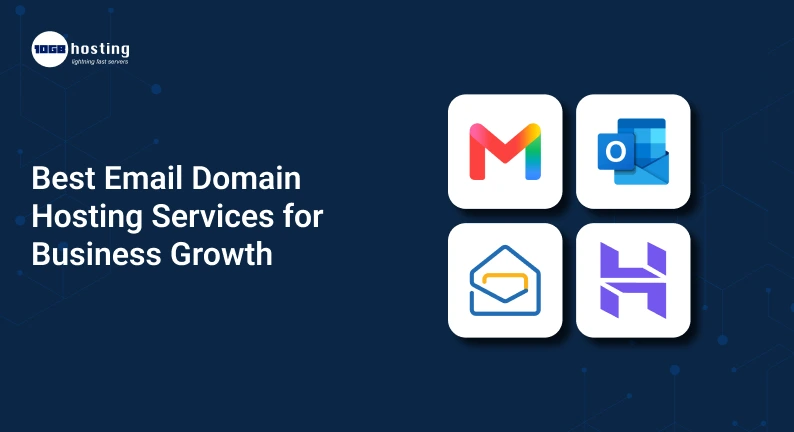
1. Google Workspace
Google Workspace is a strong choice for businesses that want professional email alongside tools such as Google Drive, Docs, Sheets, Calendar, and Meet.
Its Gmail interface is familiar to many users, and administrators can manage company accounts through a centralized console.
Best for: Startups, remote teams, agencies, and businesses already using Google applications.
Consider: Per-user subscription costs, available storage, and which features are included in each plan.
Website: Google Workspace
2. Microsoft 365
Best for businesses that primarily use Outlook and other Microsoft applications.
Consider pricing, available storage, and features before selecting a plan.
Depending on the subscription, you can get email, calendars, cloud storage and collaboration tools. More secured and admin features can support organizations with more structured IT needs.
Best for: Companies and corporate teams. Those who use and rely on Microsoft Office.
Consider: The difference between the plans that have hosted business email and plans that have other services from Microsoft without email features.
Website: Microsoft 365 for Business
3. Zoho Mail
For email-centric productivity suites, Zoho Mail is another great option. It also provides admin controls, and security features. More tools can be availed through eligible plans.
Best for: Budget-conscious start-ups, small businesses, and teams using other Zoho products.
Consider: Mailbox storage, ease of use on-the-go (via mobile devices), limitations of free and entry-level plans.
Website: Zoho Mail Pricing
4. Proton Mail
Proton Mail is another great email-centric productivity suite. Business plans are targeted for more sensitive correspondence.
Best for: Email security and privacy conscious businesses, consultants and teams.
Consider: The features of the business plans, the type of external recipients for which
messages can be encrypted, the level of integration required, and the type of data migration supported.
Website: Proton Mail for Business
5. Hostinger Email
For small businesses looking for an email provider and want to manage email and domain services from one vendor, Hostinger Email is a great option.
Best for: business/up-and-coming website and email services
Overall best
Depending on the selected plan, options include mailbox storage, spam filtering, and webmail. Packaged email solutions may be convenient for businesses that do not need a full office productivity suite.
Best for: Small website and business email hosting needs.
Consider: Renewal pricing, mailbox limits, the number of supported domains, and migration options.
Email Website: Hostinger Email
These services suit various needs. Consider the packages and terms before purchasing. To see other options and an independent review of email hosting solutions, visit Zapier’s Email hosting comparison.
Key Features to Look for in Business Email Hosting
When choosing a business email hosting service, consider the features that most benefit your business and reduce the biggest pain points. For example:
1. Custom Domain Support
If your domain and email hosting service are different, your service should let you connect your domain and create emails for your company.
The service should let you create as many mailboxes as you need. Also, see if you can control multiple brands from a single administrative account.
2. Spam and Phishing Protection
As a business, you need to ensure your employees’ email inboxes are protected from phishing and spam to avoid customers and employees’ sensitive information being compromised.
Check the storage space of the email to see if it is enough to hold all the emails your employees send and receive.
Mailboxes may need more or better storage based on how a business uses email. Small businesses may only need a basic mailbox, while a business that regularly sends or receives large files may need more storage or a file sharing solution.
3. Sufficient Mailbox Storage
Consider how many emails your team sends and receives, how many attachments are exchanged, and how long you need to retain messages.
A small business may be comfortable with a basic mailbox, while a team that regularly exchanges large files may need more storage or a separate file-sharing solution.
Compare storage limits per user rather than relying only on the total storage advertised for a plan.
4. Reliable Email Delivery
An email service should provide reliable mail handling and tools to help authenticate your domain.
Three important DNS-based email authentication mechanisms are:
- SPF: Identifies the servers permitted to send email for your domain.
- DKIM: Adds a cryptographic signature that receiving systems can use to verify message integrity and domain association.
- DMARC: Tells receiving systems how to handle messages that fail specified authentication checks and provides reporting options.
Correctly configured authentication can help protect your domain against spoofing and improve deliverability. It cannot guarantee inbox placement, which also depends on recipient engagement, sending reputation, message quality, and other factors.
5. Team Management and Collaboration
As your company grows, email requirements become more complex. You may need shared calendars, group addresses, centralized administration, and access controls.
Look for features such as:
- Shared addresses like [email protected].
- Email aliases and distribution groups.
- Employee account creation and removal.
- Calendar and contact sharing.
- Administrative security controls.
- Migration tools for existing mailboxes.
These features can save time and help your team maintain consistent communication.
How to Choose the Right Email Domain Hosting Service
Follow this process to narrow down your options.
Step 1: Figure Out Your Business Needs
Take into account things like whether you need calendar and contact management, office suites, or enhanced security. Determine how many email accounts you need, and how much storage each needs to have. A single user will not have the same needs as a user who is part of a 50 user organization.
Step 2: Register or Connect Your Domain
Decide on the domain name that best represents your business and pick a name that is easy to spell. If you already own a domain name, make sure your email service provider can let you adjust your DNS settings.
Step 3: Review Plans and Total Costs
Look over the costs associated with the plans, such as subscription costs, renewal costs, storage limits, account restrictions, and migration costs. For a business, look over the costs associated with all the users instead of just one user.
Step 4: Administer Security and Other Controls
Make sure the email provider has adequate spam and security filters, and administrative controls.
Step 5: Implement and Test Email
Set up email accounts and do a test send of emails to see if they are delivered, and if replies work. Configure the email accounts to pass authentication tests.
Be sure to follow your provider’s instructions and wait for verification before continuing.
Configure MX Records
Mail Exchange (MX) records determine where messages for your domain should be delivered. The mail servers will look for these records to know where the email should be delivered.
Your provider will provide the correct values for these records. If you are switching from an existing service, make sure you plan the switch carefully because messages may be interrupted if the MX records are not set up correctly.
Configure SPF, DKIM, and DMARC
Set up the authentication records recommended by your provider. Also set up DKIM. SPF should be configured to allow all authorized sending services. Set up DMARC carefully if messages are already sent through several services including marketing, website contact forms, or other business services. An overly strict policy may cause messages to be blocked.
Create Accounts and Test Delivery
Set up the email addresses your business needs including sales or support.
Check if email is sent and received, if the account can be accessed via mobile devices, and if the authentication records are working. If messages are transferred from another email service provider, verify if the messages, contacts and folders have been transferred correctly.
How Professional Email Helps Grow Your Business
A business email domain does more than just change the email address displayed in a customer’s inbox. This can help with multiple business operations.
Aids Brand Recognition
This helps customers easily recognize the business contacting them.
Improves Customer Communication
As employees of a specific role, customers can send emails to the appropriate department. For instance, having a support email address allows customers to send emails to the service desk rather than sending emails to the sales team regarding service requests.
Supports a Growing Team
It becomes easier to add new employees as an email service allows administrators to create email accounts, set permissions, and change groups rather easily.
Helps Protect Business Information
Email hosted by an organization allows the organization to use administrative controls to limit email access. Further, to prevent unauthorized access, organizations can use the controls to provide two-step authentication and monitor email activity.
Supports Marketing and Sales Workflows
An organization can use branded email to send communications to customers, and to other businesses (B2B). However, sending bulk emails requires special email marketing software. It is important to review the email marketing laws, as there may be restrictions to sending marketing emails.
Common Mistakes to Avoid When Buying Email Hosting
Avoid these mistakes when purchasing email hosting:
- Selecting only based on price: The cheapest email hosting service may have limited administrative controls and storage.
- Not considering the renewal cost: The price may increase after the promotion or after the initial term.
- Using one shared account for multiple users: Individual accounts help manage accessibility.
- Not authenticating email domain: Incorrect or missing SPF, DKIM, and DMARC may result in email delivery issues or security concerns.
- Failing to plan for migration: There may be planning and changes to DNS or data transfers to move mailboxes to a different email hosting service.
- Many people confuse aliases with mailboxes: An alias is simply an alternate way to send and receive messages using an existing mailbox. There is no separate storage or login associated with an alias.
- Often, account recovery: processes are overlooked. It’s essential to create a secure, defined process for employee account recoveries and terminations.
Prior planning can greatly ease the management burden of your email service.
Frequently Asked Questions
1. What is the best email domain hosting service for small businesses?
Google Workspace, Microsoft 365 and Zoho Mail are three of the most popular business email hosting services, each with different offerings. The best email hosting service for your business will depend on your budget, storage needs, preferred workflow, and other variables.
2. Can I have a business email account for free?
Yes, free business email accounts are available from a number of email hosting services. Zoho Mail offers a free business email account in eligible regions and configurations. Free email accounts may come with storage and other limits, so consider the terms carefully before using them for your business.
3. Can I have an email domain without a business website?
Yes, you can have a business email domain without a business website. All you need is a domain and email hosting service. You may need to configure the email and domain settings to set up your email domain.
4. Is business email free better than paid email hosting?
A free plan may work for a freelancer or a very small business with basic needs. For growing businesses with more advanced needs, there are several paid plans with increased storage and other security features, as well as better administration and collaboration tools. Determine your actual needs, and decide accordingly.
5. How many business email accounts should I create?
Create an email account for each person who sends and receives email. Later, if needed, create a role account such as sales@ or support@. Depending on your provider, role accounts may be aliases, groups, or shared mailboxes, rather than individual email accounts.
Conclusion: Choose the Best Email Domain Hosting for Your Business
Email domain hosting allows your business to communicate and work professionally. It also allows you to manage employee email accounts. Finally, it allows you to protect your email accounts and secure your information. This means your business can improve its growth potential.
Microsoft 365 and Google Workspace are good if your team needs a broader suite of productivity tools. Meanwhile, Zoho Mail, Proton Mail and Hostinger Email are solid options for teams on a budget, privacy-conscious teams and businesses that need a simple email and web hosting solution, respectively.
It is prudent to review the total cost of ownership, available mailbox space, the security features and administrative tools offered, ease of migration, and renewal terms before purchasing a business email hosting solution. The service should be able to scale with your business.
It is time to enhance your business communication?
You know what to do. Connect your domain, create business email addresses, and improve your business communication. Review available plans on the provider’s official site and select the service that provides the right balance of security and value for your business.