When businesses use several physical servers, operating systems, applications, and storage systems, the management of IT infrastructure can become complicated. Purchasing a new server for every workload can be costly, need more space, and complicate infrastructure management.
And that’s where VMware comes in.
But what exactly is VMware and why are businesses of all sizes using VMware solutions? Whether you are a beginner trying to understand virtualisation, or a business looking for a better way to manage IT infrastructure, this manual will help you understand the basics.
In this blog we will discuss VMware, its functionality, available VMware solutions and major benefits of employing VMware technology in your business.
Table of Contents
What Is VMware?
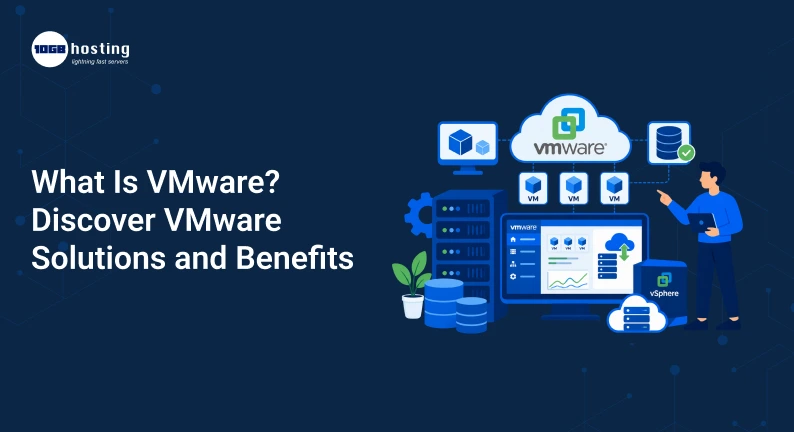
VMware is a tech company that offers virtualisation and cloud computing software. It uses technology that enables multiple virtual machines (VMs) to run on a single physical server.
In simple words Vmware allows businesses to split the resources of a single physical computer or server into multiple virtual environments.
Say you have one beefy physical server for example. VMware can let you run multiple virtual machines on that server instead of using that server for only one operating system.
Each virtual machine can have its own:
- System operation
- Application
- Storage
- Memory
- Resources ( CPU )
- Network configuration
This means that one physical server can host multiple independent virtual servers.
VMware Sample
Imagine a company that requires three different servers:
- A World Wide Web (WWW) server
- A database server
- A mail server.
Normally, the company would buy three actual servers. With VMware virtualisation, the company may be able to run three virtual machines on one powerful physical server.
Each virtual machine acts like an independent computer, though they share the same physical hardware.
This can help companies reduce hardware costs and manage resources more efficiently.
What is VMware and How does it Work?
To understand VMware what it is, you should first understand virtualisation.
Virtualisation is the act of creating a virtual version of computing resources. Virtualisation software creates separate virtual environments instead of installing an operating system directly onto physical hardware.
VMware has a technology called hypervisor.
A hypervisor is a software layer that exists between the physical hardware and the virtual machines. It helps to assign hardware resources to each virtual machine.
The basic process looks like:
Physical Server → VMware Hypervisor → Several Virtual Machines
For instance:
- Server (Physical)
- Virtual Machine 1 Windows Server 2
- Virtual Machine 2: Linux Server
- App Server Virtual Machine 3
Each virtual machine is independent of the others.
If one virtual machine is having trouble, it doesn’t mean that the other virtual machines running on the same physical infrastructure will be affected.
VMware Solution Defined
If you’re asking what the VMware solutions are, it is contingent upon your business requirements.
VMware provides an extensive portfolio of virtualisation, cloud infrastructure, networking, security, application management and desktop virtualisation solutions.
Some of the popular VMware solutions are listed below.
VMware vSphere
VMware vSphere is one of the most popular virtualisation platforms that helps manage virtual machines and data center infrastructure.
It allows companies to create and manage virtual environments on top of physical servers.
Common uses for vSphere are:
- Server virtualisation.
- Managing resources
- High availability
- VM management
- Data-center operations
VMware vSphere can help to simplify infrastructure management for businesses that use multiple servers.
ESXi by VMware
VMware ESXi is a hypervisor that runs directly on the physical server hardware.
It enables users to create and run multiple virtual machines on a single physical server.
For example, a business might install ESXi on a dedicated server and then create several virtual machines to run different workloads.
Such workloads could include:
- Hosting providers
- Business applications
- Databases.
- Development environments Data
- Internal software
VMware vCenter Server™
Manually managing a few virtual machines is probably easy. But working with hundreds of virtual machines on multiple servers can be a challenge.
Centralised management of virtual infrastructure with VMware vCenter Server.
It can be useful for admins:
- Virtual machines monitor
- Provide server resources
- Create and arrange virtual environments
- Enhance visibility of infrastructure
- Automate some managerial roles
VMware Workstation
VMware Workstation is used by developers, IT professionals and desktop or laptop users who want to use multiple operating systems.
For example, a developer working on Windows could spin up a Linux virtual machine to test applications on.
So you don’t have to buy a different computer for every operating system.
VMware Cloud Solutions
Today’s businesses often rely on a combination of on-premises infrastructure and cloud services.
VMware solutions help organisations run workloads across multiple environments.
This may consist of:
- Private cloud
- Cloud computing
- Hybrid cloud
- Multi-cloud environments
A hybrid approach offers businesses more flexibility in choosing where to run applications and workloads.
The working of VMware Virtualisation: Step-by-Step
Here’s a simple step-by-step description of the way VMware technology works.
Step 1: Begin With Physical Hardware
The first thing is a physical server.
Resources available on server are:
- Central processing unit (CPU)
- RAM (memory)
- Storage
- NETWORK ACCESS
Normally these resources would be enough for a single operating system.
Step 2: Deploy a VMware Hypervisor
You install a VMware hypervisor on the physical server, for example ESXi.
The physical hardware resources are managed by the hypervisor.
Step 3: Build Virtual Machines
Administrators can spin up multiple virtual machines.
Resources are allocated to a virtual machine depending on its needs.
For instance:
| Virtual Machine | Operating System | Purpose |
| VM 1 | Linux | Web hosting |
| VM 2 | Windows Server | Business application |
| VM 3 | Linux | Database |
| VM 4 | Windows | Testing environment |
Step 4: Assign Resources
The administrator can assign resources to each virtual machine.
For example:
- VM 1: 4 GB memory
- Vm 2 : 8 gb ram.
- VM 3: RAM 16 GB
You can scale resources up and down depending on workload.
Step 5: Control Everything From One Place
VMware management tools allow administrators to monitor and manage the virtual infrastructure from a single point.
This can make IT operations easier than managing separate physical servers.
Best Advantages of VMware for Business
VMware has become an important technology for businesses as it helps improve the utilisation of the IT resources.
These are some of the main benefits.
1. Improved hardware utilisation
Physical servers often are not fully utilised.
For example, a server may use only 20% of the available CPU and memory resources.
With VMware virtualisation, you can run multiple workloads on the same physical server.
This can increase hardware utilisation and reduce wasteful infrastructure spend.
2. Lower Hardware Costs
That means businesses can run many virtual machines on fewer physical servers, rather than having to buy a new physical server for each application.
This can reduce costs associated with:
- Server hardware
- Data center space.
- Power consumption
- Cooling
- Hardware maintenance
The savings will vary depending on the infrastructure size and workloads needed.
3. Much More Scalable
Business needs change fast.
More resources may be needed for growing websites. You might need a new environment for a new application. Development teams may need additional test servers.
Virtualisation simplifies for IT teams the creation or configuration of virtual machines over buying and installing new physical hardware.
This gives more flexibility when scaling the infrastructure.
4. Better Disaster Recovery
Backups and replication of virtual machines are dependent on the VMware solution and the way the infrastructure is set up.
In the event of a hardware failure, businesses might be able to recover workloads more quickly than rebuilding an entire physical server from scratch.
For example, to avoid reinstallation of:
- The operating system
- Applications
- Server settings
- Business Applications
Virtual machines can be recovered from a backup or recovery environment by IT teams.
5. Business Continuity Improvements
Downtime can impact revenue, productivity and customer experience.
VMware technologies support high availability and workload management strategies that help businesses improve infrastructure reliability.
When infrastructure issues arise, a well-designed virtual environment can facilitate the movement or recovery of workloads.
6. Easy IT Management
Running 10 physical servers can be time consuming.
Administrators may have to monitor each server individually.
With VMware solutions, virtual infrastructure is typically managed using centralised tools.
This can assist IT teams:
- Performance Track
- Managing Virtual Machine
- Assign resources
- Identify infrastructure problems
- Streamline administrative tasks
Real World Example: How a Growing Business Uses VMWare
Think of an eCommerce company that begins with a few simple servers.
The company first:
- One website server
- One database server
- One Test Server
As the business grows, the company adds more apps.
The infrastructure will soon have dedicated servers for:
- Web hosting
- Inventory control
- Customer Service
- Payment handling
- Database operations
- Test
- Internal tooling
But buying a new physical server for every workload can be costly and hard to manage.
Instead, VMware virtualisation allows the company to run a number of virtual machines on optimised physical infrastructure.
The IT team can then allocate assets to meet the workload’s demands.
For instance:
- Add more RAM to the database VM during high-traffic periods.
- Set up a new VM to test a software upgrade.
- Backup critical virtual machines.
- Manage infrastructure through a central platform.
This is a practical example of how VMware technology can help businesses grow.
VMware Solutions For Business Needs
Different organisations might use VMware technology in different ways.
Small Business
Virtualisation can help small businesses by reducing the number of physical servers required.
Typical use cases include:
- File servers.
- Business application
- Software for Accounting
- Internal databases
- Hosting on the web
Development teams
Developers often need to test in different operating systems and environments.
With VMware you can create separate environments without the need for separate computers.
For instance, a developer can test an application on:
- Windows XP
- Ubuntu Linux
- CentOS
- Other supported platforms
Businesses
VMware solutions help large organisations manage complex IT infrastructure across multiple servers, locations and cloud environments.
Enterprise use cases might be:
- Virtualisation of data centers
- Private cloud infrastructure
- Hybrid Cloud setups
- Business continuity
- Modernisation of applications
VMware vs Old Fashioned Physical Servers
Here is a simple comparison.
| Feature | Traditional Physical Servers | VMware Virtualization |
| Hardware usage | Often underutilized | Multiple workloads can share hardware |
| Scalability | Requires additional hardware | Virtual machines can be created or adjusted |
| Management | Separate server management | Centralized management options |
| Disaster recovery | Can require manual rebuilding | VM backup and recovery options |
| Infrastructure flexibility | Limited | More flexible resource allocation |
| Hardware costs | Higher for multiple workloads | Can reduce the number of physical servers |
VMware may not replace the need for physical hardware. Instead, it helps businesses use their physical infrastructure more efficiently.
Choosing the Right VMware Solution
Before choosing a VMware solution, companies should assess their infrastructure needs.
There are a few important things to consider here.
1. Determine Your Work-loads
First, determine what you require to run.
For instance:
- Sites
- Data base
- ERP software
- Business applications
- Development environments
Certain workloads require more CPU, memory and storage than others.
2. Estimate Resource Needs
Estimate the approximate resource requirements for each workload.
Think about:
- CPU needs
- Memory usage
- Storage space
- Network Specifications
- Growth expected
Don’t provision resources without a plan. Virtual infrastructure that doesn’t have the right configuration can create performance issues.
3. High Availability considerations
If your business relies heavily on certain applications, then consider infrastructure options that provide high availability and recovery.
Say, for example, an eCommerce business needs to ensure that its website and database are available even if a server goes down.
4. Develop your fallback plan
Virtualisation doesn’t make the need for backups go away.
Have a defined backup and disaster recovery strategy for your business.
It is important to have reliable backup solutions and tested recovery procedures to protect your critical workloads.
5. Work with an Established Infrastructure Provider
If you don’t have a virtualisation team in-house, partnering with an experienced hosting or infrastructure provider can make deployment and management easier.
A good provider can help you with:
- Choose server
- VMware deployment.
- Resource Allocation
- Monitoring infrastructure
- Configuration backup
- Assisted Managed
Why VMware is a Must for Modern Businesses
A reliable infrastructure is essential for digital businesses.
Applications, websites, databases, customer platforms, internal systems, etc. need computing resources.
VMware enables organisations to provide a more flexible IT environment by decoupling workloads from individual physical servers.
This can have a number of benefits.
More Flexibility
Virtual machines can be configured based on the workload requirements.
Faster Rollout
It is often faster to create new virtual environments rather than to procure and provision new physical hardware.
Better resource management
Companies can track and distribute computing power more effectively.
Simpler Testing
Development and IT teams can spin up independent test environments without impacting production systems.
Cloud Strategy Support
VMware technologies can help organisations that want to take advantage of private, public, hybrid, or multi-cloud infrastructure.
Typical Problems in Using VMware
VMware has many advantages, but also requires good planning on the part of the business.
Some of the common challenges are:
- Licensing and subscription fees
- Infrastructure complexity
- Hardware compatibility requirements
- Resource management
- Storage planning
- Backup configurations
- Security management
Virtualisation can streamline many IT functions, but it still demands careful planning and administration.
For example, having too many virtual machines on a single physical server can impact performance.
That’s why capacity planning and monitoring is so important.
VMware Infrastructure Management Best Practices
Use these best practices to improve the results from VMware.
Track Resource Usage
Keep track of:
- CPU load
- Memory Usage
- Performance of storage
- Network activity.
This can help you identify potential performance problems before they affect users.
Do not flood the servers
Don’t run unlimited virtual machines on a single server.
Make sure physical infrastructure has enough resources to handle current and future workloads.
Backup regularly
Frequent backups of critical virtual machines.
Most importantly, test your backup recovery process.
A backup is only as good as your ability to restore from it successfully.
Keep systems up to date
Regularly review and update your virtualisation environment to comply with your organization’s maintenance and security policies.
Growth Plan
Your infrastructure needs may change over time.
Expect:
- Other uses
- More Users
- Increased traffic
- Lack of storage space
A scalable infrastructure strategy can help to prevent unnecessary disruption down the line.
VMware FAQ – Frequently Asked Questions
1. What is VMware? In simple terms
VMware is a virtualisation technology that enables multiple virtual machines to run on a single physical computer or server. Each virtual machine can run its own operating system and applications as if it is a separate computer.
2. What is VMware used for?
VMware is used for server virtualisation, desktop virtualisation, cloud infrastructure, application testing, disaster recovery and centralised IT infrastructure management.
3. What are VMware solutions?
VMware solutions are technologies for virtualisation and infrastructure management. Depending on the product and deployment, these solutions can support virtual machines, server management, cloud environments, networking, security and disaster recovery.
4. What are the benefits of VMware?
One of the primary benefits is improved use of physical hardware. Instead of one workload per physical server, companies can run many virtual machines on the same infrastructure.
5. Is VMware suitable for small businesses?
“VMware technology can be helpful for small businesses that want to consolidate servers, create isolated environments or boost infrastructure flexibility.” The best answer depends on the workload of the business, budget, technical skills and growth needs.
Final Thoughts: Should You Use VMware for Your Business?
The first step to understanding how virtualisation can change IT infrastructure is to know what VMware is.
VMware helps businesses build virtual environments, use physical hardware more efficiently, simplify server management and create more flexible infrastructure. VMware solutions can address a wide range of IT needs, from small businesses with a few applications, to enterprises with complex data centers.
If you’re wondering what VMware is because you’re planning to virtualise your servers, move workloads to a more flexible environment, or improve infrastructure management, the next step is to evaluate your current workloads and resource requirements.