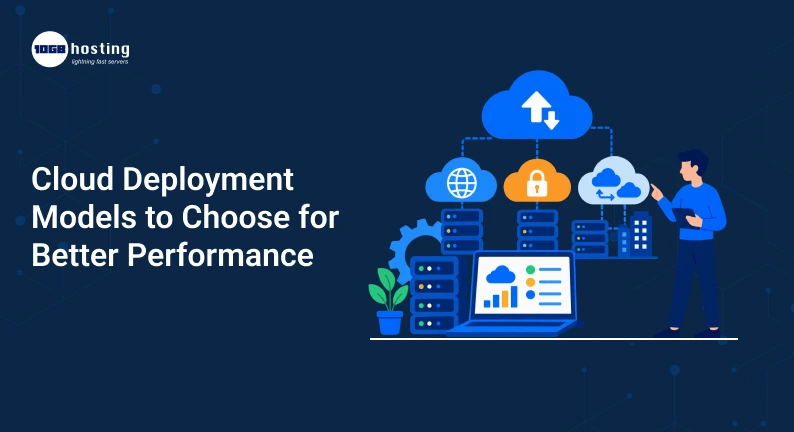
In terms of choosing the right cloud environment, there are plenty of confusing choices to make. Cloud computing can increase flexibility, scalability and business operations, but one important question remains: Which cloud deployment model is right for your business?
A startup with a small dev team might need something completely different than a bank that handles sensitive customer data. Similarly, an eCommerce business that expects holiday traffic spikes may have different performance needs than a company that runs internal applications.
This is where cloud deployment models come into the picture.
Selecting the right model can help you manage costs, protect sensitive data and scale resources when demand increases, while also improving application performance. But picking the wrong one can lead to added expense, management headaches, security concerns and performance issues.
In this blog, you will learn about what cloud deployment models, how major models work, their benefits and limitations and how to select the best deployment model for cloud computing as per your business requirements.
Table of Contents
What are Cloud Deployment Models?
Cloud deployment models define how cloud infrastructure is provisioned, owned, accessed and managed.
Basically, they answer questions such as:
- Where do you keep your applications and data?
- Who owns the infrastructure?
- Who will utilize the resources?
- How much control does your company have?
- How easily can the environment scale?
The most popular cloud computing deployment models are :
- Public Cloud
- Cloud (Private)
- Hybrid Cloud
- Community Cloud
Each model provides a different balance of performance, security, scalability, control and cost.
Understanding these options can help you select the infrastructure that meets your needs today and allows your business to grow.
Importance of Choosing the Right Cloud Deployment Model
Cloud adoption is not about just moving applications from an office server to the internet. The architecture of your cloud environment can directly impact business operations.
For example, suppose an online store gets 10,000 visitors on an average day, but during a big sale the traffic increases 10 fold. A non-scalable cloud environment could result in slow page loads, failed transactions and lost customers.
In contrast, a company that deals with confidential information about finance or health might want to have more control over where its data is located and who has access to it.
Selecting the right cloud deployment model can enable organisations to achieve:
- Enhanced application performance
- And scalability improves.
- Better access control and security
- Better utilisation of resources
- Lowered infrastructure costs
- Additional business flexibility
- Simpler disaster recovery
- Further support for future growth
Sometimes the most expensive or most sophisticated isn’t the best choice. It’s the model that fits best with your workloads, budget, security requirements, and performance goals.
The Four Cloud Deployment Models
1. Public Cloud
A public cloud is a cloud environment where the computing resources are provided by a third-party cloud service provider. These can include a wide range of resources like servers, storage, databases, networking and other services.
The provider’s infrastructure is shared by many customers, but each customer’s data and workloads are logically isolated.
How the Public Cloud Works
Companies rent whatever resources they need instead of buying and maintaining physical servers.
For example, a company could run its website or application on cloud infrastructure and increase server capacity as traffic increases.
This makes the public cloud a popular choice for businesses that want flexibility without investing heavily in physical hardware.
Advantages of Public Cloud
Simple to Scale
Resources are typically scalable according to demand.
This is helpful for businesses with fluctuating workloads. For example, an eCommerce website can add resources during a festive sale, and then remove them after the sale.
Less Upfront Investment
You don’t need to buy expensive servers or build a large data center to run your business.
Fast Deployments
Applications and services can often be deployed much more quickly than traditional on-premise infrastructure.
Less infrastructure management
Much of the underlying physical infrastructure is managed by the cloud provider.
Possible restrictions
Some workloads are not a good fit for the public cloud.
Some organisations may ask for:
- More control over infrastructure
- Security modifications
- Allocated resources
- Specific requirements for compliance
Best For:
Public cloud environments tend to be well suited for:
- Start-ups
- Small & medium-sized businesses
- Web sites and web applications
- Test and development environments
- Apps SaaS
- Businesses with fluctuating workloads
Real World Example
Imagine a new online learning platform that is just getting off the ground. At first, it has only hundreds of users. As time passes the platform becomes more and more popular and thousands of students start to access video lessons.
In a public cloud, the company can scale up computing and storage capacity as demand increases, instead of buying new physical servers every few months.
2. Private, cloud
A private cloud is a cloud environment that is used only by a single organization.
The infrastructure and resources are dedicated to a single business or organization, not shared across a public cloud environment.
A private cloud may be hosted on:
- In its own data center
- from a third-party provider
- Hosted dedicated environment
Advantages of Private Cloud
More Control
Organisations have more control over infrastructure, configurations, security policies and resources.
Enhanced Customisation
The environment can be tailored to meet specific application and business needs.
Resources for Specialists
Resources are not shared with unrelated organisations as much as they are in a typical multi-tenant public cloud environment.
Improved support for special requirements
If your business has strict security, compliance or performance needs, a private cloud can be useful.
Possible Limitations
Private cloud environments might require:
- Greater investment
- More technical administration
- More infrastructure planning
- specialist IT knowledge
Running a private environment may be more than smaller businesses actually require.
Best For
Private cloud is often a good fit for:
- Financial institutions
- Health care environments
- Government agencies
- Major businesses
- Companies that have strict compliance requirements
- Apps that need dedicated infrastructure
Scenario In Real Life
Consider a financial institution that deals with a large volume of sensitive customer data.
The organization may need complete control of access policies, infrastructure configuration and security processes. In this case, a private cloud can provide the organization with the dedicated environment and customisation the organization needs.
3. Hybrid Cloud
A hybrid cloud combines two or more cloud environments. Typically this is a mix of private cloud, public cloud, or on-premise infrastructure.
This enables businesses to deploy different workloads into different environments based on their needs.
Hybrid cloud can be a good blend of flexibility and control for many growing businesses.
How does Hybrid Cloud work
A company may run sensitive data in a private environment, but use public cloud resources for applications with variable traffic demands.
For example:
- Customer data may reside in a private cloud.
- A public cloud can handle the traffic of a website.
- Testing and development can be done in a different cloud environment.
- Cloud storage can be used for Backup and disaster recovery.
Advantages of Hybrid Cloud
Adaptability
Companies can select the optimal environment for each workload.
Better utilisation of resources
Not all applications need the same level of security or infrastructure investment.
Increased Scalability
Public cloud resources can handle workloads that experience sudden spikes in traffic.
Improved Data Control
Sensitive workloads can stay in a more controlled environment.
Possible Challenges
Hybrid environments can be more difficult to manage.
Organisations should consider:
- Network connectivity
- Moving data
- Security Standards
- Observation
- Integration of applications
- Infrastructure management
Best For
Hybrid cloud might be a good option for:
- Expanding businesses
- mixed-workload companies
- Companies that are replacing legacy systems
- Organisations with sensitive information
- Businesses experiencing traffic spikes
Real Life Situation
Imagine you are an eCommerce company.
The business maintains customer and financial data in a highly controlled environment. But it sees a lot of traffic on its website during sales events.
A hybrid setup allows the company to keep sensitive information in a private environment and use scalable public cloud resources to handle increased website traffic.
This can increase performance without the business having to keep maximum infrastructure capacity open all year round.
4. Community Cloud
A community cloud is built for a group of organisations with similar requirements.
These organisations might have common goals in terms of:
- Safety
- Obedience
- Industry regulations
- Performance standards
- Operational requirements
The infrastructure may be operated by one of the participating organisations or a third party provider.
Advantages of Community Cloud
Typical Costs
Organisations can collaborate on infrastructure and operational costs.
Industry Specific Atmosphere
The cloud can be tailored to the needs of a specific sector or group.
Better Collaboration
Organisations with similar needs might benefit from shared infrastructure and services.
Possible Restrictions
Community cloud environments may be less flexible than other models as resources and policies must accommodate multiple organisations.
Ideal For
Community cloud can be of use for:
- Government organisations
- Schools
- research institutes
- Healthcare groups
- Industry trade groups
Public vs Private vs Hybrid vs Community Cloud
Here is a simple comparison of the major cloud deployment models.
| Deployment Model | Control | Scalability | Cost | Best For |
| Public Cloud | Moderate | High | Lower initial cost | Startups, websites, SaaS |
| Private Cloud | High | Depends on infrastructure | Higher | Sensitive and critical workloads |
| Hybrid Cloud | High flexibility | High | Varies | Mixed workloads and growing businesses |
| Community Cloud | Shared | Moderate | Shared | Organizations with common requirements |
There is no single deployment model that works perfectly for every organization.
The right choice depends on how your business operates.
How to Choose the Right Cloud Computing Deployment Model
Choosing a deployment model for cloud computing is easier if you evaluate your business requirements step by step.
Step 1: Know Your Workloads
First, determine what applications and workloads you want to run in the cloud.
Ask questions like:
- Is the application critical to the mission?
- Is it handling sensitive customer data?
- Does traffic change often?
- Is high availability of the application required?
- Are there predictable seasonal increases in traffic?
For instance the infrastructure needs of an internal finance system and a company website can be hugely different.
Separating out the workloads based on their needs, and you can select the right environment for them.
Step 2. Evaluate Your Security Requirements
Security should be a big part of your decision making.
Think:
- What sort of data do you keep?
- No access required?
- Are there industry specific regulations?
- Require dedicated infrastructure?
- What security controls are necessary?
Very sensitive workloads may need to be in a private or hybrid environment, but less sensitive applications may be fine in a public cloud environment.
Step 3: Think about Performance Requirements
Performance isn’t just about the powerful servers.
You should also consider:
- Application response times
- User location
- Latency of network
- Storage performance
- Database needs
- Traffic amount
An application that serves users in multiple regions, for instance, might benefit from infrastructure designed to reduce latency.
Before you choose cloud computing deployment models, know the location of your users and their performance expectations.
Step 4: Design for Scale
Design your infrastructure for scalability so you can grow as needed without paying for unnecessary capacity.
Think about whether your workload is:
- Steady
- Gaining steady
- by season
- Unpredictable as hell
A fast-growing startup may be interested in scalability, while a company with stable workloads may prefer more managed infrastructure.
Step 5: Calculate Total Cost
Don’t get hung up on the first quote.
Think of the total cost of:
- Infrastructure
- Storage
- Data transmission
- Management (Ms.
- Security tools
- Backup
- Tracking
- Technical Assistance
A cheaper solution can get expensive if it needs a lot of management or upgrades.
Step 6: Review Your IT Team’s Capabilities
Certain cloud environments require more management than others.
Questions to Ask:
- Do you have an in-house IT team?
- Is your team capable of complex infrastructure?
- Managed Services?
- Security updates and monitoring? Who’s going to do that?
If you have a small team, it might be more practical to opt for a managed cloud solution than build and maintain a complex private environment.
Step 7: Consider Growth Potential
Your current needs are important, but so are your future plans.
If you plan to:
- Build New Apps
- Open new markets
- Think globally
- Support more users
- Add AI or data-intensive workloads
Choose an architecture that scales as your business grows.
Cloud Deployment Models and Performance Enhancement
The right cloud model can boost performance in a number of ways.
1. Resource Deployment Improvement
Applications have different requirements for computing power, memory and storage.
Choosing the right environment lets businesses deploy their resources where they are really needed.
This may avoid both underutilisation and performance bottlenecks.
2. Scaling Faster when Demand is High
If your business experiences unpredictable traffic, the cloud allows you to scale up your resources when needed.
For example, an online store getting ready for a big sale can scale up to handle the extra visitors.
If you don’t scale properly, traffic can be high, leading to slow loading times and a bad user experience.
3. Infrastructure bottlenecks, reduced
The workloads can overwhelm older on-premise systems.
If it is well-designed, cloud infrastructure gives you more flexibility in scaling up computing power.
4. More availability
With the cloud, companies can build in redundancy, backups and plans for recovery.
This can help reduce downtime and increase service availability.
5. Optimised Workload Placement
One of the big advantages of employing multiple cloud deployment models is that you can place workloads where they perform best.
For example:
- A private environment can keep sensitive data.
- Customer-facing applications can take advantage of scalable cloud infrastructure.
- In the testing environments, temporary cloud resources can be used.
- Backups may be stored apart so that you can recover them.
This approach, based on workload, can help improve performance as well as cost efficiency.
Mistakes to Avoid When Choosing a Cloud Deployment Model
Many companies choose a cloud environment based solely on price or popularity.This can cause problems later on.
Here are a few common mistakes to be aware of.
Choosing the Least Expensive Without Regard to Requirements
Low cost is good, but poor performance or limited scalability can hurt your business.
Disregarding Data Security
Not all applications require the same level of security.
Identify your workloads and what data requires additional protection.
Overcomplicating the Infrastructure Too Much
A complex hybrid environment may sound appealing, however it can create unnecessary management challenges if your business only needs a simple cloud setup.
Not planning for expansion
Two years of growth may have outgrown the infrastructure that works today for your business.
Select a solution that gives you flexibility.
Forget Support and Management
Even in the cloud, you still need to monitor, manage security, back up and optimise.
Assess whether your team can handle these tasks internally or whether a managed service would be a better fit.
Choosing the Right Cloud Deployment Model for Your Business
The answer depends on what you need.
If you are looking for flexibility, quick deployment, and scalable resources, the public cloud could be a good choice.
If control, customisation, and dedicated infrastructure are your priorities, a private cloud might be a better choice.
If your business has a blend of sensitive workloads and scalable applications, then a hybrid cloud can be a good choice.
A community cloud can be useful when multiple organisations have similar industry or compliance needs.
The important thing is to not select a cloud model because some other company is.
Your infrastructure must support your applications, users, security requirements, and business goals.
Common questions about cloud deployment models
1. What are the four cloud deployment models?
The four most common cloud deployment models are: public cloud, private cloud, community cloud and hybrid cloud. Each has a different mix of cost, control, scalability and security.
2. What is the best cloud deployment model for a small business?
For many small businesses, a public cloud is a practical solution (flexible resources, faster deployment, and lower upfront infrastructure costs). “The right choice depends on the company’s applications and security needs.
3. What’s the difference between a public and private cloud?
Public cloud is based on infrastructure provided by a third-party cloud provider and is meant for multiple customers. In a private cloud, only one organization is using it, and it usually offers more control and customisation.
4. Why Should Companies Go for Hybrid Cloud?
A hybrid cloud gives organisations the ability to run different workloads in different environments. For example, sensitive data can stay in a controlled environment while scalable applications can take advantage of public cloud resources.
5. How do I select the appropriate deployment model for cloud computing?
Consider your workload requirements, security needs, performance expectations, scalability requirements, budget, technical expertise and future growth plans before you decide.
Final Thoughts: Choose a Cloud Model that Will Grow With You
Cloud infrastructure is not a one solution fits all. The right cloud deployment models will depend on what your business needs today and where it wants to go in the future.
A public cloud can provide speed and flexibility. A private cloud may give you more control. Hybrid cloud can combine the advantages of more than one environment and community cloud can be beneficial for organisations that share similar requirements.
Before you decide, evaluate your workloads, expected traffic, security requirements, budget and internal technical capabilities.
The right cloud computing deployment models can help you build an infrastructure that offers improved performance, supports business growth and allows your team the flexibility to adapt to evolving demands.
Ready to Make the Right Cloud Infrastructure Choice?
If you’re looking to migrate your applications to the cloud or simply want to enhance the performance of your existing infrastructure, the first step is to assess your workload requirements and growth objectives.