Email is still one of the most important ways for companies to communicate. Companies use email daily to send proposals, invoices, communicate with customers and manage internal teams. But what if your email service is slow, unreliable, hard to manage or vulnerable to security threats?
If you miss an email from a customer, you risk losing a sale. Security breaches can put sensitive business information at risk. Frequent downtime can decrease productivity and harm your company’s professional image.
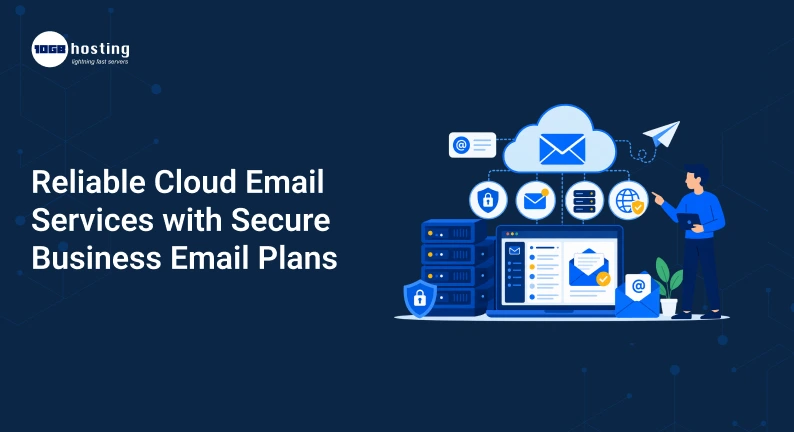
That is why many businesses are now shifting to reliable cloud email services with secure and flexible business email plans.
In this blog you will learn what cloud email services are, how they work, why security matters, how to choose the right business email plan and what features you should look out for before you make a purchase decision.
Table of Contents
What Are Cloud Email Services?
Cloud email services are email solutions that host your email accounts, messages, contacts, calendars and other related data on cloud-based servers and not on your physical server.
In essence, the email provider manages all the infrastructure and your business connects to email over the internet.
For example, rather than installing and maintaining an email server in your office, you can use a cloud email platform that lets your employees access their business email from:
- Computers, personal
- Laptops
- Cell phones
- Tablets
- Internet browsers
This allows for more flexible and easier control of communication.
How cloud-based email services operate
When your business uses cloud based email services, the provider takes care of the servers and infrastructure required to send, receive, store and protect your emails.
The process usually looks like this:
- Your business buys an appropriate email plan.
- Use your domain name to create email accounts.
- The work email addresses of your employees.
- The provider employs a cloud infrastructure that securely stores the emails.
- Users can get to their inboxes from a variety of devices .
- The provider is responsible for server maintenance, updates, and other technical requirements.
A company can create professional addresses such as: instead of a personal email address:
It gives a more professional and trustworthy image.
Why Moving to Cloud Email Services is a Business Trend
Traditional email servers can be a pain to set up and require ongoing maintenance. Businesses may have to deal with hardware, software updates, storage, backups, security, and server performance.
Cloud email services take on a lot of this work for you.
The email provider manages the underlying infrastructure, allowing the business to focus more on operations.
Top reasons businesses choose cloud email
The move to cloud-based email solutions is often driven by the fact that they offer:
- More accessible from different devices
- Business email addresses (professional
- Less infrastructure to manage
- Greater scalability
- Better security choices
- Centralised management
- Flexible storage solutions
- Backup & recovery capabilities
That flexibility can be especially useful for companies that are expanding.
Let’s say a company has 10 employees and grows to 50 in one year. With a cloud-based solution, the business can generally add new email accounts without purchasing and configuring an entirely new physical email server.
The Value of a Trustworthy Business Email
Email reliability matters more to businesses than most realise.
If your email service goes down, your employees might miss crucial customer questions, help requests, purchase orders, or internal messages.
Look at this situation.
A request received from a customer for a product quote. Your sales team isn’t receiving the email because of an email server problem. The customer waits for a response, eventually resorting to a competitor.
These communication problems can be solved with a good email service.
What is a reliable email service?
Business email plans are compared based on the following features:
- High availability of services
- Reliable server infrastructure
- Redundant systems
- Back up regularly
- Quick email delivery
- Technical assistance
- Anti-malware and spam blocking
- Secure data storage.
You want to choose a provider that can support your day-to-day communications without adding unnecessary technical headaches.
Secure Business Email Plans: Security Should Be a Priority
Business emails contain sensitive information.
This can include:
- Customer Information
- Financial data
- Conventions
- Log in details
- Proposals for Business
- Secret documents
- Communicating with employees
That’s why email security should be a critical factor when choosing cloud email services.
Phishing, spam, malware, and unauthorised access to accounts are online dangers that can affect businesses of any size.
A secure business email plan can add extra layers of protection.
Security Features You Should Look For
When evaluating email providers, check to see if the plan offers or supports the following security features.
Spam Protection
Spam filters work to identify unwanted or suspicious messages before they get into your employees’ inbox.
This can help reduce distractions and the possibility that employees will engage with malicious emails.
Malware Protection
Malicious attachments may contain malicious software. Email security systems can scan incoming and outgoing messages for potential threats.
Secure sign in
Strong authentication methods can help secure accounts against unauthorised access.
Businesses should also encourage their employees to use strong passwords and enable additional security on their accounts where possible.
Encryption of data
Encryption protects email data in transit between systems.
This is especially true if employees are sending sensitive information.
Backup & Recovery
Emails can go missing due to accidental deletion, account issues, or tech problems.
A reliable backup and recovery plan helps businesses recover important information when it is needed.
How to Pick the Right Cloud Email Service for Your Business
Not every business needs the same email program.
A startup with 5 employees has different needs than a company with hundreds of users.
Think about your current needs and future growth before picking a provider.
Step 1: Identify Your Business Needs
Start by asking a few key questions:
- How many email accounts do you require?
- How much space does the user need?
- Do your employees need mobile device access?
- Need a backup email?
- Security needs to be advanced.
- Need help with collaboration tools?
- Are you thinking about hiring more staff for your business soon?
These answers can help you avoid paying for features you don’t need, or ending up with a plan that becomes too limited as your company grows.
Step 2: Verify Storage and Scalability
Different storage needs for emails.
While a customer support team might be receiving hundreds of messages every day, another department may only use email on occasion.
Select a plan that has enough storage to satisfy your present needs and also allows a little room to grow.
And scalability is also important. You should be able to add or remove users with minimal changes to your IT infrastructure.
Step 3: Examine the security features
Don’t base your choice of business email service on price alone.
A low-cost plan may not have the security or management features your business needs.
Look for options that involve:
- Email Filtering
- Protection against viruses
- Sign in securely
- Encryption
- Back Up
- Data Collection
- Administrative controls
Security is not an add-on, it’s an essential part of your business communication strategy.
Step 4: Consider Accessibility
Modern teams are often working remotely.
Employees can access email from the office, home, airport or client site.
Reliable cloud based email services should offer easy access from multiple devices.
Check for compatibility with:
- Internet browsers
- mobile devices
- Email clients for desktop
- Tablets
A good user experience can increase employee productivity and reduce avoidable support tickets.
Step 5: Compare options for Support and Management
Technical problems can occur at any time.
Know what type of support is available before choosing a provider.
Ask yourself questions like:
- Do you have access to technical support if you need it?
- Is there a simple control panel?
- Yes, admins can handle multiple accounts.
- How to easily reset passwords?
- Can you quickly create new users?
Simple management tools save valuable time, especially for small businesses that do not have a dedicated IT department.
Cloud Email Services versus Traditional Email Hosting
Business communication can be supported by traditional email hosting and cloud email solutions. But there are important differences.
| Feature | Traditional Email Server | Cloud Email Services |
| Infrastructure | Managed by the business | Managed by the provider |
| Maintenance | Requires internal management | Provider handles infrastructure |
| Scalability | May require hardware upgrades | Easier to scale |
| Remote Access | Can require additional setup | Usually designed for online access |
| Upfront Costs | Can be higher | Often subscription-based |
| Management | More technical responsibility | Centralized and simplified |
For many small and medium-sized businesses, cloud email can help ease the burden of managing email infrastructure.
A Business Example You Can Relate To
Think about an eCommerce company with 20 employees and growing.
The business has separate teams for sales, customer support, marketing and accounts. Employees send and receive hundreds of e-mails every day.
The company starts with a basic email setup. As the business grows, a number of problems arise:
- Your inboxes are limited.
- Employees need to access from multiple devices.
- Spam messages are on the increase.
- New accounts are difficult to handle.
- Important emails get deleted by mistake.
- The security of the accounts is a business issue.
So the company decides to move to a more reliable cloud email solution.
Post-migration, administrators can manage accounts from a single point, employees can access their mailboxes from multiple devices, and the business benefits from increased security and backup options.
This example shows why picking the right email infrastructure can get more important as a company grows.
What is Rackspace Webmail and how do I access my business email?
Many businesses also search solutions such as Rackspace Webmail when searching for professional email hosting and web-based access to business inboxes.
Webmail services enable users to read their email from a browser and not depend on a specific desktop client.
This may be useful when workers:
- Work from home
- Frequent traveller
- Use several computers
- Need fast access to business email
- Want to check email without installing any extra software
Businesses should compare factors such as storage, security, administration, accessibility, support and pricing when comparing services associated with Rackspace Webmail or other business email platforms.
The best solution depends on your company’s specific needs.
Benefits of Cloud-Based Email for Businesses
There are a number of great business reasons to pick reliable cloud email services.
1. Corporate identity brand
A custom email address that is attached to your business domain sounds more professional than a generic personal email address.
For example: >
[email protected] Professional
Not quite as business professional [email protected]
Having a branded email address can help to create consistency in your business communications.
2. Enhanced Accessibility
Employees can email from different places and devices.
This is helpful for:
- Virtual teams
- Salespersons
- Mobile workforces
- Hybrid work settings
- Business owners who run their businesses on the run
3. Lower IT Complexity
Running your own email server takes time, infrastructure, and technical know-how.
Cloud solutions have the potential to reduce the amount of server management required in-house.
4. Simpler business growth
As your team grows you may need additional email accounts.
Cloud email plans can simplify the process of adding new users and managing accounts through a central dashboard.
5. Better security options
Features like spam filtering, malware protection, authentication and backup can help businesses build a better email security strategy.
6. Improved Collaboration
Businesses may also have access to calendars, contacts, shared tools and other collaboration features depending on the email platform and plan.
This can help teams stay organised more easily.
Business Email Security: Best Practices
Choosing a reliable provider is very important, but employees also have a large role to play in the security of email.
Here are some concrete steps that all businesses can take.
Use strong, unique passwords
Don’t use easy passwords like:
- Company 123
- Password123
- Admin123
Prompt employees to use long and unique passwords for business accounts.
Employee training on phishing
Many cyberattacks start with a fake email.
Employees should be trained to look for warning signs including:
- Unforeseen Attachments
- Suspicious looking links
- Urgent – Password Requests
- Strange sender addresses
- Financial information requests
Account Access Kept Current
Review email access immediately if an employee leaves the company.
Administrators should turn off or change access where necessary to protect company information.
Develop a Backup Plan
While cloud email services are reliable, companies still need to know about email backup and recovery.
Consult your provider:
- How long is deleted data kept?
- Can Emails Be Recovered?
- Is there another backup?
- What if an account is accidentally deleted?
To avoid problems later, be sure to answer questions before they arise.
What to Expect From a Business Email Plan
Make a simple checklist before you buy a plan.
Your business email solution should ideally include:
- A professional email address with your own domain
- Reliable up-time
- Limited access
- Spam protection
- Scan for viruses
- Good storage
- Access on mobile and web
- Simple account management
- Scaling up
- Backup or restore options
- Dependable technical assistance
Cheap is not always best.
Instead, focus on values. In the long run, a better plan with more security, dependable support, and room to grow can be more beneficial for your business.
Common questions people ask
1. What is a Cloud Email Service?
Cloud email services are email services delivered from the cloud. They allow companies to access, manage and store email from internet-connected devices without having to maintain their own physical email servers.
2. Are cloud email services secure?
Depending on the provider and plan, they can provide strong security features. Businesses should seek spam protection, malware scanning, secure authentication, encryption, backup options and administrative controls.
3. Cloud email vs. traditional email hosting – what’s the difference?
Email Hosting could be more old school and have you be a little more hands on with server management and infrastructure responsibility. Cloud email services are typically managed by the provider and are designed to make scalability and remote access easier.
4. Why should a business have a custom email address?
A custom email address with your business domain can help create a more professional brand image. Business communication can look more trustworthy and organised.
5. What should you look for in a business email plan?
Check the number of users supported, storage, security features, accessibility, scalability, backup options, management tools, pricing and available technical support.
Final Thoughts: Pick an Email Solution to Speed up Your Business Growth
Email is not just a rudimentary form of communication. It is an important part of customer relations, sales, internal collaboration and the daily business.
Reliable cloud email services can help businesses enhance accessibility, simplify email management, support growth and bolster their approach to email security.
Whether you’re looking at cloud based email services, professional business email hosting or platforms like Rackspace Webmail the right choice will depend on the size of your company, your communication needs, security requirements and what you plan to do in the future.
Rather than waiting for email outages, storage limits or security concerns to impact your business, take some time today to compare secure business email plans.