Table of Contents
Introduction: Which Ryzen Processor Fits Your Needs?
With a wide range of options in AMD’s Ryzen lineup, choosing the latest Ryzen processor for your system can feel confusing. You might find yourself trying to make the right decision without fully knowing which one fits your needs.
You may be wondering:
- What is the latest Ryzen processor available right now?
- Is the latest Ryzen processor better for gaming or more suited for productivity?
- Is upgrading to the latest Ryzen processor a big improvement over older models?
- Which latest Ryzen processor offers the best value for money?
All of these questions will be addressed in this blog post.
By the time you finish reading this blog post, you will understand:
- What are the latest Ryzen processors
- The features vs performance
- Benchmarks vs real life performance
- Guidelines on processor selection
- Where to find the optimal savings
What is a Ryzen Processor?
A Ryzen processor is a CPU made by AMD. It powers your computer and handles everything from basic tasks to heavy gaming and editing.
In simple words:
- CPU = Brain of your computer
- Ryzen = A popular CPU series by AMD
Ryzen processors are known for:
- Strong performance
- Good price compared to competitors
- Great for multitasking
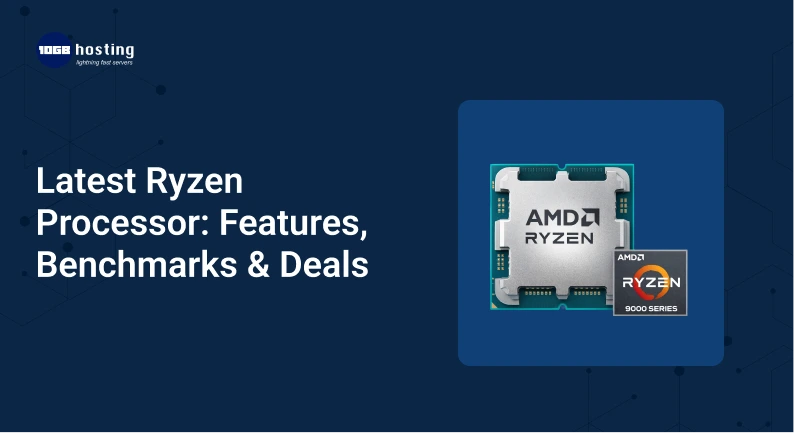
Latest Ryzen Processor (2025–2026 Overview)
The latest Ryzen CPU lineup includes:
Ryzen 7000 Series (Zen 4 Architecture)
Popular models:
- Ryzen 5 7600
- Ryzen 7 7700X
- Ryzen 9 7900X
- Ryzen 9 7950X
Ryzen 8000 Series (Newer Refresh / APUs)
- Focus on better graphics performance
- Improved AI and efficiency
These processors use the latest technologies like:
- DDR5 RAM support
- PCIe 5.0
- Advanced power efficiency
Key Features of Latest Ryzen Processors
1. High Core & Thread Count
More cores = better multitasking.
Example:
- Ryzen 9 processors can have up to 16 cores and 32 threads
Perfect for:
- Video editing
- Streaming
- Gaming + multitasking
2. Faster Clock Speeds
The latest Ryzen processor can boost above 5 GHz, which means faster performance in games and apps.
3. Built on Zen Architecture
AMD’s Zen architecture improves:
- Speed
- Power efficiency
- Performance per core
4. Integrated Graphics (Select Models)
Some Ryzen CPUs come with built-in graphics (APUs), so you don’t always need a separate GPU.
5. Better Power Efficiency
Ryzen processors are designed to give high performance without using too much power.
Ryzen Benchmarks (Real-World Performance)
Let’s look at all of that in the one and only Ryzen processor.
Gaming Performance
- Smoothly runs AAA titles including GTA V, Warzone, and Cyberpunk
- High frames per second with advanced graphics cards
- Ideal for 1080p and 1440p gaming
Video Editing
- Accelerated rendering with Premiere Pro
- Playback without any stutters
- Able to edit 4K without any issues
Everyday Use
- Fast internet browsing
- Smooth and fast multitasking
- No lag during standard activity
Example Case
- Edits videos,
- Uploads content, and
- Runs multiple applications
Everything runs without any interruptions
Ryzen vs Intel: Quick Comparison
| Feature | Ryzen | Intel |
| Price | More affordable | Slightly expensive |
| Multitasking | Excellent | Good |
| Gaming | Very good | Very good |
| Power Efficiency | Better | Good |
👉 Ryzen is often better value for money.
Understand your needs to select the right CPU for you
Step 1: Define Your Use Case
- Basic Work → Ryzen 5
- Gaming → Ryzen 5 or 7
- Editing Work → Ryzen 7 or 9
Step 2: Set Your Budget
- Tight Budget → Ryzen 5
- Average Budget → Ryzen 7
- Large Budget → Ryzen 9
Step 3: Check for Compatibility
- Confirm your motherboards compatibility with the CPU
- For newer CPUs ensure you have DDR5 RAM
Step 4: Determine the Need for a GPU
- No GPU → Ryzen CPU with integrated graphics
- GPU → Any Ryzen CPU
Step 5: Compare the Benchmarks
- High gaming FPS
- Fast rendering
- Low Power usage
Latest Ryzen Processors = Benefits
Performance and Speed
- You get fast speed for both work and gaming.
Future Tech Ready
- Supports latest tech like DDR5 and PCIe 5.0.
Cost Efficient
- More performance for less.
Ideal for Multitasking
- Run multiple apps at once with no lag.
Energy Savings
- Uses less power than previous generations.
Real-World Applications
Gamer
A gamer using Ryzen 5 7600:
- Plays high-end games
- Streams on Twitch
- Gets smooth FPS
Freelancer
A designer using Ryzen 7:
- Runs Photoshop + Illustrator
- Edits videos
- Works without lag
Business User
Using Ryzen 9:
- Handles large data
- Runs multiple tools
- Improves productivity
Best Deals
Find deals on:
- Amazon
- Flipkart
Tips for great deals:
- Festival sales
- Price comparisons
- CPU + motherboard deals
What not to do
- Buying a high-end CPU for simple tasks
- Not checking compatibility with motherboard
- Skipping the cooling system
- Updating BIOS is a must
FAQs
1. Which is the latest Ryzen processor?
New 8000 series and 7000 with Zen architecture.
2. Intel or Ryzen?
Ryzen is best for value and multitasking. Intel is better for gaming.
3. Is Ryzen gaming good?
Yes. Ryzen provides high FPS gaming.
4. Is a GPU required for Ryzen?
If your CPU has no integrated graphics, then yes.
5. Which Ryzen is best for starters?
Most users start well with Ryzen 5.
Conclusssion
There is no denying the impressive performance potential and efficiency that the new line of Ryzen processors has to offer. They also manage to deliver all of that at reasonable prices. Anyone from the casual user to the average gamer to the content creator has a processor that is targeted to their needs.
Processor value is not something to overlook either. Ryzen is the right option if you’re looking for good performance along with technological advancement at an attractive price.
Call to Action
Is it time to make some upgrades to your computer?
Start with Ryzen processors if you’re looking for the most up to date technology that caters to your specific needs.
After your selection, don’t forget to browse the various options available so you can check your overall system compatibility. This will allow you to build a system with no performance limitations.
Feel free to request my assistance if you want to determine the best processor from the new line of processors for your price range. I’d be happy to help.