It’s not easy to manage contemporary IT systems anymore. In today’s world, businesses run dozens or even hundreds of virtual machines, applications, and services in complicated settings. Without effective monitoring, problems with performance, resource constraints, and downtime can quickly hurt productivity and the customer experience. This is why many IT administrators search for a reliable vrealize operations manager download solution that helps them monitor infrastructure performance, detect issues early, and keep their virtual environments running smoothly.
VMware vRealize Operations Manager is quite helpful here. It is a robust platform for monitoring and analytics that helps IT teams keep things running smoothly, make the most use of resources, and stop infrastructure problems before they happen.
You could be puzzled about where to obtain vRealize Operations Manager, what you need to do before you can download it, and how to install it appropriately if you’re looking for a download. We will show you all you need to know about the tool in this article, from how to comprehend it to how to download and install it correctly.
By the time you finish this guide, you will know for sure:
- What is vRealize Operations Manager?
- Why businesses use it
- How to get it from the official source
- The process of installing step by step
- Best ways to do things for beginners
Let’s get started with the basics.
Table of Contents
What is the vRealize Operations Manager?
VMware produced VMware vRealize Operations Manager, which is sometimes dubbed vROps. It is an intelligent operations management platform.
It lets IT managers keep an eye on, analyse, and improve virtual infrastructure environments.
To put it simply, it keeps an eye on the health of your IT infrastructure.
Important things that vROps does
vRealize Operations Manager gives you:
- Monitoring performance
- Planning for capacity
- Finding problems automatically
- Analytics that predict
- Optimising resources
- Fixing problems with infrastructure
It works best in VMware vSphere setups.
What makes vRealize Operations Manager important
Companies that run big virtualisation environments typically have trouble with:
- Virtual machines that are slow
- Resources that aren’t being used
- Problems in planning for capacity
- Not being able to see everything in the infrastructure
vROps fixes these challenges by giving you smart insights and automating things.
Pros of vROps
1. Finding problems before they happen
vROps doesn’t wait for problems to happen; it predicts them before they do.
2. Improving Performance
It finds resources that are too busy and proposes ways to make them better.
3. Planning for capacity
You can guess when your infrastructure will need to be updated.
4. Alerts that happen automatically
When something strange happens, admins get alerts.
5. Lowering costs
Using resources that aren’t being used to their fullest potential lowers the cost of infrastructure.
Example from the real world
Think about a corporation that runs more than 50 virtual machines on VMware vSphere.
Without keeping an eye on:
- Some servers could use 95% of their CPU.
- Some people might not use it at all and just sit there.
This mismatch makes things work poorly.
With vROps:
- The mechanism finds an imbalance
- Suggests moving some of the tasks around
- Stops downtime
This helps IT teams keep things running smoothly without having to check on them all the time.
What You Need to Know Before Downloading vROps
Make sure your environment fulfils the prerequisites before you start downloading vRealize Operations Manager.
Basic Needs
- VMware vSphere 6.5 or later
- At least 8 GB of RAM
- At least 4 CPU cores
- Deployment requires network access
- VMware account for downloading
VMware may suggest bigger resources depending on the size of the environment.
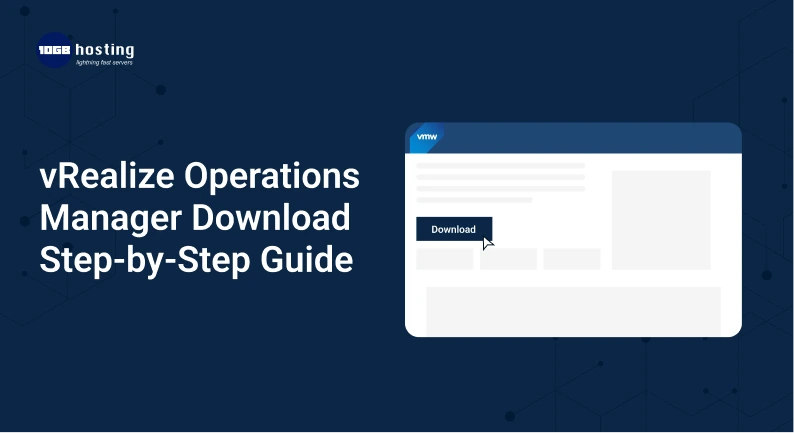
Download vRealize Operations Manager (Step by Step)
Let’s go over the steps to get vRealize Operations now.
Step 1: Make an account with VMware or log in to one you already have.
To start, go to the official VMware website.
Go to:
Portal for VMware customers.
If you don’t already have an account:
- Click Sign Up
- Fill in the information about your email and organization.
- Check your email address
Log in after you sign up.
Step 2: Go to the vROps Product Page
After you sign in:
- Go to the Accounts and Products section
- Click on All Products
- Look for vRealize Operations Manager
Choose the most recent version.
Step 3: Pick the Right Download Package
There will be a lot of files for you to choose from.
The most prevalent choice is:
OVA file for vRealize Operations Manager
This file is used to put the appliance directly into a VMware vSphere environment.
Get the files below:
- File for OVA deployment
- Documentation for installation
- File with a checksum for checking
Step 4: Check the Download
After you download the package:
- Look at the checksum file side by side.
- Make sure the download is not broken
This makes sure that the files are correct before they are sent out.
How to Set Up vRealize Operations Manager
The next step after downloading vRealize Operations Manager is to install it.
Step 1: Install the OVA File
- Sign in to vSphere Client
- Press Deploy OVF Template
- Put the OVA file you downloaded on your computer.
- Choose the host where you want to go
- Set up the network and storage settings
Click Finish to start the deployment.
Step 2: Turn on the virtual appliance
When the deployment is done:
- Find the VM in your inventory.
- Turn it on
- Wait for the appliance to start up.
This could take a few minutes.
Step 3: Open the vROps Setup Wizard.
To get to this page, open a web browser and type in:
You will see the setup screen.
Choose:
New Setup
Step 4: Set up the admin credentials
You will have to make:
- Username for the admin
- Safe password
Check that the password fulfils security standards.
Step 5: Set up the cluster settings
You can set up:
- Deployment of a single node
- Cluster with several nodes for bigger areas
One node installation is usually plenty for labs or people who are just starting out.
Step 6: Link up with vCenter Server
Next, link vROps to your VMware vCenter Server.
This lets vROps keep an eye on your infrastructure.
Type:
- IP address or hostname for vCenter
- User Name
- Password
Once connected, vROps will start to gather data.
How to Use vROps the Right Way
Follow these best practices when you install VMware vROps.
1. Set up alerts carefully
Set your own thresholds to avoid getting too many warnings.
2. Use Dashboards
Dashboards make it easier to see how healthy infrastructure is.
3. Allow Planning for Capacity
This helps predict what infrastructure will be needed in the future.
4. Keep an eye on how resources are being used
Find resources that aren’t being used enough to cut expenditures.
5. Keep vROps up to date.
Always install the most recent updates and patches.
Common Issues When Downloading vRealize Operations
Here are several problems that users often run across.
Download speed is slow
The answer is to use a reliable internet connection.
Problems with logging in
Change the password for your VMware Customer Connect account.
Deployment Failure
Make sure:
- A lot of RAM
- Space on the disc
- Version of vSphere that works with
How to Download vRealize Operations Manager
1. Is it free to use vRealize Operations Manager?
No, vROps is a licensed software from VMware, however you can try it out for free.
2. Where can I get a vRealize Operations Manager?
After making an account, you can download it from the official VMware Customer Connect portal.
3. What kind of file do you need to install vROps?
An OVA template is the most common deployment file. It may be deployed directly in vSphere environments.
4. Can vROps keep an eye on environments that aren’t VMware?
Yes. vROps can keep an eye on:
- Platforms in the cloud
- Systems for storage
- Servers in the real world
5. What is the most recent version of vRealize Operations?
VMware often puts out upgrades and new features. Always get the newest version from the official VMware site.
Final Thoughts
If you don’t have the right monitoring tools, it can be hard to manage a complex IT system. This can cause performance problems, downtime, and lost expenditures. VMware vRealize Operations Manager is a powerful tool for keeping an eye on, analysing, and improving your virtualisation infrastructure.
This step-by-step guide for downloading vRealize Operations Manager will help you simply download, install, and set up vROps in your infrastructure. Once it’s set up, it gives you a lot of information on the system’s performance, capacity, and overall health.
vROps VMware can greatly increase the efficiency of your operations, whether you run a small lab or a large enterprise data center.
Are you ready to make your infrastructure better?
You can start using intelligent infrastructure monitoring right away by finishing your vRealize Operations download today.
Check out our blog or sign up for future updates if you want additional tutorials on VMware, guidance on hosting, and suggestions on how to make your infrastructure work better.