Introduction: Do You Not Know How Websites Work?
Have you ever opened a website and thought, “How does everything—text, images, buttons—look so good?”
If you’re new, words like “HTML” and “CSS” might not make sense. But the truth is that HTML is the first thing that any website has.
This guide will help you understand:
- What is HTML?
- What is HTML used for?
- What are HTML and CSS?
- How to easily start utilising it
Let’s make things as simple as possible.
Table of Contents
What is HTML?
The Simple Meaning
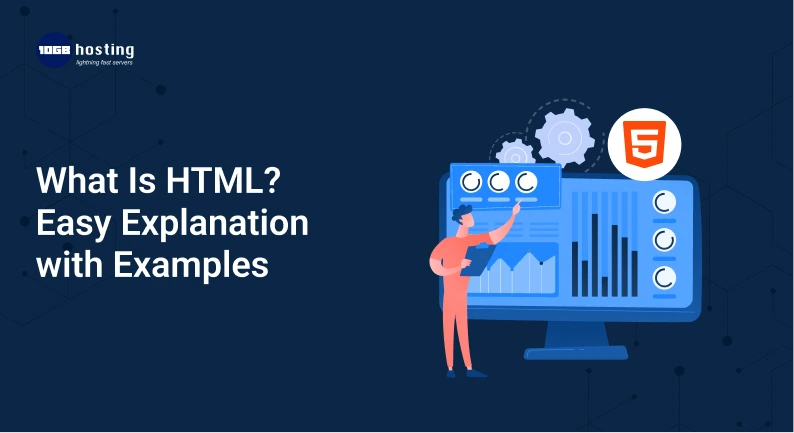
HTML, or HyperText Markup Language, is the main language used to make web pages.
It tells your browser:
- What to show
- How to put it together
- What is a link, a heading, a paragraph, or an image?
👉 In short:
HTML is what makes up a webpage.
What is HTML good for?
Websites are built and organised with HTML. It helps you:
- Make web sites
- Add headings and text
- Add pictures and videos
- Put links between the pages
- Make forms for signing up, logging in, etc.
Websites wouldn’t exist without HTML.
What are HTML and CSS?
A lot of newbies want to know what HTML and CSS are.
This is a simple comparison:
- HTML → Structure (like a skeleton)
- CSS → Design (such colours and styling)
For example:
CSS makes the heading appear nice, and HTML makes it.
A Simple Explanation of How HTML Works
When you make an HTML page:
- You use tags to write content.
- It reads the browser
- It shows the page on the screen
For instance:
- A heading looks bigger
- A paragraph looks like regular text.
- An image shows when it is introduced to the basic structure of an HTML page.
There is a simple structure to every webpage:
- Beginning of the document
- Title, settings, and other things in the head section
- Body section (text, photos, and other viewable information)
The body part is what people view when they visit the website.
Some common HTML elements are
HTML can make a lot of different things, like:
- Headings (large titles)
- Text content in paragraphs
- Links (URLs that you can click on)
- Pictures
- Lists (things in bullet points)
👉 For example:
- A blog title is a heading.
- A link is “Click here” and
- The substance of an article is a paragraph.
How to Make Your First HTML Page: A Step-by-Step Guide
You don’t need any extra tools.
Step 1: Start a text editor
Use Notepad or any other basic text editor.
Step 2: Write what you want to say
Put a headline and a paragraph in.
Step 3: Save the file
Save it using the .html extension, like index.html.
Step 4: Open in a web browser
Double-click the file to open it in a web browser.
You just made your first HTML page!
An Example of HTML in Real Life
For example, you go to an online store.
HTML is in charge of:
- Names of products
- Pictures
- Prices
- Buttons that say “Buy Now”
There would be nothing on the screen without HTML.
The Importance of HTML
1. The foundation of every website
HTML is used by all websites.
2. Easy for beginners
It’s one of the simplest languages to learn.
3. Works with other technologies
HTML works with:
CSS (design) and JavaScript (function)
4. Job Opportunities
Learning HTML is helpful for:
- Building websites
- Freelancing,
- blogging,
The benefits of learning HTML
- Make your own website
- Learn how websites work
- Begin making money online
- Make landing pages or blogs
- Get better at technical skills
Things that beginners often do wrong
Stay away from these:
- Not closing tags the right way
- Writing with a chaotic structure
- Not doing the basics
- Not practicing enough
How to Learn HTML Faster
- Do it every day
- Try doing tiny projects.
- Learn by doing real things
- Add to CSS
- Use tools on the web
What is HTML? FAQs
1. What does HTML mean in plain terms?
HTML is a language that lets you make web pages and show content.
2. What are HTML and CSS?
CSS makes it look good, and HTML creates it.
3. Is HTML a language for programming?
No, it’s a language for marking up.
4. What is HTML for?
It is used to build webpages and organise information.
5. Can those who are new to HTML learn it?
Yes, HTML is quite easy for people who are just starting out.
Last Thoughts
You now know what HTML is, how it works, and why it matters.
The first step in making a website is learning HTML. HTML is the first step if you want to make a website, start a blog, or learn how to code. Call to Action
Are you ready to go?
👉 Make your first HTML page today! Learn how to design better by learning HTML and CSS. Find additional guides to help you become a web developer.
Start now and make your future in web development