In 2026, starting a business website has never been easier. The toughest part is choosing the right website builder from the many top website builders available today.
There are dozens of platforms that offer AI website creation, drag-and-drop editors, templates, ecommerce tools, SEO features, analytics, and integrations. It’s easy to pick a platform that looks good but doesn’t actually support your business goals.
A local service provider might want a simple lead-generation website. Product management and checkout are essential for an ecommerce brand. If you are a growing company, you may need advanced content management, integrations, automation, and a CRM.
So what are the best website builders for business websites in 2022?
This guide looks at the top options, highlights what each platform excels at, and explains how to integrate your website with Wbotz CRM to convert website visitors into leads and customers.
Table of Contents
What’s a Website Builder?
A website builder is a tool that helps individuals and businesses to easily create, customise, publish and manage a website without coding from scratch.
Most modern website builders include drag-and-drop editing, pre-designed templates, mobile-responsive designs, hosting, domain connection, SEO tools, forms, analytics, ecommerce features, and integrations.
Instead of hiring a developer to build all the pages, a business owner can choose a template, change the content, add branding, connect a domain and publish the website.
What is essential to understand is that a website builder is not just a design tool. Your site is one of the first places potential customers learn about your business, check your credibility, compare your services and decide if they want to reach out to you.
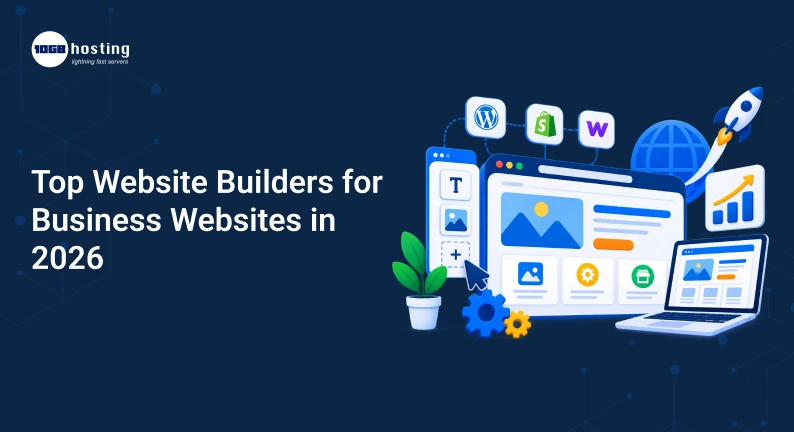
Best Website Builders for Business Websites in 2026
1.Wix – The Best Small Business Website Builder
Wix is one of the best options for businesses that want to create a professional-looking website without having to deal with complicated development.
Wix offers website templates, an AI-powered website builder, SEO tools, hosting, business apps, payments, forms, marketing features, and CRM.
Ideal for consultants, agencies, restaurants, local businesses, freelancers, coaches and service providers.
2. WordPress – Best for Flexibility and Growth Over Time
WordPress is still one of the most flexible options for business websites.
It’s an open-source platform with themes, plugins, content management tools, ecommerce extensions, SEO solutions, analytics integrations, and a lot of room for customisation.
You can begin with a simple company website and add a blog, ecommerce store, membership system, booking system, advanced forms or custom functionality later.
3. Shopify – Best Ecommerce Website Builder
Shopify is mainly for businesses that want to sell products online.
Its website builder features customisable themes, AI-powered store setup, product management, SEO tools, blogging, responsive design, payments, hosting, security and a massive app ecosystem.
It is particularly ideal for online stores, D2C brands, retailers, manufacturers and ecommerce startups.
4. Squarespace – Great for Design-Driven Business Websites
Squarespace is known for its polished-looking templates and its easy website-building experience.
It runs websites, online stores, services, scheduling, invoicing, memberships, donations, blogs and portfolios.
It’s a great choice for photographers, designers, consultants, creative agencies, restaurants, and personal brands.
5. Webflow – Ideal for Advanced Website Design and CMS Management
Webflow is for those who want more design control than they’d get from a typical drag-and-drop site builder.
Its CMS allows businesses to create and manage dynamic content, and its visual builder offers great design flexibility.
Webflow is useful for agencies, designers, startups, SaaS companies, and businesses that require highly customised websites.
Choosing the Right Website Builder for Your Business
Don’t just think of templates and colours before buying a plan.
1. Determine Your Website’s Primary Purpose
Ask yourself if you want more leads, product sales, appointment bookings, portfolio visibility, SEO traffic, customer support or integrations.
2. Look at SEO Features
Look for custom page titles, meta descriptions, SEO friendly URLs, XML sitemap support, image optimisation, mobile responsiveness, blogging functionality, redirects, and structured data options.
3. Ensure Your Website Is Mobile Friendly
Test navigation, buttons, forms, images, font size, page loading, checkout, WhatsApp buttons, contact info on smartphones.
4. Find Lead Generation Features
Your website should make it easy for visitors to request a quote, book a consultation, call your business, fill out a form, start a WhatsApp conversation, or ask a question.
Convert Website Visitors To Customers Using Wbotz Crm
The first step is to drive visitors to your site. The bigger challenge is that if somebody shows interest.
Suppose a potential customer comes to your website and clicks “Chat on WhatsApp.”
They are sending:
Hi, tell me how much your service costs.
If your team is all manual, that lead can easily be lost in the shuffle of conversations.
Wbotz CRM allows businesses to integrate websites and lead generation processes with sales and customer interactions on WhatsApp.
Wbotz integrates WhatsApp Business API features with CRM, chatbots, broadcast campaigns, automation and a shared team inbox. It also integrates with platforms like WordPress, WooCommerce, Gravity Forms, WPForms, Ninja Forms, and Contact Form 7.
A Simple Website to WhatsApp Process
Website visitor -> Lead capture -> WhatsApp chat -> Lead qualification -> Sales rep -> Follow-up -> Conversion
For example:
- A visitor comes to your service page.
- They click on your WhatsApp CTA.
- Your conversation is added to your WhatsApp workflow.
- A chatbot can ask simple qualifying questions.
- The lead goes into your CRM.
- The qualified conversation is passed to the sales team.
- The rep proceeds with the conversation.
- Use automated follow-ups when appropriate.
- The business listens to the conversation during the sales process.
This transforms your website from a mere information page into part of your sales system.
Website and CRM Integration Importance
Websites create opportunities. A CRM helps your team manage those opportunities.”
Without an organised process in place, businesses can experience missed enquiries, slow response times, lost follow ups, duplicate customer communication, unorganised customer data and poor sales performance visibility.
A connected CRM workflow offers your team a better view of what happens after someone fills out a form or starts a conversation.
How to Build a Business Website in 2026: A Step-by-Step Guide
Step 1: Pick Your Domain
Choose a short, memorable domain that fits your brand.
Step 2. Choose a Professional Template
Choose a template based on your industry and how your content is laid out.
Step 3: Create Basic Pages
Most businesses should consider Home, About, Services or Products, Pricing, Case Studies or Portfolio, Blog, Contact, FAQs, Privacy Policy and Terms and Conditions.
Step 4: Insert Powerful Calls to Action
Use clear CTAs like Get a Free Quote, Book a Demo, Talk to an Expert, Start a Free Trial, Request Pricing, Chat on WhatsApp, or Contact Our Team.
Step 5: Link Your Lead Management System
Integrate website forms, Whatsapp, CRM, email, analytics and other business tools as appropriate.
Step 6. Optimise for search engines
Create content around the questions your customers are actually searching for and use relevant keywords naturally.
Step 7: Test Everything Before You Launch
Check contact forms, WhatsApp buttons, navigation, mobile design, page speed, links, checkout, analytics, tracking, emails and CRM connections.
Mistakes to Avoid Selecting Based on Price Alone
The cheapest plan is not necessarily the best value in the long run. Consider what you’ll need later on in the way of storage, ecommerce, integrations, marketing tools, analytics, users and CRM functionality.
Choosing a builder without considering growth
Your business might have five pages today and 50 pages in two years. Be sure your platform can grow with you.
Failing to Manage Leads
Traffic is awesome, but traffic without conversions doesn’t pay the bills. Create a seamless journey from visitor to inquiry to customer.
Installing Too Many Tools
Forms, chat, CRM, automation, broadcasts, analytics, and support tools can introduce unnecessary complexity. Choose integrations that allow your systems to speak to each other whenever possible.
Which Website Builder Should You Pick?
Wix is an easy all-in-one solution for a small or service-based business.
If you want maximum flexibility, content control and plugin options, go with WordPress.
If your main goal is to sell products online, go with Shopify.
If you want visual design and professional presentation above all else, choose Squarespace.
Go for Webflow if you want advanced design control and a flexible CMS.
If your business is based on WhatsApp for lead generation, sales, customer support, follow-ups or marketing automation, add Wbotz CRM.
Common Questions
What is the best website builder for a small business 2026?
There isn’t a single answer that fits every business. Wix is a good option for beginners and small businesses, WordPress is better for businesses that need more customisation and Squarespace might be attractive for design-oriented brands.
The best website builder for ecommerce is
Shopify is one of the best options for ecommerce because it is built specifically for selling online. It includes everything you need to sell products online including checkout, payments, inventory, marketing, and ecommerce integrations.
Will WordPress still be a good choice for businesses in 2026?
Yes, WordPress is still very flexible and can do anything from simple business websites to complex websites and applications.
How to Integrate WhatsApp CRM to My Website?
Sure. Connect website forms, lead sources, and website visitors to WhatsApp-based customer workflows depending on your website builder and integrations. Wbotz supports integrations with WordPress, WooCommerce, multiple WordPress form plugins, REST API and webhooks.
Why use a CRM with my business website?
A website can get you leads, but a CRM is what helps your team organise those leads, keep track of interactions with customers, manage follow-ups, and move prospects through the sales process.
Final Word
The best website builders in 2026 are not about finding the platform with the most features. It’s about choosing the right platform for your business.
If you’re a small business owner, an easy platform like Wix can help you get started quickly. If you want flexibility and long-term control, WordPress is worth considering. Shopify is the best option for e-commerce, Squarespace is more design-focused, and Webflow is best for those who want more visual control.
Your website should be more than just professional-looking. It should help you to generate and convert leads.
That’s why it’s important to link your website to a customer communication and sales system. Wbotz CRM offers businesses a structured way to manage WhatsApp conversations, covering lead management, automation, team collaboration and follow-ups.
Want to turn your website traffic into real conversations and sales? Discover Wbotz CRM, integrate your website with WhatsApp and empower your sales team with a smarter way to capture, manage and follow up with every valuable lead.