Moving a business website is a lot like moving a physical office. Every file, page, image, customer record and SEO asset must arrive at the new home safely. If something is lost or damaged in transit, the consequences can be costly. You could have a website which goes down, loses valuable search engine rankings or frustrates customers who can’t get access to important information.
That’s why website migration is not something most businesses should treat as a simple technical task. If you are changing hosting providers, switching platforms, upgrading your server infrastructure or rebranding with a new domain, a successful migration requires planning, expertise and attention to detail.
Professional website migration service helps businesses move their websites without business interruption. You don’t have to worry about broken pages, lost data or declining traffic, you can focus on running your business, while migration specialists do the technical work.
In this guide, we will look at what website migration is, why it is important, how professional migration services work and how to find the best service provider for your business.
Table of Contents
What Is a Website Migration Service?
Website migration service is a professional service which migrates a website from one environment to another, while keeping its performance, functionality, security and search engine visibility intact.
Migration can include: Depending on your business goals,
- Switching to a different web hosting company
- Domain name changes
- Migration of content management system (CMS)
- Server infrastructure upgrade
- Moving an e-commerce shop
- Changing from HTTP to HTTPS
- Restructure of website architecture
While it may appear as a straightforward process, website migration includes thousands of files, databases, settings, and SEO elements that need to be handled with care.
Even a little mistake can mean:
- Site Down Time
- lost customer info
- Missing links
- Lowered search engine rankings
- Bad user experience
That’s why many companies decide to hire a professional site migration service instead of trying to do it themselves.
Reasons Companies Turn to Website Migration Services
Companies normally change their website when they feel that their current website cannot support their growth or performance goals.
Improved Web Performance
Slow loading websites can affect customer experience and search engine rankings.
Migrating to a better hosting environment will help businesses achieve:
- Faster loading times
- Better servers
- Better user engagement
- More conversions
- Increased security
Cybersecurity threats continue to evolve, and website security is becoming ever more important.
A migration can often move a business to more secure infrastructure, including:
High-end firewalls
SSL certificates for malware protection Auto backups Business growth
Older websites can struggle to keep up with growing traffic and customer needs.
Migration may provide:
- More scalable
- More resources on the server
- Enhance reliability
- Betteruptime Cost Savings
A lot of companies realise they are overpaying for old hosting plans.
You can reduce operational costs and improve performance by moving the website.
The Perils of Website Migration
Website migration has a number of benefits but also some risks if not done correctly.
Search rank lost
Search engines monitor website URLs and content very closely.
If redirects are not properly set up, businesses can lose valuable rankings and traffic.
Website Down
Visitors can get frustrated with extended downtime and sales can be lost.
A couple of hours of downtime could affect revenue for eCommerce businesses.
Loss of Data
Proper backups aren’t being done and customer information, orders, product details and website content may be lost.
Broken Website
When migration is not properly tested, forms, checkout pages, login systems and integrations can break.
Such risks only underline the need to bring in experienced web migration services professionals.
Advantages of Professional Website Migration Service
1. SEO Preservation
Many businesses spend years developing organic traffic through SEO.
A professional migration service protects this investment by:
- Existing URL Mapping
- Setting up 301 redirects
- Metadata maintenance
- XML sitemaps update
- Search engine indexing monitoring
This helps to prevent ranking losses after migration.
2. Decreased Downtime
Professional migration teams carefully plan migrations to reduce interruptions.
This means your customers can still reach your website with little to no interruption.
3. Data Transfer Security
A professional migration provider will protect critical business data in the migration process.
That means:
- Client Information
- Product databases
- User accounts Website content
- Records of business
It takes backups before any changes are made so you’ve got that extra layer of protection.
4. Technical know-how
Migrating a website is more than just copying files.
Migration specialists know:
- Server configuration DNS configuration
- Database administration
- Platform support
- Security measures
Their experience prevents expensive mistakes.
5. Time-saving
An experienced professional can often complete a migration project that would take a business owner days or weeks much more efficiently.
This allows companies to focus on growth, not technical issues.
Website Migration Types
Knowing the different types of migration can help businesses choose the best solution.
Migration of Hosting
This is when you change a website from one hosting provider to another.
Typical reasons are:
- Improved performance
- Reduced costs
- Enhanced support
- greater reliability
- Transfer Domain
Sometimes companies will switch domains as a part of a rebranding strategy.
For instance:
From:
youroldbrand.com
To:
yournewbrand.com
This process needs correct redirects.
CMS Migration
Migrating a CMS is the process of transferring a website to another content management system.
For example:
- Joomla to WordPress
- Drupal to WP
- Wix to WordPress Migration
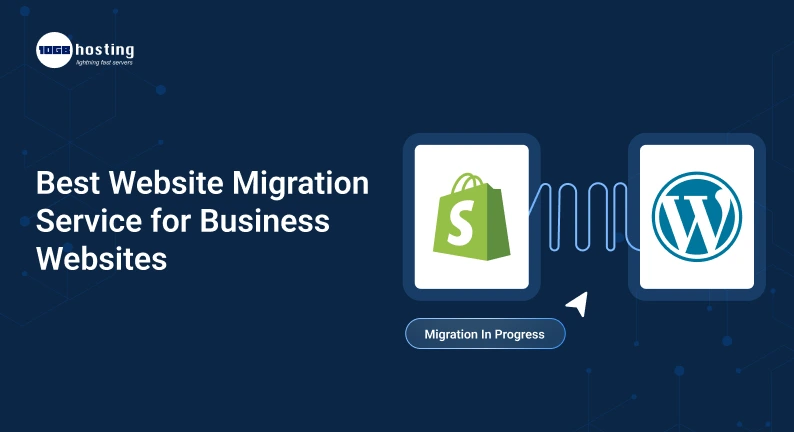
eCommerce Migration Shopify to WooCommerce
There are many online stores that are moving to get better features and scalability.
This process may involve transfer of:
- The Product(s)
- Customer files
- Order history
- Payment Methods
Inventory data Server Migration
A server migration transitions websites to upgraded infrastructure for better speed and reliability.
Professional Website Migration Services Process
Step 1: First look at the website
Migration team’s review:
- Size of website
- Type of platform
- Environment for hosting
- SEO architecture
- Security needs
This will help to identify potential barriers before the migration begins.
Step 2: Complete Website Backup
A full backup is created before any transfer is made.
This requires:
- Website Files Databases
- Media attachments
- Configuration Options
Backups make it possible to restore data if needed.
Step 3: Planning the Migration
A detailed migration road map is prepared.
This roadmap illustrates:
- Timeline of Migrations
- Duties and Responsibilities
- Test Methods
- Launch strategy
Step 4: Transfer website
All files, databases and settings are securely migrated to the new environment.
The migration team ensures that data integrity is maintained throughout the process.
Step 5: Quality Check
The website is tested extensively before it is launched.
Checked areas include:
- How the page works
- Responsive to mobile
- Contact Form
- Navigation menus
- Payment terminals
- 3rd party integrations
Step 6: Validate SEO
SEO elements are checked to ensure rankings are protected.
This includes:
- Test redirect
- Sitemap changes
- Metadata validation
- Crawlability checks
Step 7: Launch and Monitor
After testing, the migrated website is launched.
The migration team monitors performance and resolves any issues that arise post-launch.
How to Choose the Right Website Migration Service
Not all providers of migration have the same skills.
Here are some things to think about as you make your decision.
Proven Track Record
Find a provider with experience working with business websites like yours.
Request examples of previous migration projects, if available.
Know-how SEO
A migration provider should understand the importance of preserving search engine rankings.
SEO expertise can make the difference between a successful migration and a traffic disaster.
Security Criteria
Choose a provider that follows good security practices, such as:
- Encryption of data
- Backups secured
- Malware protection
- Access control
Transparent Communication
A good migration partner will keep you in the loop throughout the process and set clear expectations.
Support After Migration
Sometimes things happen after launch.
The best providers will offer ongoing support so problems can be dealt with quickly.
A real life business scenario
Imagine a fast-growing online retailer whose website takes six seconds to load. Consumers are abandoning shopping carts and search rankings are slowly slipping.
A professional web site migration service will help the company migrate to a more powerful hosting platform.
Post-migration:
- Website speed increases dramatically
- Bounces fall
- Customer Satisfaction Improves
- Sales Up SEO performance remains flat
This example shows how a successful migration can be a direct business growth driver.
Top Mistakes When Moving Your Website
Many migration problems can be solved through proper planning.
Common mistakes are:
Skipped Backups
Never do a migration without a complete backup.
Ignoring Redirects
Missing redirects can lead to lost rankings and broken pages.
Poor Testing
Test every page, form and functionality before launch.
Choose the Lowest Priced Provider
Low-cost services often do not have the skill-set for complex migrations.
The Race to Process
Successfully migrating requires careful planning and execution.
Questions we get all the time
How long does it take to change a website?
The timeline depends on the size and complexity of the site. Small websites can be migrated in a matter of hours, while larger projects may take a few days.
Will moving hurt my SEO?
When the right people do migration, it can be done with little effect on the search rankings.
Is website migration safe?
Yes. Professional migration services have backups, testing and security protocols to ensure that the transfer is safe.
Yes, you can move your site yourself.
It is technically possible but business websites can also benefit from professional expertise to reduce risks and costly mistakes.
How much does website migration service cost?
Pricing depends on the size and complexity of the website and the requirements of the migration.
Summary
Migrating a website is a major step for any business, but it doesn’t have to be stressful. If you are moving to a better hosting provider, changing platforms, upgrading infrastructure or launching a new brand identity, a professional website migration service can make the process smooth and successful .
A good site migration service will protect your SEO rankings, secure your data, minimise downtime, and ensure your website continues to support your business goals.
Rather than taking risky chances, work with experienced web migration services professionals who know how to pull off a seamless transition from start to finish.
Are you ready to migrate your website?
If your business website needs better performance, stronger security or a more scalable platform, now is the perfect time to make the move. Contact a trusted website migration expert today and learn how a professional migration can help your business grow with confidence.