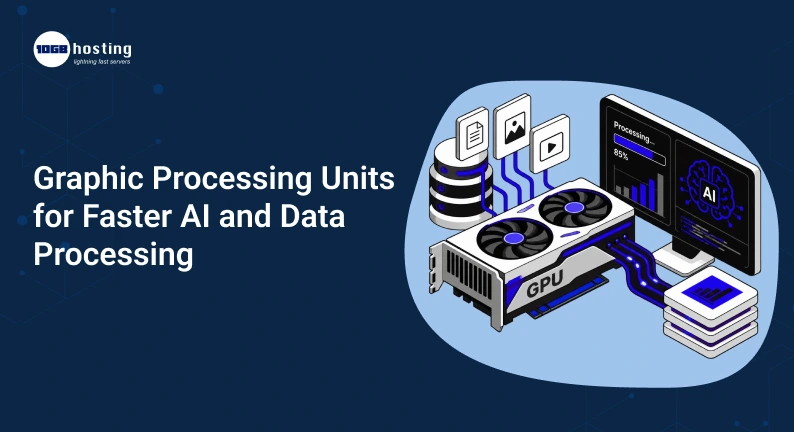
AI is no longer the domain of research labs and big tech firms. Companies are using AI to provide customer service, analyse data, process images, automate processes, make recommendations, generate content, and much more. But when AI workloads get more complex, traditional CPUs can find it difficult to process the massive data quickly.
That’s where graphics processing units (GPUs) can have a big impact.
GPUs, originally designed for graphics and visual workloads, are now a critical component of modern AI and high performance computing. Their capability to perform a multitude of calculations in parallel makes them well suited to machine learning, deep learning, data analytics, video processing and other demanding workloads.
Whether you’re building an AI application, training machine learning algorithms, processing large datasets, or upgrading a business workstation, understanding how GPUs work can help you make a better hardware decision.
In this guide, we’ll talk about graphic processing units, how they’re used to accelerate AI and data processing, what to consider before buying one, and how to choose the right GPU for your needs.
Table of Contents
What is a Graphics Processing Unit?
A graphic processing unit, or GPU, is a specialised processor that can do large numbers of calculations at the same time.
A CPU typically has a few powerful cores that are designed to do a wide range of tasks . A GPU, in contrast, has many processing cores optimised for parallel workloads.
This makes GPUs especially useful when huge amounts of data require the same sort of computation repeatedly.
For example, suppose an AI system is analysing thousands of images. A GPU can do many calculations at the same time rather than doing one calculation after another .
This capability of parallel processing is one of the key reasons that GPUs have become so important to modern AI.
GPU vs. CPU: What Is the Difference?
Both CPUs and GPUs are processors, but they are designed for different types of workloads.
| Feature | CPU | GPU |
| Processing approach | General-purpose | Parallel processing |
| Number of cores | Usually fewer | Usually many |
| Best for | General applications | Parallel workloads |
| AI processing | Suitable for some workloads | Highly suitable |
| Graphics rendering | Limited | Excellent |
| Large-scale calculations | Moderate | Very efficient |
| Machine learning | Can work | Often preferred |
The two technologies are not competitors in every situation. In many modern systems, the CPU and GPU work together.
The CPU can manage operating-system tasks, application logic, and sequential operations while the GPU handles computationally intensive parallel workloads.
What makes GPUs so critical for AI and data processing?
AI models require a lot of mathematical calculations. For example, training a deep learning model may involve processing millions or even billions of parameters.
Running these calculations on a CPU alone can take a lot of time.
Many of these workloads are good matches for GPUs because GPUs are designed for parallel computation.
A powerful GPU can help with:
- Training of the machine learning model
- Deep learned
- Calculations for neural nets
- Scalable data analytics
- Image identification
- Computer vision
- Language processing
- Generative artificial intelligence
- 3D rendering
- Video processing
- Scientific simulations
For businesses, faster processing translates into shorter development cycles, quicker analysis, and increased productivity.
How do graphics processing units speed up AI?
The greatest advantage GPUs have for AI is parallel processing .
Let us take a simple example. Say you have an AI model that needs to perform the same mathematical operation for 100,000 pieces of data.
Such calculations would be performed by a traditional processor by fewer powerful cores. A GPU can have many cores that can split up the work and do many operations at once.
This is especially useful for common operations used in neural networks.
Step 1: Load the data
The system loads into memory training or processing data.
That could be thousands of images for an image detection model.
Step 2: Data is transferred to the GPU
The application offloads computation to the graphics processor.
Then the GPU’s processing cores get to work on many operations in parallel.
Step 3: AI Does The Math
The GPU does the math that the AI model needs.
These can be matrix multiplication, vector calculations and other numerical operations.
Step 4: Results Are Returned
After processing, the results are returned to the application or used for the next step in the AI workflow.
Repeating this process over large datasets can result in dramatically reduced processing time using GPU acceleration compared to using a CPU alone.
GPUs and Machine Learning
Machine learning systems learn patterns from data. The size of the dataset and the complexity of the model may require more computational power.
During model training, the algorithms will adjust their parameters according to their results. This means a large number of calculations.
These calculations can be accelerated by a GPU.
For example, a company is building an image-classification system and needs to train its model on hundreds of thousands of images. A good GPU can speed up training time, and let developers try out different models faster.
This is important because AI development is rarely one off.
Developers often have to:
- Train model.
- Give it a try.
- Alter parameter settings.
- Train it again.
- Compare the results.
- Enhance the model.
- Repeat the process.
This cycle can be made much more efficient by faster hardware.
Choosing the Right Graphics Processing Unit for AI
There is no single best graphics processing unit for all users.
The right choice depends on your workload, software requirements, budget, power availability, memory requirements and future plans.
Things to think about before buying a GPU
1. RAM on the graphics card
One of the most important specs for AI workloads is GPU memory, also known as VRAM.
Bigger AI models and datasets might require more memory.
Insufficient memory on your GPU can result in performance bottlenecks or the inability to run specific models efficiently.
Don’t just look at raw GPU speed for AI and data processing. Verify that you have enough memory available for your workload.
2. Performance Processing
The other big factor is GPU performance.
The more powerful GPU can do demanding calculations faster, but it might also be more expensive and power-hungry.
And, do not pick the most powerful model by default, pick the one that fits your real need.
3. Compatibility with Software
Hardware is only half the equation.
Your GPU should be able to work with the software and frameworks you are using.
Works with:
- Machine learning libraries
- AI tools for development
- OS
- GPU Driver
- Data Processing Applications
- Software rendering
- Cloud Platform
If your software environment cannot handle it properly, then a technically powerful GPU is not the right choice.
4. Power Usage
High performance GPUs can consume a lot of electrical power.
Check your system’s power supply and cooling capabilities before installing one.
This is especially critical for workstations and servers running GPU workloads non-stop.
5. Cooling it down
AI workloads can keep a GPU busy for extended periods of time.
Good cooling means stable performance and less chance of thermal throttling.
If you are building a dedicated AI workstation you need to consider airflow, cooling capacity, case size and GPU operating temperature.
6. Financial Plan
GPU prices can be all over the place.
Don’t just go for the most expensive hardware, figure out what performance you actually need.
For the occasional AI experiment a mid range solution may be enough. Professionals may need more powerful hardware to develop AI, train large-scale models, and run data-intensive applications.
What Is an External Graphics Processing Unit?
A separate GPU enclosure that attaches externally to a computer is generally referred to as an external graphics processing unit or eGPU.
This option can be useful if a laptop or compact computer does not have sufficient internal graphics performance.
You can add more graphics and computational power with an external GPU, without having to replace the whole computer.
Who Benefits from an External GPU?
An external graphics processing unit can be helpful for:
- Laptop Owners
- Developers
- Designers
- Editors of video
- The creators of content
- Scientists
- AI fans
- Professionals running graphics-intensive applications
Someone might have a lightweight laptop for everyday work, but needs extra GPU power for occasional AI experiments or 3D applications.
An external GPU setup may be the answer, instead of buying a new workstation altogether.
But an eGPU isn’t automatically the best solution for all AI workloads. Before you buy one, you need to consider the connection bandwidth, enclosure compatibility, GPU memory, software support and the computer’s hardware.
Real-World Use Cases for GPUs
GPUs are now being used in many industries.
health care
GPU-powered systems can be utilised by healthcare organisations for medical imaging, research, simulations and AI-assisted analysis.
Finance
Financial firms use GPU acceleration for data analysis, simulations, risk modelling and other compute-intensive tasks.
AI models can be used by online businesses for recommendations, customer behaviour analysis, image processing and personalisation.
Media & Entertainment
GPUs can help with video production, 3D rendering, animation and visual effects.
Research Science
Researchers often use large data sets and computational models that are standard. GPU acceleration can reduce processing and simulation times.
Generative Artificial Intelligence
Today’s generative artificial intelligence systems are highly dependent on high performance computing resources. GPUs are frequently employed to train and operate AI models, given their capacity for a large number of calculations in parallel.
Main Benefits of Using GPUs for AI and Data Processing
There are many benefits to investing in the right GPU hardware.
Speedier Processing
For workloads well suited for GPU acceleration , parallel processing can significantly improve performance .
AI Training Time Cut Down
This means developers are able to train and test faster, and hence do more experiments in less time.
Increased Productivity
Less time waiting for complex processes to finish comes with faster processing.
Increased scalability
Businesses can build systems that can handle more data and more demanding workloads.
Better Support for Modern AI
As AI applications become more complex, the right kind of GPU hardware can offer the processing power needed to handle more demanding workloads.
Flexible Hardware Choices
This can be an internal GPU, a workstation solution, a server GPU, cloud-based GPU resources or an external graphics processing unit, depending on the requirements of the user.
How to Choose the Right GPU: A Straightforward Buying Checklist
If you are looking to buy a GPU for AI or data processing, here is a checklist:
- Figure out your workload
Determine whether you need the GPU for AI training, inference, analytics, gaming, rendering, video editing, or mixed workloads.
- Check memory needs
Estimate your application and model memory requirements on GPU.
- Verify software compatibility
Check that the GPU is compatible with your desired OS, frameworks, drivers and applications.
- Performance comparison
Don’t just look at marketing specs look at real-world workload performance.
- Verify power requirements
Be sure that your power supply can handle the GPU.
- Cooling Evaluation
Make sure your system can keep the GPU at proper operating temperatures.
- Think about future requirements
If your AI projects are going to get more demanding it might be cheaper to buy a GPU with more capacity long term.
- Compare overall cost
When you add it all up, factor in the GPU, power supply, cooling, enclosure and other components.
Cloud GPU vs GPU: Which One To Choose?
You don’t have to buy physical hardware all the time.
Cloud GPU services allow businesses and developers to rent GPU computing resources on demand.
A local GPU makes sense if you run workloads frequently and want dedicated access to the hardware.
When cloud GPUs are attractive
- You need some temporary compute power.
- Your workload is always changing.
- You don’t want hardware maintenance.
- You have to ramp up resources quickly.
- You are testing several GPU configurations.
The right choice depends on how often you use GPU resources and how predictable your workload is.
Common Mistakes to Avoid When Purchasing a GPU
Not purchasing the most expensive GPU is not necessarily the smartest move.
Don’t make these common mistakes:
- Selecting on brand name alone
- Disregarding GPU memory
- Software Compatibility – Ignore
- Power requirements underestimated
- Not cooling down
- Buying more performance than required by your workload
- Focusing on benchmark scores only
- future needs aside
- Choosing an external GPU without checking for compatibility
You are usually better off with a balanced hardware setup rather than spending most of your budget on one thing.
Commonly Asked Questions
1. Graphics processing units are used to
Graphics processing units are used for graphics rendering, artificial intelligence, machine learning, data processing, video editing, scientific computing, simulations, and other workloads that benefit from parallel processing.
2. Best GPU for AI What is the best GPU for AI?
The choice of graphics processing unit (GPU) is dictated by your AI workload, model size, GPU memory requirements, software compatibility, performance needs, budget and power capacity. The one GPU that is best for everyone does not exist.
3. Good for AI external graphics processing units?
An external graphics processing unit can be useful if your laptop or computer doesn’t have enough graphics processing power built in. Performance, however, depends on the connection interface, the enclosure, the computer hardware, the GPU memory and software compatibility.
4. Does machine learning need a GPU?
Not all the time. Smaller machine learning projects can be run on a CPU. But for large data sets, deep learning models, computer vision, or computationally intensive AI workloads, a GPU can be invaluable.
5. Is more GPU memory always better?
More GPU memory can be useful for large AI models and datasets. But memory capacity alone is only part of the equation. You should also consider the GPU architecture, processing performance, software support, power consumption, and your actual workload.
Final Thoughts
The use of graphic processing units has expanded well beyond their initial application in computer graphics. Today they are a vital component of AI development, machine learning, data analytics, scientific computing, video processing and other demanding workloads.
They are especially good at dealing with workloads that can be done in parallel, because they can do many calculations at the same time.
If you are going to upgrade your system don’t just go for the most powerful or most expensive GPU. Start by understanding your workload, your memory needs, software environment, power capacity, cooling, and budget. Look at internal GPU options, dedicated systems, cloud options or an external graphics processing unit where appropriate from there.
The right hardware can help you process data faster, reduce AI development cycles and build a system that is future ready for workloads.
Want to boost your AI and data processing performance? Match your workload requirements with the available graphics processing options, and select a graphics processing solution that provides the performance and flexibility your business needs.