Introduction: Are you sick of missing trades and slow execution?
You already know how expensive it can be to trade Forex if you’ve ever had a trade go through late, your platform freezes during high volatility, or your internet disconnects at the worst possible time.
If you depend on a conventional home internet connection, you might not be able to keep up in a market where milliseconds count. That’s where Forex VPS hosting comes in.
A Forex VPS (Virtual Private Server) lets you run your trading platform 24 hours a day, seven days a week on a fast, stable server. This means faster execution, no downtime, and trading that never stops.
This full guide will teach you:
- What is Forex VPS hosting?
- How it works
- Why traders utilise it
- Guide to setting up step by step
- How to pick the best Forex VPS server
- How to apply it in the real world
This article will help you make better trading decisions, no matter how experienced you are.
Table of Contents
What is hosting for Forex VPS?
A Simple Explanation
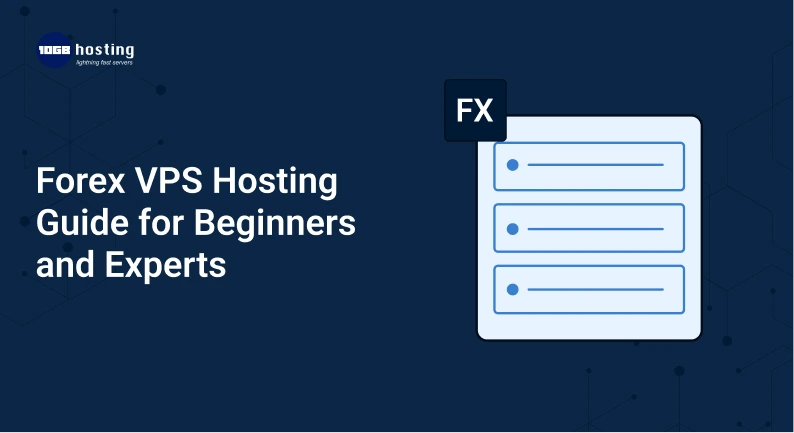
Forex VPS hosting gives you a virtual server where you can install and run your trading platform (like MT4 or MT5) all the time without having to rely on your own computer.
To put it simply:
It feels like your trading system is running on a computer that is always on and far away.
Why It’s Important
- Your computer can turn off
- You might lose your internet connection.
- Power outages might stop trade.
But a Forex VPS server is always on in a safe data center, so your transactions will never be stopped.
How Forex VPS Works
This is how the process works:
- You get a Forex VPS hosting plan
- You use Remote Desktop to connect to the VPS.
- Set up your trading platform (MT4/MT5)
- Set up Expert Advisors (EAs) or trade by hand.
- Your trading goes on all the time, even when your device is off.
Here are some of the best things about Forex VPS hosting:
1. Very quick trade execution
Forex VPS servers are close to broker data centers, which lowers latency and speeds up execution.
2. Always on (24/7)
Your trading platform stays open even if:
- The computer is off.
- Your internet isn’t working.
- There is a power cut
3. Better stability
No crashes or interruptions perfect for automated trading systems.
4. Ideal for Automated Trading (EAs)
If you employ Expert Advisors, a Forex VPS server makes sure that
- Always running
- No missed signals
- Better performance
5. Access from Anywhere
You can go to your VPS from:
- Laptop,
- Phone, and
- Tablet
Anytime, anywhere.
Who Should Use a Forex VPS?
Forex VPS hosting is helpful for:
People who are new
- Learning how to trade automatically
- Keeping the system up and running
Traders in the Middle
- Using bots or EAs
- Handling more than one trade
Traders who work for a living
- Trading at a high frequency
- Strategies for scalping
- Keeping track of more than one account
How to Set Up a Forex VPS in Steps
Step 1: Pick a Forex VPS Provider
Search for:
- Low latency
- High uptime (above 99.9%)
- SSD memory
- Great help for customers
Step 2: Get a VPS Plan
Choose a plan depending on:
- Recommended RAM: 2GB to 8GB
- The performance of the CPU Storage
Step 3: Link to Your VPS
Use Remote Desktop Connection:
- Type in the IP address
- User name and password
You’re now inside your Forex VPS server.
Step 4: Set up the trading platform
Get and set up:
- MT4 (MetaTrader 4)
- MT5, or MetaTrader 5
Step 5: Set up your system for trading
- Log in to your trading account.
- Set up Expert Advisors (if you use them)
- Set up the settings
Step 6: Keep it going all the time
Just let your VPS operate.
Your trading keeps going even when your device is off.
An example from the real world
Let’s say:
A trader in India trades from home on a computer.
Issue:
- The internet goes down at night.
- Misses signals to trade
- Losses because of delays
Answer:
After you migrate to Forex VPS hosting:
- Trades happen right away.
- Bots work all the time.
- No downtime
Result:
- Better results and steady profits
How to Pick the Best Forex VPS Hosting
1. Where the server is
For minimal latency, pick a VPS that is close to your broker’s server.
2. Speed and performance
Search for:
- SSD and NVMe storage
- Good performance from the CPU
3. Guarantee of uptime
It is important to have at least 99.9% uptime.
4. Help for customers
Support around the clock is vital in case something goes wrong.
5. Ability to grow
Pick a supplier that makes it easy to upgrade.
Forex VPS vs Regular Hosting
| Feature | Forex VPS | Regular Hosting |
| 24/7 Trading | ✅ Yes | ❌ No |
| Low Latency | ✅ Yes | ❌ Limited |
| Full Control | ✅ Yes | ❌ No |
| Ideal for Trading | ✅ Yes | ❌ No |
Tips from the pros for better performance
- Every week, restart VPS
- Keep an eye on CPU and RAM use
- Use EAs you can trust
- Update the platform
Forex VPS Hosting FAQs
1. What is a VPS server for Forex?
A Forex VPS server is a virtual machine that operates your trading platform all day, every day, with speed and stability.
2. As a newbie, do I need Forex VPS?
Not required, but strongly suggested if you wish to trade consistently and reliably.
3. Is Forex VPS a decent choice for MT4/MT5?
Yes, Forex VPS is the best way to run MT4 and MT5 platforms without any problems.
4. What is the price of Forex VPS?
Prices range from ₹500 to over ₹3000 a month, depending on the features and performance.
5. Is it possible to have more than one account on a VPS?
Yes, although it depends on the VPS’s resources, like RAM and CPU.
In conclusion
In the fast-paced Forex market of today, relying on a personal computer can make it harder to trade. A Forex VPS hosting solution gives you the speed, dependability, and uptime you need to stay ahead.
A Forex VPS server makes sure that your automatic bots or manual trading always works and is faster, which gives you an edge over the competition.
Call to Action
Are you ready to move your trading to the next level?
Get a high-performance Forex VPS hosting solution today and see how much faster your trades are, how little downtime there is, and how much better your results are.
If you need help picking the finest Forex VPS plan for your needs, don’t hesitate to contact us or look at our hosting options right now!