Looking to build a professional website without breaking the bank? If you’re starting a small business, launching an online store, building a portfolio, or creating a personal blog, the right website builder can help you get online without the expense of hiring a development team.
The trouble is that there are so many options. Some platforms have low-cost starter plans but charge extra for essential features, while others offer more expensive plans for advanced customization. Choosing the wrong platform can result in unnecessary expenses, limited functionality, or difficulty moving your website later.
The good news is that the top website builders make it easier to create beautiful, functional websites without advanced coding skills. Many offer pre-built templates, visual editing tools, hosting options, and features to help you manage your website from one place.
In this article, we’ll explore the best website builders, compare their strengths and weaknesses, explain what to consider before buying a plan, and provide practical steps to help you build a website on a budget.
Table of Contents
What are website builders?
A website builder is an app or service that lets you create, design and publish a website without having to build the whole thing yourself. Most website builders are packaged with templates, visual editors and customisable areas to add text, images, forms, buttons and other website features.
Some platforms offer one subscription that includes website creation, hosting and security features. With self-hosted WordPress and others, you can pick your hosting provider and install extra themes and plugins.
You can make with website builders:
- Business websites for local services and companies.
- Personal portfolios for freelancers and professionals.
- Blogs to publish articles and share your expertise.
- Sites to sell products online are called ecommerce sites.
- Marketing campaign landing pages.
- Websites for agencies and growing businesses.
The best option depends on your budget, technical know-how, website needs, and future expansion plans.
- Professionally designed templates
- Website editing by sight.
- Blogging & Content Tools
- Ecommerce & business features.
- Integrated hosting choices.
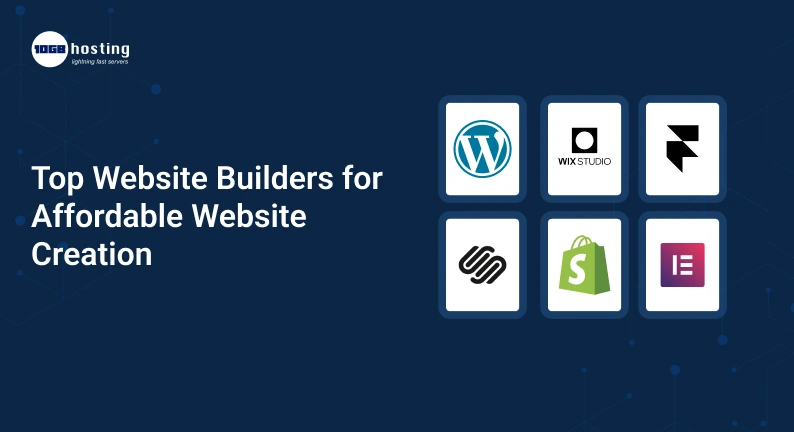
Best Website Builders for Affordable Website Development
Here are five popular platforms you might want to consider when looking for affordable website creation solutions.
1. Hostinger’s Website Builder
If you are looking for an all-in-one solution to build and manage a website, then the Hostinger Website Builder is worth looking at. It offers visual editing tools, flexible templates, AI-powered website creation tools and hosting options.
It is useful for starters who want to launch a website without dealing with complicated technical configurations.
Key features:
- WYSIWYG site editor (drag and drop).
- Templates, prepared.
- AI-powered content and design tools.
- Hosting and domain related options, depending on plan.
- E-commerce capabilities on qualifying plans.
Best for: Small businesses, freelancers, startups and beginners who are looking for a cost-effective launchpad.
Check current subscription prices, renewal rate, website limits, email availability, and ecommerce features before you buy.
Discover all the options on the official Hostinger Website Builder website.
2. Wix
Wix is a popular website-building platform that provides visual editing tools, templates and features for various types of websites.
Use it to create a business website, portfolio, service, blog or an online store. If you want to change the look of your website and you don’t want to code, its visual editor is handy.
Features:
- Customisable Website Templates
- Visually edit website.
- Tools for business and marketing
- App integrations.
- Ecommerce features on qualified plans.
Best for: Creative professionals, service providers and small business owners in need of design flexibility.
Wix offers a free way to begin, but custom domains and some pro features are generally paid plans.
Compare available plans on the official Wix website.
3. WordPress
WordPress is a content management system (CMS) used to power blogs, company websites, online publications and many other types of websites.
With self-hosted WordPress you can choose a hosting provider, install a theme, and add functionality with plugins. This lets you have a lot of control over your website but you may have to deal with updates, backups, security and hosting settings.
Main features:
- A lot of options for themes and plugins.
- Tools for blogging and publishing content.
- Customisable website layouts
- SEO plugins and integrations
- E-commerce support with tools like WooCommerce.
Best for: Bloggers, content publishers, businesses, and customers looking for more control over customisation.
The WordPress software is free to use, but the overall costs can increase based on hosting, domain registration, premium themes, plugins and maintenance.
For details on the self-hosted platform, check out WordPress.org.
4. Squarespace
Squarespace is famous for its professionally designed templates and polished-looking website designs. It is particularly helpful for individuals who want their website to be uniform and pleasing to the eye without investing too much time in the design choices.
Squarespace offers you the ability to create portfolios, business websites, creative projects and online stores.
Highlights:
Best for: Photographers, designers, consultants and creative businesses.
Squarespace may not be the cheapest option for everyone, so compare its subscription costs vs. features included before locking in.
Check out Squarespace plans on the official website.
5. Shopify
Shopify is mainly built for online merchants who want to sell products. It’s also very focused on ecommerce operations, unlike a general website builder.
It also includes tools for product management, inventory, checkout, order processing and integrations with different sales channels.
Main features:
- Creation of an online store.
- Product & Inventory Control.
- Payment and checkout integrations.
- Order Processing
- Themes and apps for eCommerce
Best for: Business owners, retailers and entrepreneurs wanting to sell products online.
Shopify costs more than a simple website builder, but the commerce tools it provides might be worth the price if your business relies on online sales.
Compare available options on the official Shopify site.
How to Choose the Right Website Builder for Your Needs
Knowing what features are most important for your project it’s easier to choose a website builder.
1. Set up your budget
Work out how much you can afford to spend initially on building and running your website.
Please be aware that the total cost may consist of:
- Subscription to website builder.
- Registration and renewal of domains.
- Hosting, if bought separately.
- Premium themes & plugins.
- Business email services.
- Fees for ecommerce or payment processing.
- More marketing tools.
For instance, a simple portfolio may only need a basic plan and a domain. An online store may need additional payment integrations, inventory tools and ecommerce features.
Don’t just look at the advertised monthly cost, compare the total annual cost
2. Identify the Features You Want
Write down the features that are a must for your web site.
Local businesses may need contact forms, service pages, maps and customer reviews. A blogger might focus on publishing tools, categories and SEO settings. An online store might need product management, inventory tracking, and checkout capabilities.
You will avoid paying for features you don’t need by selecting a plan to suit your real needs.
3. Test mobile responsiveness
Many visitors browse websites using their smartphones. Your website needs to look good and work well on different screen sizes.
And before you choose a platform, check that its templates are mobile responsive, and that you can view your pages on different screen sizes.
Test important parts like navigation menus, contact forms, buttons, images and checkout pages.
4. SEO Capability Assessment
For organic search traffic to come, you need good content and good optimisation.
Look for a platform where you can manage:
- Meta descriptions and page titles.
- Search engine friendly URLs.
- Alt text for the image.
- Structure of headings.
- Within Links.
- XML sitemaps
- Redirects and index settings
Having these features does not automatically mean you will rank better. Your results are also affected by the quality of your content, competition, technical performance, and the relevance of your pages to search queries.
5. Think about Customisation and Scalability
Your website will grow as your business grows. You may be looking for additional service pages, a blog, appointment booking, customer accounts or ecommerce functionality.
Make sure that the platform you are using supports these features and if it is possible to upgrade your website without rebuilding it.
If you think you’re going to need a lot of customisation, compare WordPress to hosted builders before you make up your mind.
6. Know the conditions for renewal
The introductory offer may be attractive, but the regular renewal cost can vary.
Check the renewal rate, the billing period, the cancellation terms, any domain charges, and the cost of any essential add-ons before you buy.
Knowing these details helps you choose a platform that is affordable over time.
Benefits of Using a Cheap Website Builder
A good website builder is more than a convenient way to publish web pages. It will help you create and maintain your online presence.
Reduced Initial Investment
You might be able to create a working website without having to hire a developer for every design change. Templates and built-in editing tools can help you save time and money to get you started.
Speedier Website Creation
Rather than building each page from scratch, you have the option to use a template and then customize it for your brand.
This is especially useful for businesses that need to launch a website quickly.
Simpler Website Management
Most platforms have a dashboard where you can update content, change images, manage forms and monitor basic website activity.
This makes routine updates easier for business owners without a dedicated technical team.
Stimulating Business Growth
A website is a place where prospective customers can learn about your products and services, read helpful information and contact your business.
You can add pages, integrate marketing tools, or upgrade your plan (where available) as your needs grow.
Take Charge of Your Online Presence
Your own website and domain gives you one central place to publish information about your business.
You can also attach analytics and marketing tools for better understanding of how visitors find and interact with your content.
How To Create A Website On A Budget – Step By Step Process
Then, when you’ve selected a platform, use this process to create your website fast.
Step 1: Define the Purpose of Your Website
Decide what you want your site to accomplish. Maybe you want to generate leads, show your work, publish articles or sell products.
Depending on your goal, you need certain pages and features.
Step 2. Select a Domain Name
Pick a domain name that’s memorable, relevant to your brand, and easy to spell.
Check the registration and renewal fees before you purchase. Also, verify whether the domain is included in your hosting package or if it needs to be registered separately.
Step 3: Pick a Template
Pick a template that fits your industry and what your website is for.
Customise colours, fonts, images and page sections to suit your brand. Don’t overload the site with decorative elements that steal visitors’ attention from the main message.
Step 4: Create Required Pages
Most business websites do well with a clear structure.
Consider including:
- Home: Describe what you do and for whom.
- About: Tell us about your business and experience.
- Services or Products: What do you sell and what benefits do you provide?
- Contact: Provide a contact form or other contact information.
- Blog: Include content marketing in your strategy and write helpful articles.
- Privacy Policy: Describe how personal information is handled where applicable.
Make sure each page has a clear purpose and provides helpful information.
Step 5: Optimising Your Content
Create unique page content, descriptive titles, and clear calls to action.
Use relevant keywords naturally, compress images, and add descriptive alt text where appropriate. Please do not copy content from other websites.
Accurate service area information is also beneficial for local businesses to let visitors know where the business offers services.
Step 6: Test & Deploy
Review your website on desktop and mobile before publishing.
Check links, forms, navigation, page speed and any payment or booking functionality. Check spelling and contact details carefully.
When everything is working fine, connect your domain and publish the website.
Step 7: Track and Refine
After you’ve launched, use analytics and search performance tools to learn how people are finding your website.
Review pages that attract visitors, pages where visitors leave and calls to action that generate enquiries. Use these tips to optimize your content and website experience over time.
Real-World Examples Picking a Website Builder for Your Business
Here are some examples in the real world.
Local service provider: A cleaning company needs a homepage, service descriptions, customer testimonials and a contact form. A cheap hosted builder can provide all you need, with no hassle of maintenance.
A freelance photographer: A photographer requires good looking image galleries and a portfolio that looks good on mobile devices. Depending on the design flexibility you want and your budget, you might want to compare Squarespace or WordPress.
A growing ecommerce business: An apparel retailer needs product pages, inventory management, and a checkout system. Shopify can be a great option, since its features are designed for selling online.
These examples illustrate why the best website builder isn’t based on popularity, but on your goals.
Mistakes to Avoid When Buying a Website Builder
Common Mistakes To Avoid Before Buying A Plan
- Choosing solely on price: A cheap plan might not give you the vital functionality.
- They don’t take into account renewal costs: Promotional pricing doesn’t consider the long-term cost.
- Too Many Apps/Plugins: Too many extensions increase costs and can lead to maintenance problems.
- Not securing the website: Keep software updated, use appropriate security protections.
- Forget SEO: Have useful content on your website with good technical foundations.
- Ignore migration options: check if you can export your content or move to another platform if needed.
Allowing yourself to compare such details can help you prevent unexpected costs.
FAQ (frequently asked questions)
1. What are the best website builders for cheap website creation?
Some well-known website builders include Hostinger Website Builder, Wix, WordPress, Squarespace, and Shopify. Beginners should opt for Hostinger or Wix, WordPress for customisation, Squarespace for good-looking websites, and Shopify for online stores.
2. What is the best website builder for small business?
What is the best website builder for small businesses? It all depends on what you need. A content-centric business might find the most value in WordPress, while a service business might prefer a simple all-in-one platform. Online retailers should compare ecommerce features, payment options and transaction costs.
3. Can I make a website for free?
Yes. Some platforms have free plans or trials. But free versions might have platform branding, limited storage, limited features, or a platform-branded domain. A paid plan is usually needed for a custom domain and advanced business features.
4. Do I need to know how to code to use a website builder?
No. Most website builders rely on templates and visual editors, so you can design pages without any code. And if you know a little coding it can help you with advanced customisation, but it’s not necessary for many standard websites.
5. How much does a cheap website builder cost?
Pricing depends on the platform, subscription duration, domain costs, and features offered. A simple website can often be created for a relatively low cost, but an online store or a complex business website can be more expensive. Please review the current pricing and renewal terms before you purchase.
Wrap Up: Choose the Best Website Builder for Your Budget
Creating a professional website has never been easier. The right platform can help you create an online presence, display your services, attract potential clients and grow your business without the technical burden.
Each of the best website builders has its own strengths, so before you make your choice, check their pricing, design features, SEO capabilities, mobile responsiveness and long-term flexibility.
For a one-stop shop to get you started, check out Hostinger or Wix. If you want customisation and content publishing, WordPress is a good option. Compare Squarespace for design-oriented websites. Compare Shopify if your priority is selling products online.
Want to build your website? Now, go to the official websites of the shortlisted platforms, compare their current plans, and choose the one that suits you best in terms of features and budget. Start today with the basics and create a website that can grow along with your business.