It’s exciting to start a small business, but establishing an online presence can become expensive very fast. You might need a domain, hosting, web design, landing pages, contact forms, lead management, etc. just to begin. Hiring a professional developer for everything can be expensive. This can be tough for a new or growing business to manage.
The good news is, you don’t necessarily need a big budget to build a professional website.
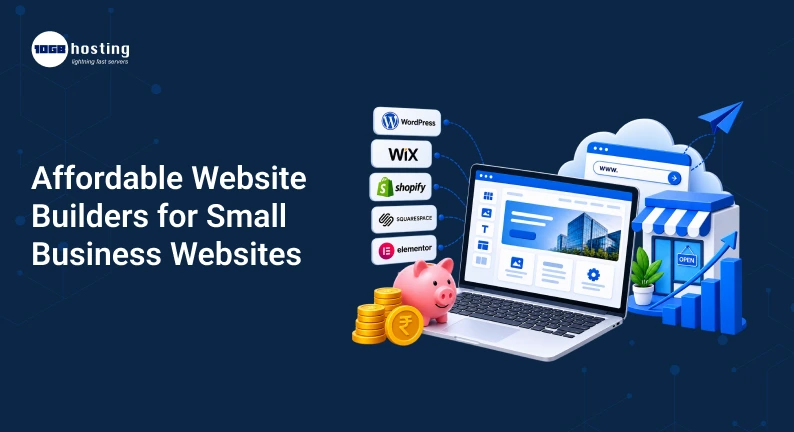
Today’s inexpensive website builders allow small businesses to build attractive, mobile-friendly websites without the need for advanced coding skills. Platforms provide templates, drag-and-drop editors, hosting, security and integrations to make the whole thing easier.
The question is, what website builder should you use? And how do you avoid paying for features your business doesn’t really need?
In this guide, we’ll explain what affordable website builders are, what to look for before you buy, how to choose the right one, and how you can connect your website with tools such as Wbotz CRM to turn website visitors into real leads and customers.
Table of Contents
What is a cheap website builder?
Affordable website builders are online services that enable people and organisations to build websites at a fairly low price. Many offer pre-made templates and visual editors, meaning you don’t have to code from scratch.
Instead of paying a developer for each tiny modification, you can usually:
- Select a website template
- BUSINESS INFO Add business info
- Upload pictures and videos
- Create product or service pages
- Add contact forms
- Link your domain
- Publish your site
- Make changes as and when required
This can cut down on development costs and the time it takes to get a website up for a small business.
Some businesses may even use cheap website creators in their early stages and upgrade later on as their needs grow.
Why Your Small Business Needs an Affordable Website
A website is more than a virtual business card. It can be a resource for potential customers to find out about your business, view your services, reach out to your team, and take action.
Imagine you have a local digital marketing agency.
A potential customer is looking for marketing services online and comes across your business. When they come to your website, they want to know:
- What services do you offer?
- How many years experience do you have?
- Do you do business with people like me?
- How do I get in touch with you?
- Quote Request?
If your website can answer these questions clearly, the visitor has a reason to contact you.
Now picture another business without a website or with an outdated website. Even if the company offers great services, customers might be reluctant to try it out, because they cannot find reliable information easily.
That’s when a low-cost website can be a smart investment rather than just another business expense.
What Makes a Website Builder Cheap?
The cheapest option is not always the best option.
A website builder might have a low initial price, but you’ll pay extra for things you’ll need, like a custom domain, more storage, business email, forms, analytics, and integrations.
Take a look at the overall cost before choosing a platform.
1. Monthly or Annual Fee
Check whether the advertised price is a promotional price or the regular price for renewal.
2. Domain Fees
Some of the plans include a domain for the first year, while others require you to purchase the domain separately.
3. Hosting
See whether the website builder’s plan includes hosting.
4. Templates
You can save the cost of hiring a designer by having a good choice of professional templates.
5. Business Features
Make sure you have necessary features like:
- Contact form
- Lead capture
- Analytics
- SEO settings
- Social media integration
- Book an appointment
- Product pages
- Mobile Friendly
6. Integrations with Third Parties
Your website should be able to integrate with tools your business already uses or will need in the future.
This is especially true when you want to connect a website to a CRM like Wbotz CRM.
Website Builders vs. Hiring a Website Designer – Which Costs Less?
Many business owners ask themselves if they should go for a website builder or hire a professional.
Both have their advantages.
Low Cost Website Builder
Wondering whether a website builder is the right choice for you? Consider:
- You have only so much money to spend.
- You want a simple business site
- You want to get going quick
- No complex custom functionality required
- You want to run the website yourself
Professional Website Design
If: Hiring a designer makes more sense
- You need a totally custom design
- You need complex functionality on your website
- You have a bigger development budget
- Your business needs more integrations.
- You don’t want to be doing website updates yourself
You may even want to search for a website designer cheaply to reduce the initial cost, but do not choose someone based on price alone. A poorly designed website can lose you customers because of slow loading, confusing navigation, or an unprofessional look.
Many small businesses can get started with an affordable website builder and can then invest more as the company grows.
How to Select the Top Budget Website Builder
It is easier to select the right platform when you focus on your actual business requirements.
Step 1: Figure out what you want your website to do
List down your needs before you start comparing website builders.
For example, a local service business may need:
- About Us page
- Home page
- Services page
- Get in touch
- Lead form
- Whatsapp button for contacts
- Customer Reviews
- Blog section
- Google Maps integration
An online store will require added features such as:
- Product catalogue
- Shopping cart
- Payment gateway
- Customer accounts
- Order management
You know what you need so you’re not paying for things you don’t need.
Step 2: Make a Practical Budget
Decide on a budget, whether it’s monthly or yearly, that feels right for you.
Your website budget could include:
- Hosting Domain
- Website design
- Premium Templates
- Corporate Email
- Plugins / Integrations
- Marketing tools
- Maintenance
Don’t just shop for the cheapest plan each month. Take into account the total cost of running the website for a minimum of one year.
Step 3: Find Mobile-Friendly Designs
A lot of people surf the web on their smartphones.
Your site should look nice on:
- Smartphones
- Tablet PC
- Notebooks
- Personal computers
Test builder’s templates on various screen sizes before purchasing a plan.
If your website looks good on a laptop but is difficult to navigate on a smartphone, you could be losing potential customers.
Step 4: Verify SEO Features
Your website needs more than great design.
Search for features that let you manage:
- Page titles
- Meta descriptions
- URLs
- Heading tags
- Image description
- Site map settings
- Page indexing
- Blog articles
These features can be used to help search engines understand your website.
For example, a local plumbing company can create pages for searches like “plumber in Ahmedabad” or “emergency plumbing services”.
Step 5: Review Lead Generation Features
A website needs to motivate visitors to take action.
It could be, depending on your business:
- Get a quote
- Name your business
- Send a WhatsApp message.
- Make an appointment
- Download a brochure (PDF)
- Complete a contact form
- Buy a product
That’s where linking your website to a CRM can make a big difference.
Step 6: Link Your Website With Wbotz CRM
Driving traffic to your website is only one part of digital marketing.
The bigger question is, what happens when someone fills out your website form?
Leads are in an email inbox and if no one follows up quickly enough, potential customers can quickly move on to another business.
Wbotz CRM helps businesses to simplify and manage customer conversations and leads on a single platform.
Your website can be the first step of your customer journey and then you can move prospects into your sales and communication process.
For instance:
Website visitor -> Contact form -> Lead captured -> Wbotz CRM -> Follow up -> Sales conversation -> Customer
This method can help small businesses keep track of prospects instead of using spreadsheets, notebooks, or scattered messages.
Step 7: Include Clear Calls to Action
Don’t leave your visitors guessing what to do next.
Click here to read more.
- Request a FREE Quote
- Get in touch
- Schedule a Consultation
- Contact Our Team
- Send WhatsApp Message
- Request Demo
- Buy Now
Place key calls to action all over the site, not just on one page.
Advantages of Affordable Website Builders
Small businesses can gain several advantages from using cheap website builders.
Lower Upfront Investment
You can have a professional looking website without paying an expensive development fee up front.
Launch Faster
Templates and drag-and-drop tools help cut down the time to build a website.
Simple Updates
Update text, images, services, pricing or contact info without having to ask a developer every time.
Business-like appearance
Templates today help small businesses look professional online .
Scaleability
There are many platforms that allow businesses to start out with basic features and then upgrade as they need more functionality.
Improved Lead Generation
If your website has contact forms, WhatsApp buttons, landing pages and CRM integrations it can be a useful lead generation channel.
Common mistakes to avoid when building an inexpensive business website
Saving money is important, but you can damage your business by cutting corners.
Don’t make these common mistakes.
Choosing Based on Price Alone
The cheapest plan might not have the features your business requires.
Overuse of Design Elements
Too many animations, pop-ups, large images, and unnecessary sections can make a website confusing or slow.
Design should be simple and customer-centric.
Website Speed Ignored
Slow websites can make visitors mad. Optimise images, avoid too many plugins, and choose a reliable hosting.
Mobile Users Get Forgotten
Always make sure to test your website on smartphones before you go live.
Not Creating Leads
Nothing like a website with no clear way of contacting to waste valuable traffic.
Make it easy for visitors to get in touch with you.
Not following up on prospects
Lead generation is only effective when leads are followed up in a timely manner.
Connecting your website to Wbotz CRM will help you to organise your customer communication process.
Example: Using an Affordable Website for a Small Business
Say you own a small interior design company.
Instead of spending a lot on a custom website, the company could start with an affordable website builder and create five important pages:
- Home
- About
- Interior Design Services
- Portfolio
- Contact Us
We can add a form for quote requests and a contact option via WhatsApp.
When a visitor submits his details , the lead can be organised through Wbotz CRM for follow up
Then the company could publish helpful blog posts like:
- Home Interior Design Cost How Much?
- Modern Living Room Design Inspiration Ideas
- Tips for Interior Design in Small Apartments
- Choosing an Interior Designer
Over time the website can attract search traffic and generate new leads.
This is a good example of how a small business doesn’t need to build a huge website on day one. It needs to build the right website for its customers and goals.
Affordable Website Builder Buyers Guide
Before you buy a website builder, ask yourself these questions:
- Is the plan within my budget?
- Does it include hosting?
- Is there support for custom domains?
- Is mobile support for templates?
- Can I edit the website without having to code?
- Does it have basic SEO tools?
- Can I include contact forms?
- Yes, you can link analytics.
- Does it work with other apps?
- Yes, you can integrate your lead-gen tools.
- Can I upgrade later?
- What is the renewal rate?
If the answer to most of these questions is yes, the platform might be worth looking into.
FAQs About Low Cost Website Builders
1. What is the best budget website builder for small businesses?
The business plan, budget, technical abilities and website needs will decide the best choice. Don’t just look at the cheapest plan, look at the total cost, templates, SEO tools, integrations, hosting and lead-generation features.
2. Can I build a professional site without hiring a developer?
Yes. Many of today’s website builders offer templates and visual editing tools that allow the small business owner to create professional websites without any coding experience.
3. Are cheap website builders any good for business websites?
They can be a good starting point for small businesses with simple requirements. But be sure to review the platform’s features, support, security, performance, customisation options and renewal pricing before you buy.
4. Should I hire a website designer or use an inexpensive website builder?
If you need a basic website and are on a budget, a cheap website builder may be the answer. If you need more advanced customisation or complex functionality, it may be best to hire a professional website designer.
5. Can I integrate my website leads with Wbotz CRM?
Yes, you can use your website as a lead generating channel and handle customer information and conversations on Wbotz CRM. The exact setup will vary depending on the website builder, forms, and integrations you are using.
Final Thoughts
Creating a business website need not take up your entire marketing budget.
An affordable good website builder can help you get a professional online presence up and running, without breaking the bank in initial costs. But don’t judge a platform by its price alone. Look at the whole package design, mobile-responsiveness, SEO features, hosting, support, integrations, lead-generation capabilities.
Most importantly remember that your website should do more than just look pretty.
It will help your business get visitors, capture leads, communicate with prospects and create sales.
This means that integrating your website with a CRM can be an important next step. Wbotz CRM can give more structure to lead management and customer communication instead of letting potential customers get lost in emails, spreadsheets or scattered conversations.
If you want to build a cheap website and convert more visitors to customers, then you can start by setting your business goals, choosing the right website platform, and having a clear lead management process with Wbotz CRM.