Need a professional website without the expense? That is how.
It’s exciting to start a new business, but it can also feel overwhelming. When you already have finances to manage, customers to serve and a brand to build, a website can feel like another expensive task to add to the ever-growing list.
Many beginners think that they have to hire a web designer or developer to make a professional website. That was true years ago but things have changed. Thanks to affordable website builders these days, anyone can build a modern, mobile-friendly website without any coding knowledge or a big budget at hand.
Whether you’re starting a startup, launching an online store, starting a freelance career, or building a personal brand, picking the right cheap website builder can save you time and money.
This guide will explain what a website builder is, why it’s important for beginners, how to choose the right one, and which platforms offer the most value for your money as you begin to grow online.
Table of Contents
What Is a Website Builder?
A website builder is a tool that allows users to build websites without any technical skills or programming knowledge.
You don’t have to write code from scratch, you can simply:
- Choose a ready-made template
- Change colours and fonts
- Upload images and content
- Pages make
- Link your domain name
- Publish your site
Most of them include hosting, security features, SEO tools and customer support as well, so they’re an all-in-one solution for beginners.
A website builder is a shortcut to complex website development, helping you focus on your business rather than on the website building.
Every Startup Needs a Website
Let’s say you open a physical store but you never hang a sign outside. It would be hard for customers to find you.
It’s the same online.
A website serves prospective customers:
- Discover your business
- See your products or services
- Contact you readily
- Trust Your Brand
- Buy Online
Consumers today often research online before making a purchase decision. If your business doesn’t have a website you could be missing out on opportunities to attract new customers.
A website acts as a 24/7 sales rep for startups and small businesses, working around the clock.
Why Use a Cheap Website Builder?
Most entrepreneurs run businesses on a budget, especially in the early stages of business.
There are many benefits to a cheap website builder:
Low Initial Investment
You can pay hundreds or even thousands of dollars to hire a developer. Website builders usually only charge a small monthly fee.
Faster Website Deployment
You no longer have to wait weeks for a custom built website, you can have your site online in a matter of hours.
No coding required
Most website builders offer drag-and-drop functionality, making it easy for beginners.
Web Hosting built in
Many website builders include hosting, so you don’t have to handle separate services.
Easy Updates
You can edit content, add pages and make changes without a developer.
Best Cheap Website Builders: What to Look For
Not all website builders are the same. Remember the following important features before you decide on one.
Easy to Use Interface
As a beginner you’ll want something simple and intuitive.
A good website builder should allow you to do the following:
- Move and drop elements
- Simple text editing
- Fast picture upload
- Seamless page management
The easier the platform is to use, the quicker you’ll launch your website.
Mobile-Friendly Design
Smartphones and tablets now generate more than half of all internet traffic.
Your site should be responsive to various screen sizes and devices.
A mobile friendly website is good for the user experience and search engine rankings.
Tools for Search Engine Optimisation
A beautiful website is of little use if no one can find it.
Look for built-in SEO features like:
- Page titles custom
- SEO-Friendly URLs
- Meta Descriptions
- Image optimisation
- generate sitemap
These features help search engines understand and rank your site.
Webhosting Made Easy
Most website builders come with hosting included in their plans.
When comparing platforms, think about:
- Website speed
- Reliability during operation
- Security features
- Backup Alternatives
Reliable hosting means your visitors can reach your site any time.
Customer Service
Even the simplest platforms can be a problem sometimes.
Good customer support can save you hours of frustration.
Look for providers that provide:
- Live chat
- Email support
- Tutorials
- Knowledge base
Support is especially helpful when you’re building your first website.
The Best Cheap Website Builders for Beginners & Startups
Let’s take a look at some of the most popular options out there today.
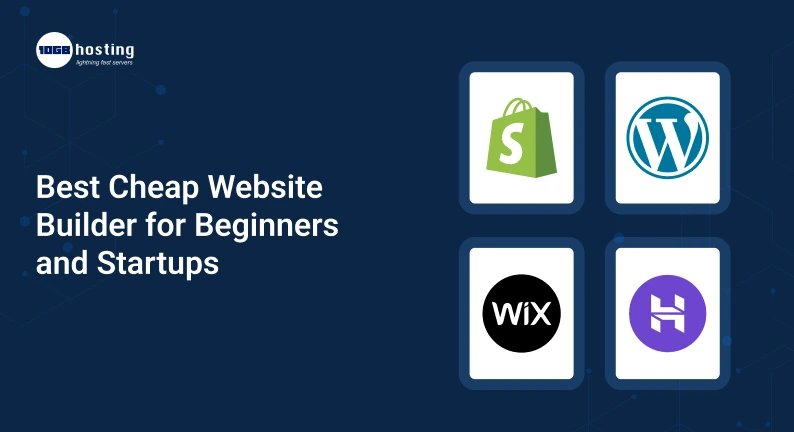
1. Hostinger Website Builder
Best for Affordable Startups
Hostinger is one of the most appealing choices for beginners as it provides competitive pricing and excellent features.
Key benefits:
- Artificial intelligence website builder
- Free domain with qualifying plans
- Hosting Built-in
- Fast Website Speed
- SEO Tools
Hostinger is a great value for startups who want to keep costs low but still look professional.
Pros:
- reasonable price
- User-friendly UI
- Hosting included:
- Rapid Loading Speeds
Cons:
- Fewer templates than some competitors
2. Wix
Best for Total Beginners
Wix is one of the most popular website builders worldwide.
The drag-and-drop editor lets users customize just about every aspect of their website with no coding needed.
Features include:
- Hundreds of templates.
- SEO tools
- Blog functionality
- Features of e-commerce
Pros
- AI Website Building
- So simple to use
- Wide selection of templates
- Available in free plan
- Flexibility you can tailor
Cons
- Higher tier plans have some advanced features
3. Squarespace
Best for Artists & Creative Businesses
Squarespace is all about sleek designs and a professional look.
It is especially liked by:
- Photographers Designers Agencies
- Single brands The benefits
- Beautiful Themes
- Powerful branding tools
- Responsive designs
Cons
- Slightly steeper learning curve
4. Shopify
Best for e-stores
If your startup is about selling products, you should try Shopify.
The platform is built specifically for e-commerce business.
Features:
- Product Manager
- Processing Payment
- Tracking inventory
- Marketing integrations
Pros
- Excellent e-commerce features
- Growth-ready
- Secure payment systems
Cons
- Higher monthly costs than basic builders
5. WordPress With Cheap Hosting
Best for Long-Term Growth
WordPress is used by millions of websites around the world.
It’s a bit more learning than website builders, but offers unparalleled flexibility.
Benefits include:
- A Thousand Themes
- Wide range of plugins
- Strong SEO functionality
- Complete control of the website
Many entrepreneurs build a powerful and scalable online presence using WordPress with some of the best hosting sites.
How to Pick the Right Website Builder
By taking a structured approach, it will be much easier to choose a website builder.
Step 1: Identify Your Objectives
Ask yourself this:
- Are you building a business web site?
- Do you want an online shop?
- Will you write blog content?
- Do you have to make appointments?
The features you need will depend on your goals.
Step 2: Establish a Budget
It matters that it’s affordable, but don’t just pick the cheapest option, look for the best value.
Consider:
- Monthly subscription charges
- Domain pricing
- Hosting charges
- Further features
The cheapest option might not always be the best investment.
Step 3: Consider Future Growth
Your website needs to grow with your business.
Pick a platform that can support:
- More pages
- Heavy traffic
- Sales Online
- Marketing Integrations
Plan ahead to save expensive migrations later.
Step 4: Compare Hosting Performance
Hosting quality is something that many business owners overlook.
Fast websites:
- Enhance User Experience
- Lower bounce rate
- Boost conversions
- Good for SEO rankings
That’s why even with a website builder it’s still important to compare the best hosting sites.
Best Free Website Hosting: Is It Worthwhile?
Many beginners are searching for the best free website hosting to save money.
Free hosting can be great for learning and testing ideas but there are restrictions.
Benefits
- No initial cost
- Simple setup
- Great for trying things out
Cons
- Limited storage
- Branding for platforms
- Less customisation options
- Lower performance
- Lesser professional look
For serious startups, buying affordable paid hosting often yields much better results.
Real Life Example of a Startup
Consider the case of Rahul, a freelance graphic designer
When Rahul decided to start his own design business, he had little money and no technical skills.
He decided against hiring a web developer and chose an affordable website builder instead.
In one weekend he:
- Select a template.
- Added his portfolio
- Service pages created.
- Added a custom domain.
- Launched his website.
A couple of months later, potential clients were finding him on Google and reaching out to him through his website.
By cutting down on development costs he could put more into marketing and growing the business.
This is precisely why affordable website builders have become popular with startups.
Common Mistakes Made by Beginners
Avoid these mistakes when you’re building your first website.
Only Choosing Based on Price
Low cost is important but so are quality and features.
Ignoring SEO
Without SEO optimization, your website will struggle to bring in visitors.
Excessive Use of Design Elements
Make your website look clean and easy to navigate.
Forgotten Mobile Users
Check your website’s mobile version always.
Start-up delay
Many entrepreneurs spend months trying to get their website right.
A launched website is better than a perfect website that nobody can see.
Advantages of Using the Best Cheap Website Builder
Choosing the right platform has a number of long-term benefits.
Reduced Startup Costs
Lower development costs, which means more money on the table for growth
Get to market faster
Start your business online fast.
Professional Look
Modern templates are a slick first impression.
More Trust of Customers
A professional website helps to build trust.
Management made easy
Update content as appropriate
Scalability:
Grow your website as your business grows.
Frequently Asked Questions
What’s the best cheap website builder for beginners?
They come with easy-to-use tools, affordable prices and built-in hosting, which makes Hostinger Website Builder and Wix some of the most beginner-friendly options.
Can you make a website with no coding?
Yeah. Modern website builders are designed to help users who have no coding experience.
Free hosting good enough for a start-up?
Free hosting is fine for testing purposes. But for a growing business, paid hosting is usually better because it provides better performance, security and branding.
What’s the best e-commerce website builder?
Everyone agrees. Shopify has the best platform for your online store, with powerful selling features and scalability.
Do website builders help SEO?
Yes. The majority of site builders include SEO tools that improve your visibility on search engines and help you attract organic traffic.
Conclusion
You don’t have to build a professional website with a budget or technical know-how. The availability of modern website builders allows beginners and startups to create beautiful, functional websites in just a few hours today.
The right platform, be it Hostinger for affordability, Wix for ease of use, Shopify for e-commerce, or WordPress for flexibility, can help you build a strong online presence without breaking the bank.
Your website is often the first point of contact a potential customer has with your brand. “Make the right choice today to help generate leads, build trust and support long-term business growth.
Ready to Design Your Website?
Don’t let your budget hold your business back online. Choose a good cheap website builder, get good hosting and build your website today. The sooner your website goes live, the sooner you can begin attracting customers, building credibility and growing your startup.